csbvideoedit
Inspiring
June 2, 2018
Answered

No audio from videoclips in timeline

  • June 2, 2018
  • 3 replies
  • 1610 views

Hello fellow editors, I have the following problem: The audio track of my videos sometimes does not work neither in the timeline nor in the source panel. Sometimes means, that it does at first, but when I continue with my workflow everything becomes mute. When I restart it usually works for a bit again, then disappears.

I have searched for topics with similar problems and came across some answers that I tried:

1) empty media cache, done that, no effect

2) the source files were on a external SSD, transferred them to the internal memory instead, no effect

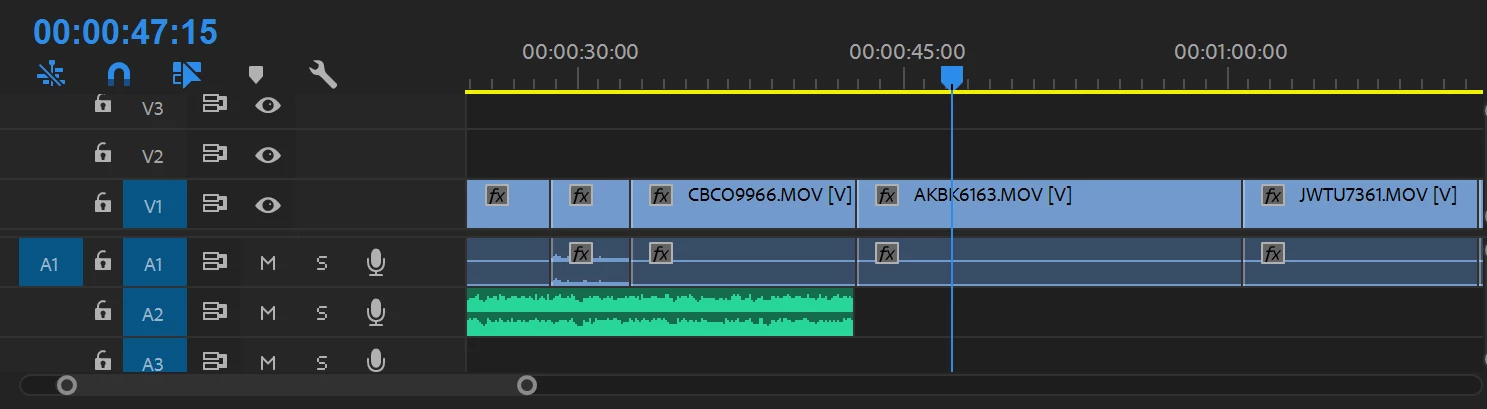
The audio that is coming from a different source (A2 in the timeline), such as a song works though. So it seems only the audio of the corresponding video clips is affected.

Please also note that in the timeline, apart from one clip, there is no waveform showing, neither when it works nor when it doesn't. On the screenshot you can see the missing waveforms.

I would love to find a proper solution to this as I rely on Premiere Pro. That issue hasn't been there previously. Thank you for your help!

This topic has been closed for replies.
Correct answer csbvideoedit

Done that, doesn't work either. Whatever I do the soundtrack of most videos doesn't show a waverform and sometimes works, but most of the time doesn't.

Interesting: Those files were filmed with an iPhone X using Filmic Pro. If I use files from a Sony camera, they don't seem to be affected by that. I don't know if that is the reason, but it is very odd, that apparently Premiere Pro doesn't like iPhone video files.

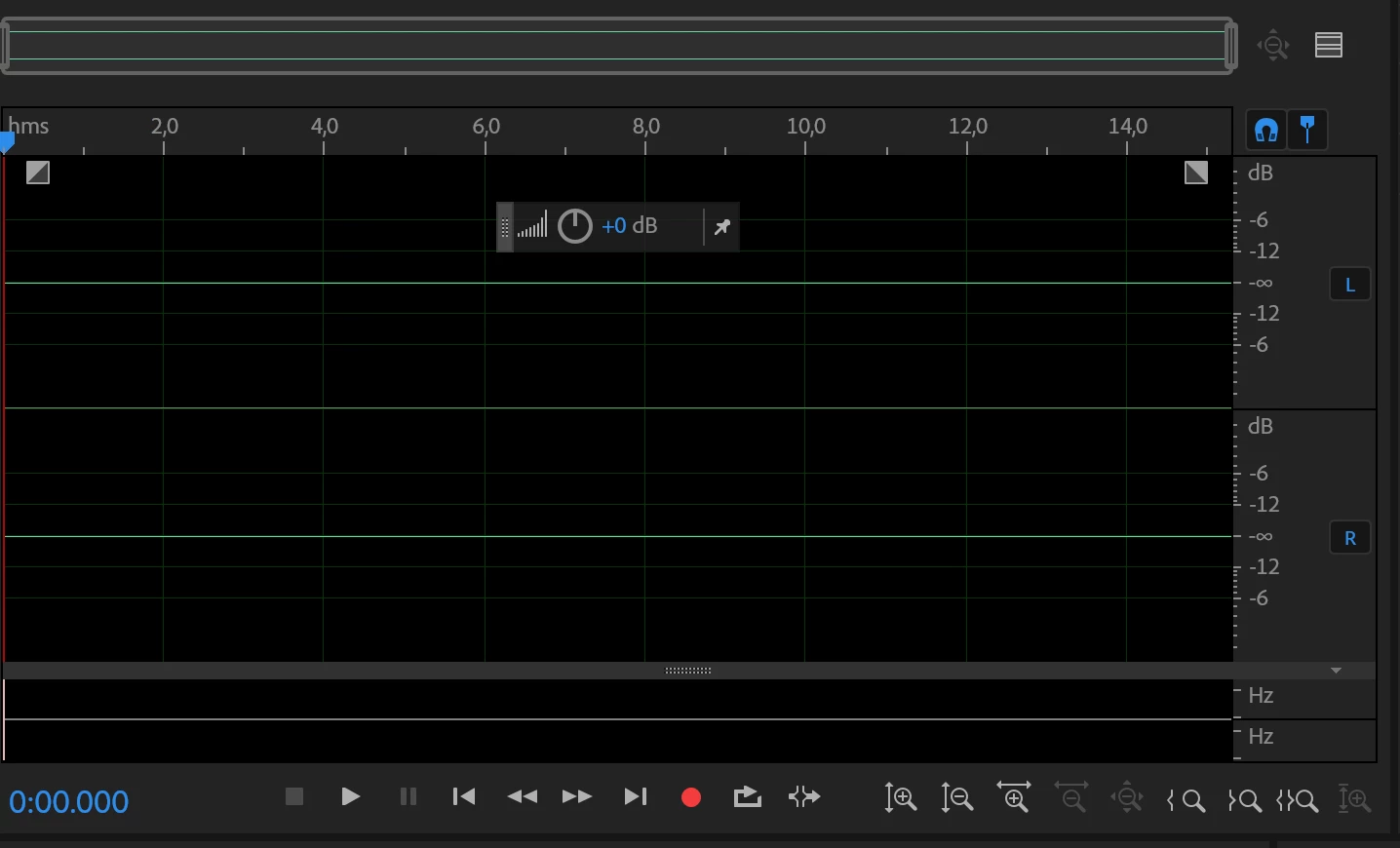
UPDATE1: Out of curiosity I opened the video files in Adobe Audition. The program has no problem handling the audio of the files and there is a very nice big waveform, which is missing in Premiere Pro.

Btw, when I try to render the files, the video will have mute parts in it.

This is all very frustrating. I want to create and not test millions of workarounds :-(.

UPDATE2: I also tested editing and rendering one of the video files that Premiere Pro doesn't like

with Shotgun (FREE video editing software): No problems whatsoever, sound is fine.

I don't know what to do now. I need to edit, but can't. I pay money and get a software that doesn't do it's job from one moment to another.

UPDATE3: Guess what happens when I import one of those files into a new After Effects project? It works at first, but when you replay it, the sound is lost!

UPDATE4: Uninstalling and re-installing Premiere Pro doesn't bring a result.

UPDATE5: When opening the files from the timeline directly in Adobe Audition, there is no sound, no waveform, nothing.
On the one hand it seems that Premiere Pro doesn't take the sound from the source to the timeline. On the other hand this does not explain why I lose the sound in the source monitor, too, once I replay the timeline.

In any case, everything is mute. Closing Premiere Pro and reopening, seems to help for a short time, but once you start working in Premiere Pro the problem appears. When you render the video, actually there will be sound for the most part (sometimes more, sometimes less - different each time). But there will also be mute parts.


Hello people, good news: After chatting with a technical specialist from Adobe the problem is largely solved by now. As I have suspected, it had indeed something to do with the iPhone X/Apple. My technical knowledge is limited, but as I understood 32bit .mov/Quicktime videos are not supported any longer. So the solution is to put your files in the Media Encoder and convert them to H264. After that, my files have waveforms again.

You can't believe how thankful I am to that specialist!

The only thing I am struggling right now, is it possible to replace the videos that I have worked on in my project with the new mp4 videos, so that all my editing remains, just the source of the videos changes to the new ones. Or do I have to restart my whole project (which would be okay, too, after all)?

3 replies

Participant
June 4, 2018

I am having the same problem.  When I play a video clip in the preview window the audio is present but when I drag it to the timeline or use insert the audio does not come across.  I have also tried dragging the audio only without success.

Peru Bob
Community Expert
Community Expert
June 3, 2018

Try resetting the preferences:

FAQ: How to reset preferences in Premiere Pro?

If that doesn't work, try resetting the Workspaces:

Reset a workspace

Reset the current workspace to return to its original, saved layout of panels.

  1. Do one of the following:
    • Click the Workspace menu icon and select Reset to Saved Layout.
    • Choose Window > Workspace > Reset to Saved Layout.

from here:

https://helpx.adobe.com/premiere-pro/using/workspaces.html

csbvideoedit
Inspiring
June 3, 2018

Hi, thanks for your suggestions! I tried them both, with no change. I want to point out that it seems especially the clips with the missing waveform are affected by this. The additional soundtrack (A2) sometimes becomes mute, too, but this can ususally be resolved by "solo" and "unsolo". Also, when I open Premiere, it seems to work at first, but once I replay the timeline or start doing changes, the problem appears and persists until I close Premiere Pro and restart it again.

I'll give you some additional information about my computer, although I doubt it is useful:

COMPUTER INFO

  • OS: Windows 10 Pro
  • Processor: Intel Core i7-7700HQ @2,8 Ghz
  • Installed memory: 16 GB
  • System type: 64-bit Operating System, x64-based processor
  • Motherboard: Alienware 0H1MFC (That's what CPU-Z says)
  • Graphics Card: GTX 1060

HARD DRIVE INFO NVMe THNSN5512GPUK NV

PROJECT INFO

  • Premiere Version: Premiere Pro CC 12.0 Kentos
  • Footage: 1920x1080
  • TRT of timeline: about 2 hours
  • Current project file size: 70.9 KB
Peru Bob
Community Expert
Community Expert
June 3, 2018

Try creating a new project and import the old one into it.

csbvideoedit
Inspiring
June 3, 2018

Oh and btw: Sometimes only part of the videos in the timeline are mute, but after a short time all of them have no sound. Also I noticed one video in the timeline was not the one that I have put there - despite the exact name of the one I wanted to be there.

What is this? It starts to feel like a buggy alpha version of some software, really.

Legend
June 3, 2018

Post up some details.  Use the guide below.

How To Ask For Help