Participant
April 12, 2019
Answered

No audio in Premiere! HELP!

  • April 12, 2019
  • 13 replies
  • 8153 views

Hello,

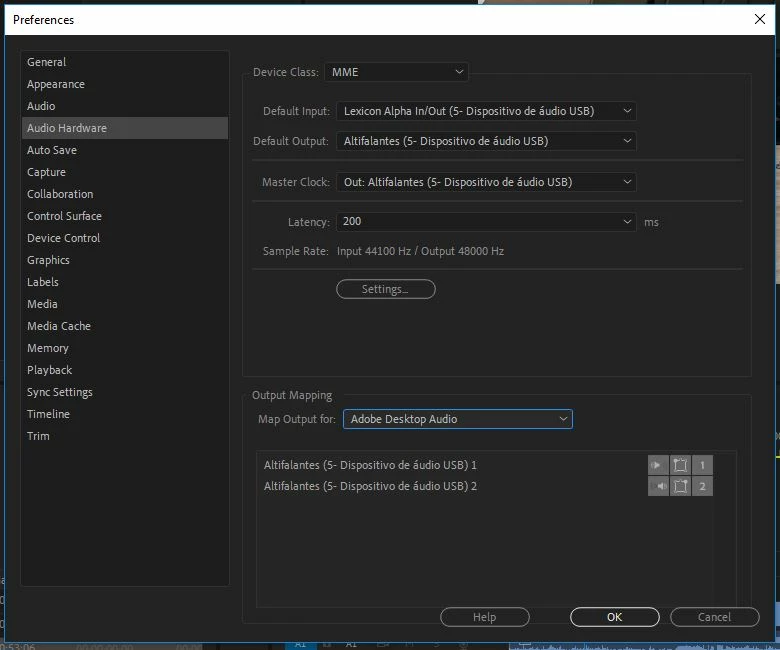
I'm having huge problem on Premiere cc 2019. I have no sound at all!

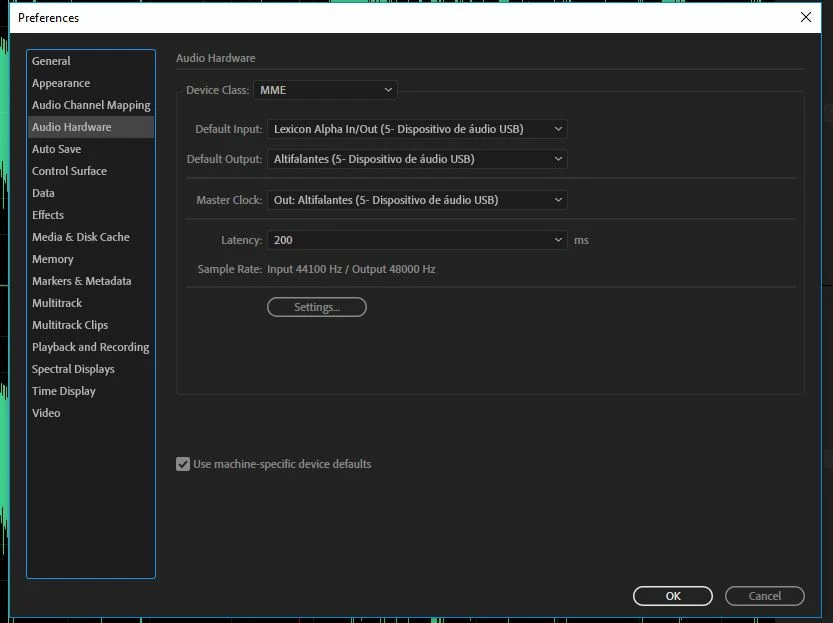
Checked hardware settings (the same as Audition, an in Audition same clip plays ok), reinstall app deleting prefs, cleared all cashes and peak files, changed device class from MME to ASIO an back,...

Nothing works!

Please help, I'm getting desperate!

Best regards,

Margarida
This topic has been closed for replies.
Correct answer Vídeo FCdM

Hello,

We've finally found the problem!

It seems that the Newtek NDI Tools Adobe CC plugins (we tried versions 3.5, 3.6 and 3.8) interfere with Premiere Pro CC 2019 (with last updates).

We uninstalled only these plugins, leaving the remaining components of Newtek NDI tools, and got audio again on Premiere. We tested on three different PCs , including a laptop, and the result was always the same. 

So, bottom line, there is an compatibility issue with Newtek NDI Tools Adobe CC plugins!

We are going to contact Newtek guys to update them too on this matter.

We hope you can look into the problem also.

It's not a final solution, but it's something!

Best regards,

Margarida

13 replies

Vídeo FCdMAuthorCorrect answer
Participant
April 16, 2019

Hello,

We've finally found the problem!

It seems that the Newtek NDI Tools Adobe CC plugins (we tried versions 3.5, 3.6 and 3.8) interfere with Premiere Pro CC 2019 (with last updates).

We uninstalled only these plugins, leaving the remaining components of Newtek NDI tools, and got audio again on Premiere. We tested on three different PCs , including a laptop, and the result was always the same. 

So, bottom line, there is an compatibility issue with Newtek NDI Tools Adobe CC plugins!

We are going to contact Newtek guys to update them too on this matter.

We hope you can look into the problem also.

It's not a final solution, but it's something!

Best regards,

Margarida

Participant
January 28, 2020

Hello!

everithing happend to me as well. i dont understand how to delete the plugins from my windows computer! please halp!!!

Community Manager
April 12, 2019

Hi Margarida,

Sorry to hear that you are facing this issue. Please check if the media files that are imported in Premiere Pro are showing audio properties in the Properties panel. Also, please try to switch the audio Input/Output to the system default Input & output instead of the USB one and then check if you are getting the audio playback (While checking this you may disconnect any USB audio I/O connected to the system to isolate any possibility of driver conflicts). You may also create a Bars and Tone file (File>New>Bars and Tone) and import that in the timeline and check if you are getting any audio playback. Let us know, we’re here to help.

Thanks,

Sumeet

John T Smith
Community Expert
Community Expert
April 12, 2019

May not be your problem, but the only idea I have

Source Patching https://forums.adobe.com/thread/2191265 with FAQ links

-and another FAQ that may help https://forums.adobe.com/thread/2226408