Inspiring
November 4, 2024
Answered

no blending mode options for sub layer?
  • November 4, 2024
  • 1 reply
  • 414 views

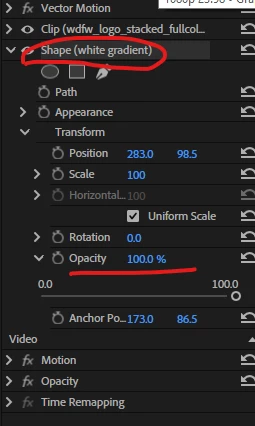
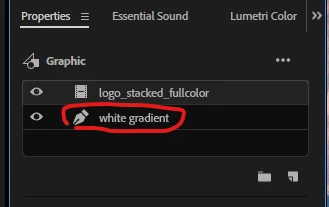
Hello i created a shape under a clip and i am trying to set the "blending mode" for that shape only to "screen", but this is no blending mode options under "opacity", is that the "opacity" option contains "blending mode" choices is only for the master layer ?  not for a sub layer inside the master layer?

Thank you.

This topic has been closed for replies.
Correct answer PaulMurphy

This is a much-needed feature. Currently, you can only use Blend Modes between clips, not between layers within a graphic.

If you just want to blend the lighter values of a gradient with the footage below it, you can set the Opacity Stop of the gradient to 0%.

1 reply

PaulMurphyCommunity ExpertCorrect answer
Community Expert
November 5, 2024

This is a much-needed feature. Currently, you can only use Blend Modes between clips, not between layers within a graphic.

If you just want to blend the lighter values of a gradient with the footage below it, you can set the Opacity Stop of the gradient to 0%.

Inspiring
November 13, 2024

Thank you so much Paul