


Participant
Feb 14, 2024 12:14 PM UTC
Question

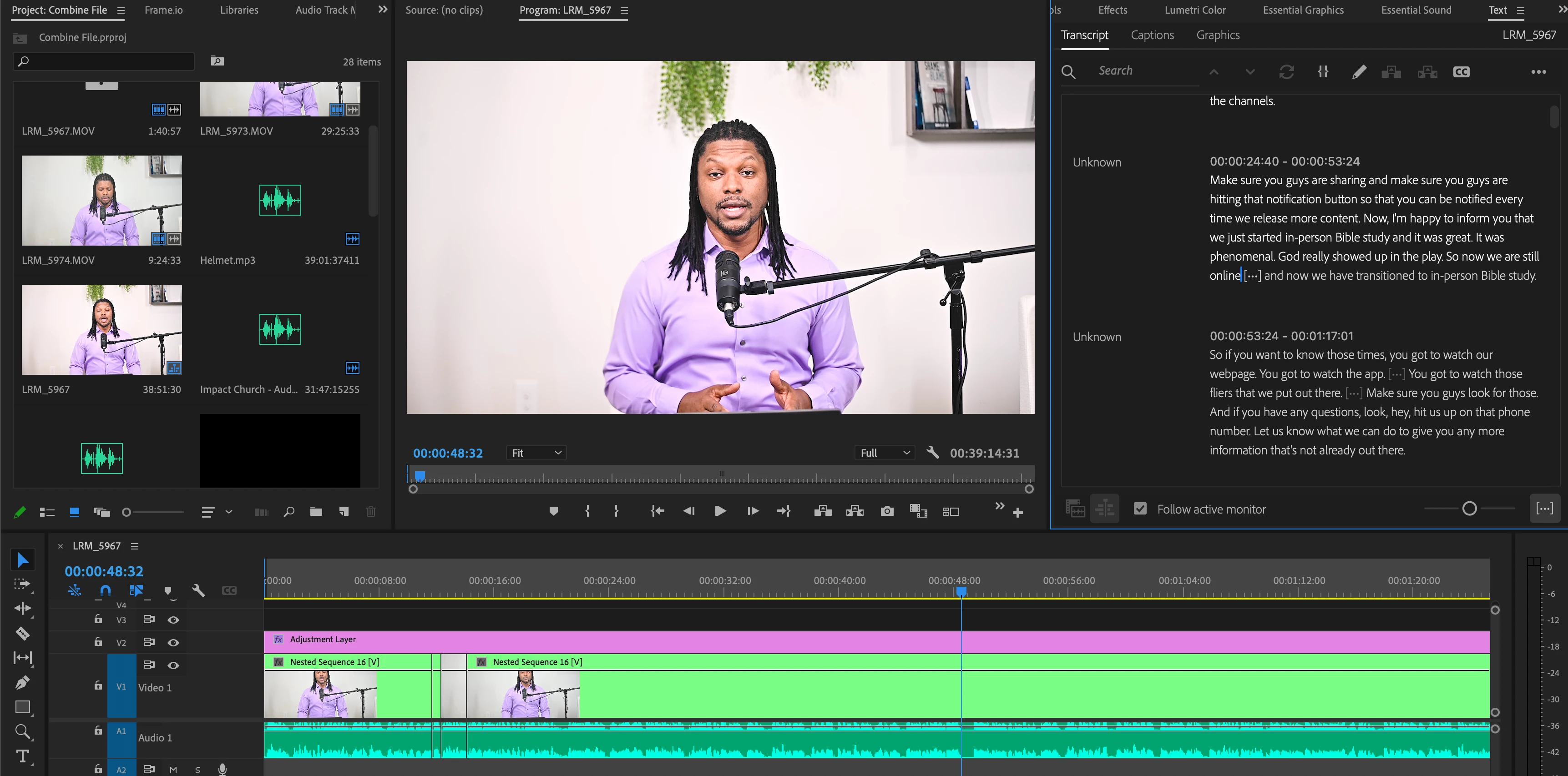
No Filter Icon in Text Window

Good Day,

I am trying my hardest to search this forum for the answer but could not find one. As stated in the subject, after my video has been transcribed and I go to filter for pauses, the filter icon is not there, only greyed out up and down arrows. Please see the screenshot. I am not sure if I changed a setting or something but I am unsure of how to fix this. Any help is greatly appreciated.


Bradley
4 replies

Kevin J. Monahan Jr.
Legend
Feb 14, 2024 10:36 PM UTC

Hi @Bradley M.,

I read about your problem. Can you try generating captions first? You've transcribed but not created captions yet. After that, you should be able to engage in text-based editing. Let us know if the advice helps.


Thanks,
Kevin

Translate
Kevin Monahan - Sr. Community and Engagement Strategist – Adobe Pro Video and Audio
Participant
Mar 5, 2024 3:18 AM UTC

Howdy, I'm having the same issue, no filter icon showing up in the transcribe panel. I've generated captions, started new projects and reset layouts and nothing has fixed it!

Translate