
Participant
October 26, 2022
Answered

No masking tool

  • October 26, 2022
  • 3 replies
  • 3020 views

Hello!


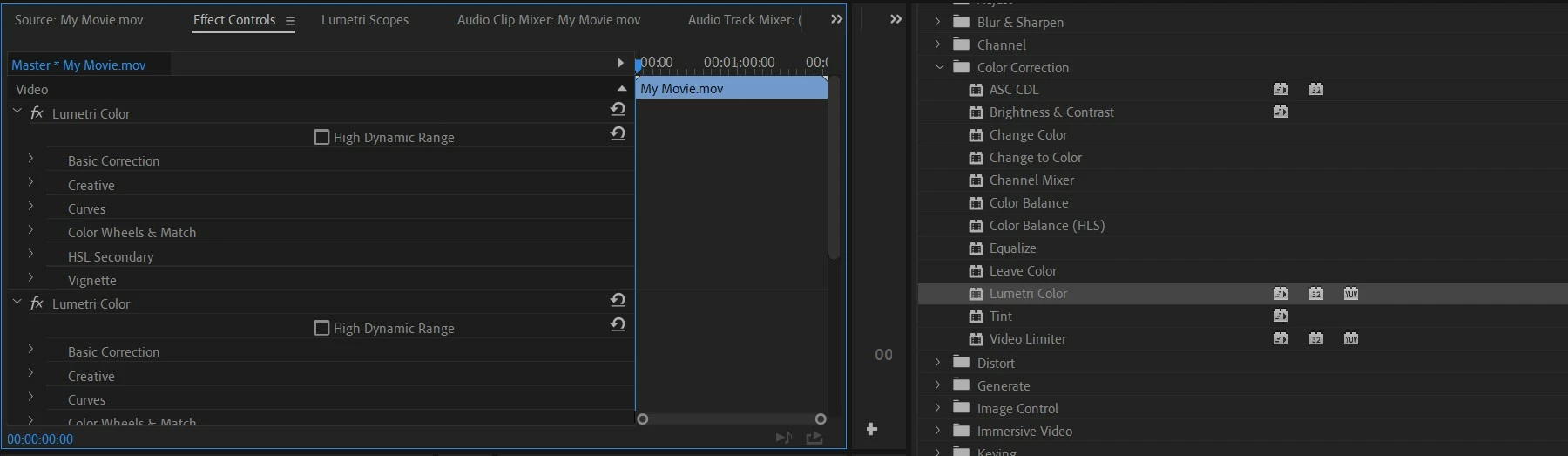
I'm using Adobe Premiere Pro 2019 and I can't see masking tool next to effects. As far as I'm aware of, there should be elipse, rectangle and pen tool under Effect Controls section in order to create a mask, but I don't see that option anywhere.

I'm new to using this program, so I really have no idea what seems to be the problem. I couldn't find anything helpful so I'm asking here. Hopefully someone here can help me.
This topic has been closed for replies.
Correct answer Ali Jaber

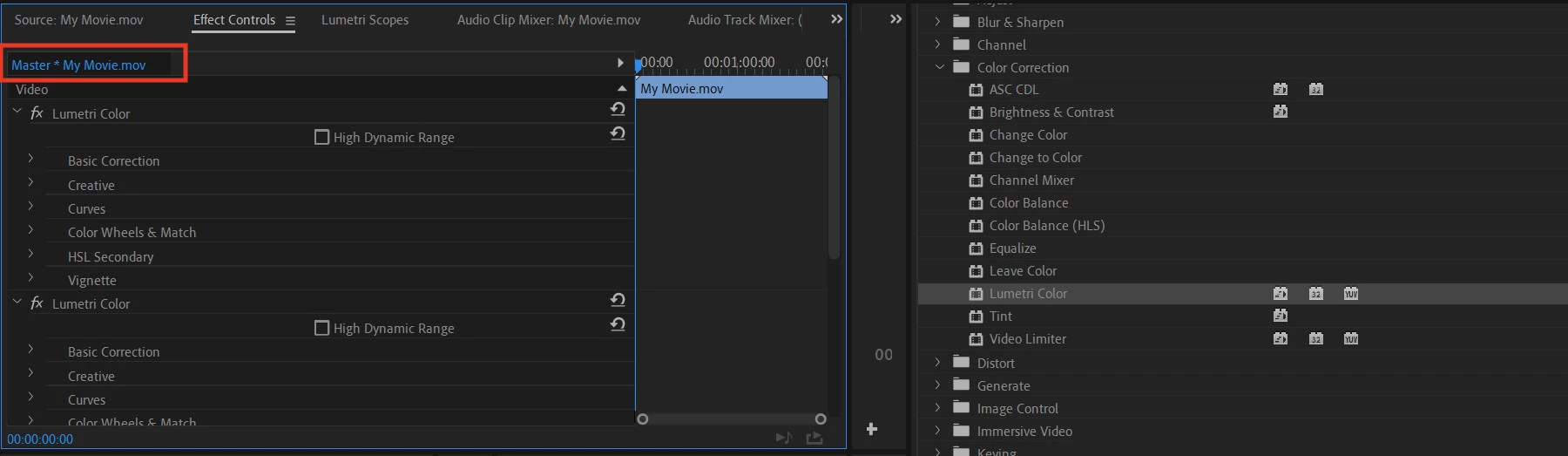
You have to add your clip to a sequence and apply the lumetri effect. You can't add masks to effects applied to a clip in the "Source" or "Master" tab of the effect controls panel.


3 replies

Ann Bens
Community Expert
Community Expert
October 27, 2022

There is no masking feature on the MASTER (SOURCE) clip

https://helpx.adobe.com/premiere-pro/using/master-clip-effects.html


Ali JaberCommunity ExpertCorrect answer
Community Expert
October 27, 2022

You have to add your clip to a sequence and apply the lumetri effect. You can't add masks to effects applied to a clip in the "Source" or "Master" tab of the effect controls panel.


Participant
October 28, 2022

This was my problem. Thank you very much!

Community Expert
October 27, 2022

I'd try resetting preferences. With Premiere closed:

  1. Ctrl+Alt+Shift (Windows)
  2. Command+Option+Shift (Mac OS)