
lumute63737575
Inspiring
August 18, 2019
Question

No Matching Search Results on Essential Graphic Premiere Pro

  • August 18, 2019
  • 6 replies
  • 3392 views

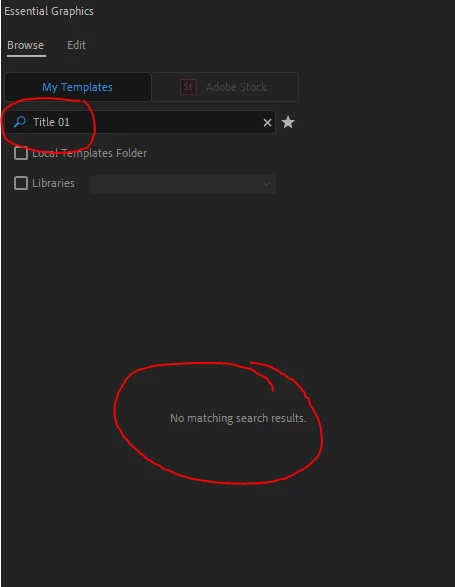
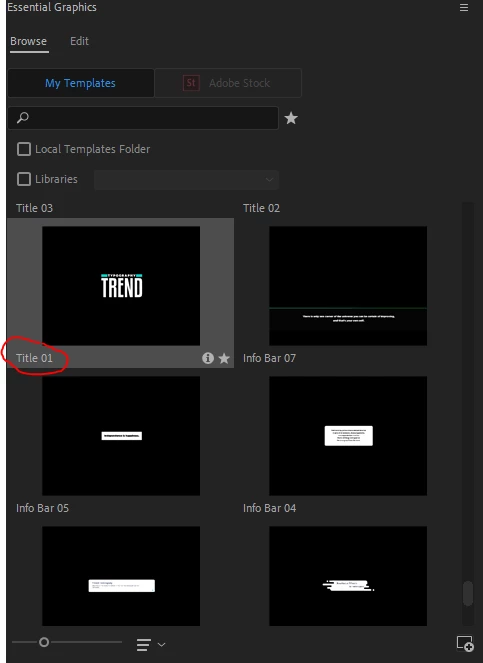
I can't find any motion graphic files that I have so I recently need to scroll down to find motion graphic files that I want, but it needs some time to find it and often times I can't just find it because there are thousands of motion graphics and the only way to find is by typing on "Search" but it says " No Matching Search Results" I tried to turn on the hidden folder so that I could access the "App Data" which where the Motion Graphics Template at, but it's still having the same issues.
This topic has been closed for replies.

6 replies

Participant
April 15, 2024

2024 and still happening. Any fixes?

Participant
April 11, 2023

I was hopping this has been resolved by now

Participant
April 3, 2024

Hey guys, any updates on this? Currently having the same issue 😞

Participant
January 16, 2023

Got same problem for months now. Any update on this?

Participant
February 24, 2023

Me too hope we find a solution to this


Participant
March 28, 2022

I hope we can solve this matter by re-installing premiere pro, but sadly it wont :'(


August 19, 2019

As jstrawn on this post describes, the Essential Graphics folder in %AppData% was deprecated in version 12.1 and changed to "Motion Graphics Templates". The new path is: "%Appdata%\Adobe\Common\Motion Graphics Templates"

This still does not explain why the "C:\Program Files\Adobe\Adobe Premiere Pro CC 2019\Essential Graphics" folder is created by the Premiere 13.1.4 installer, but it doesn't work.

I have created a uservoice request with this bug report: Make The Program Files Essential Graphics folder Work – Adobe video & audio apps

Legend
August 18, 2019

Does checking "Local Templates Folder" or "Libraries" (depending on where the particular template you're looking for is stored) help?

lumute63737575
Inspiring
August 18, 2019

It doesn't. I tried to press the "Show specific libraries" but it didn't show anything

August 18, 2019

Try clearing the Plugin and Preferences caches: https://forums.adobe.com/thread/2152942