Participating Frequently
July 1, 2021
Answered

No More Noise & Grain Removal Feature!!?? :(

  • July 1, 2021
  • 7 replies
  • 12220 views

Everyday my customers and clients give me videos to edit an encode for them. A lot of the times their video quality isn’t exactly the greatest.

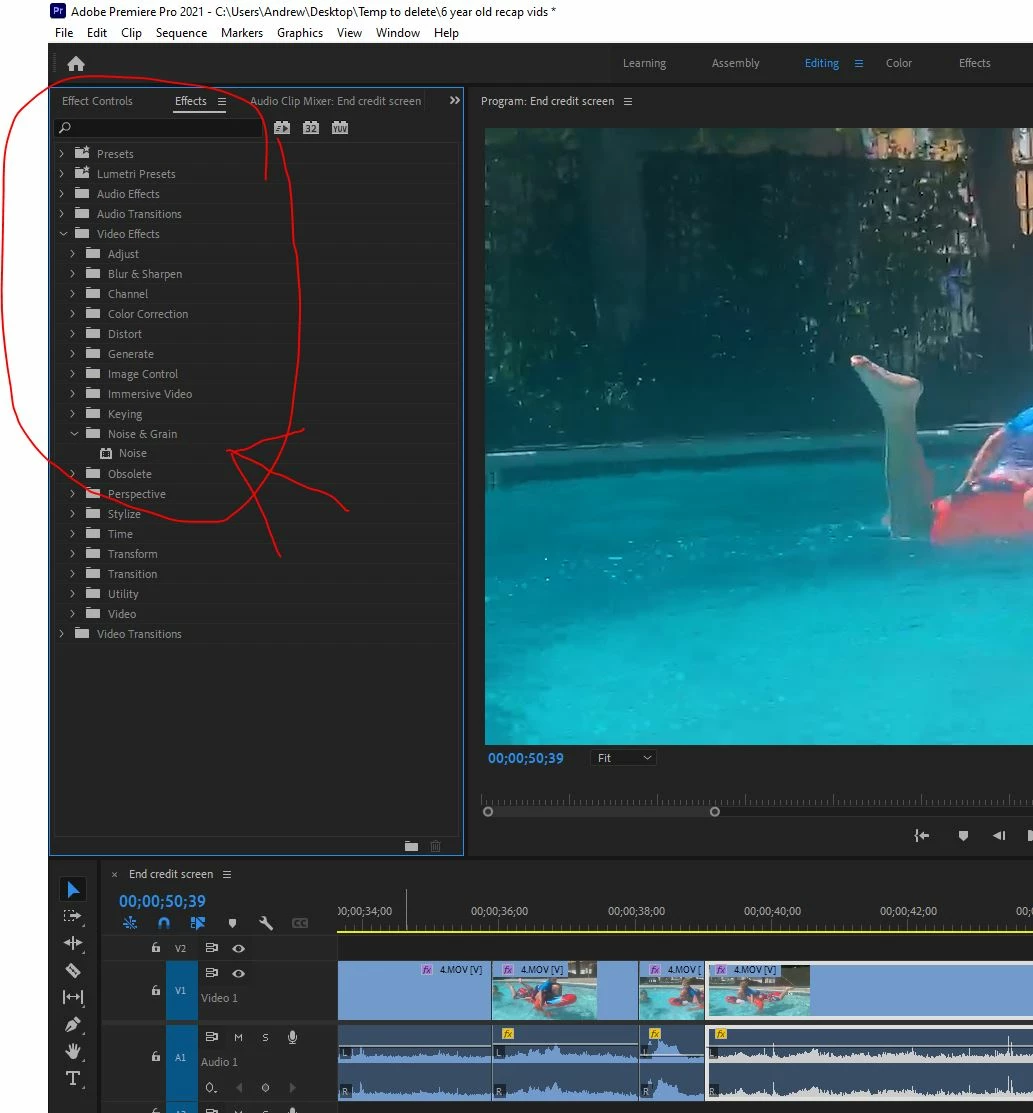
I COMMONLY use the EFFECTS > VIDEO EFFECTS > NOISE & GRAIN > MEDIAN adjustment slider to correct and fix their clips before I encode their video. Its easy, quick and simple.  Anyone else notice that there is no more option to do that?

It’s just Gone??! All we can do is “sharpen” now? That Freekin sux!! Thats probobly the #1 most common tool I use to edit my videos. 😞 
 

Correct answer Ann Bens

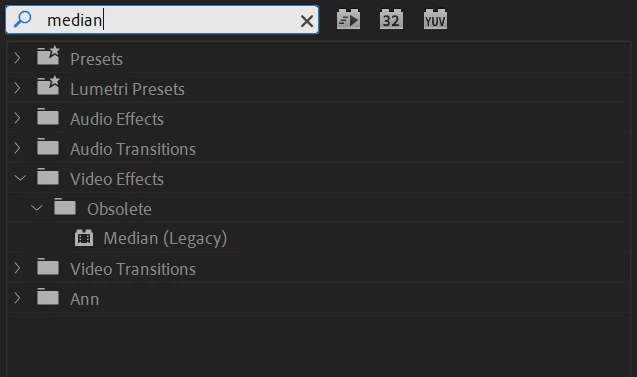
Median effect is in the Obsolete folder for now.


7 replies

jackthegiantkiller
Inspiring
January 18, 2024

Honestly it's pretty sad that Premiere can't manage to include a basic noise/grain reduction plugin, although the one included with After Effects is painfully, painfully slow. Guess I have to invest in the Neat Plugin while Premiere developers focus on AI and other features nobody asked for.

Legend
January 18, 2024

capitalism at work.  I'm sure Adobe is doing what they think will provide the best return on investment.  Not saying they're judgement is infallible...   

R Neil Haugen
Legend
January 18, 2024

Every one of us is different. In the aisle at NAB one time, a TV station lead editor and his four assistants were talking. He trained every one of them from rank noobs at hiring. And had very specific protocols for all media and file practices.


And they laughed that even so, they all worked very different from another.


Well, I've loved getting the transcript editing process. I know other pros who are thrilled with several of the new audio and editing features based on machine learning or "AI".


So the assumption that no one "serious" uses any of the new AI features is bogus to start.


That said, I'm with Michael. I've had enough discussions at events with devs to get a feel for the decision processes. Which are varied and more "based" on user usage than most of us would probably expect.


I've also been through both in-person and online one on one hour long processes with a moderator and a dev. Like "If you see these options on this screen, what do you think each does? And how would you expect to use them?"


So I know they do sample the user base intensively.


And like Michael says, I don't necessarily agree with any particular decision made. I understand why, perhaps. I can often explain the decisions.


But that doesn't mean agreement or defense of their choices. As an explanation has nothing to do with defending something.


Several things I've dearly pushed for both online and in person are probably not gonna happen. Simply because there are so few of the users as a percentage that would ever use or notice the changes. Been told that in person.


I do respect the devs, every one of the many I've met over the last decade is a passionate editor outside of their job with Adobe.


I just disagree with some choices. As humans will do.

Everyone's mileage always varies ...
Participant
January 6, 2024

Hi, it's now 2024, is there an update on this, is it necessary to purchase a plug-in.  Thanks


R Neil Haugen
Legend
January 6, 2024

If there was, it would be in the Effects panel, so it's easy to check. And ... nope. Neat video, or maybe if you've got the Maxon RedGiant Universe suite of plugins, they have a video noise removal panel that's not too bad.

Everyone's mileage always varies ...
Participant
January 6, 2024

Thank you!!

Jackie Gardner
Production Team Manager

[personal info deleted by mod, forum rules]

R Neil Haugen
Legend
July 1, 2021

I've not heard of any replacement for their old noise reduction process. There are such good plugins available, I don't think they're going to work at building a new one internally.


I'm on Neat within Premiere, personally. Though I've also got the full Red Giant suite, which has a noise reduction app also. I've not tested them, but then, Neat is pretty much the industry standard.


Neil

Everyone's mileage always varies ...
Ann Bens
Community Expert
Ann BensCommunity ExpertCorrect answer
Community Expert
July 1, 2021

Median effect is in the Obsolete folder for now.


Participating Frequently
July 1, 2021

Hi Ann 🙂 

A few minutes after I posted the problem, I was having a customer service rep (via live chat) directed me to where they moved this feature to. That was good and made me happy because I use this feature quite often. Did you see the comment above this one? It is called “Neat Video” It looks Incredible!! I think I am going tot try that 😊

Ann Bens
Community Expert
Community Expert
July 1, 2021

Yes I know about Neat Video.

I use this one: DE:Noise - RE:Vision Effects 

Peru Bob
Community Expert
Community Expert
July 1, 2021

Have a look at Neat Video:

https://www.neatvideo.com/


Participating Frequently
July 1, 2021

That looks INCREDIBLE!! I am going to try that plug-in! Thank you so much 🙂

Legend
July 1, 2021

I love the Neat plug-in but it does require some digging to understand how to make it work and you need to tweak the parameters for each shot.  On my underpowered 2012 macbook pro, the interface is much more responsive in aftereffects...   And it's truly magic on some shots and not so much on others...  

Legend
July 1, 2021

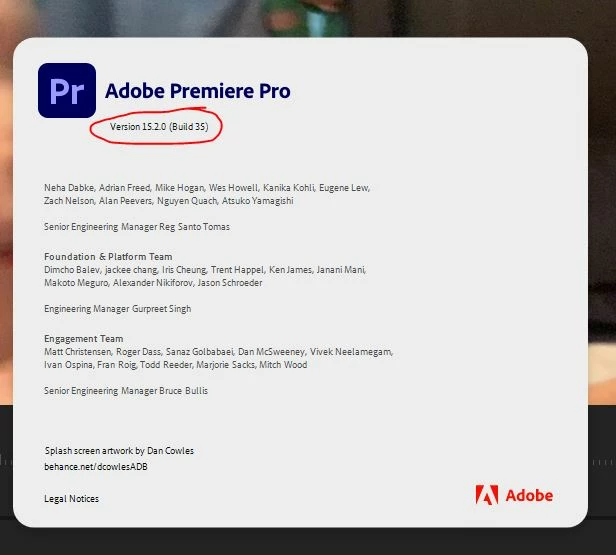
and you can revert to the previous version of Premiere that had the effect.  Go to the creative cloud app and click on the elipsis at the far right side of premiere and choose "other versions."  

chrisw44157881
Inspiring
July 1, 2021

.