
Participant
Jun 7, 2022 4:24 AM UTC
Question

No option to select LOCATION to export

Such a funny bug. Adobe Premiere Pro 2022 doesn't show the location path option at all when I am trying to export anything. Not sure where the issue is. 
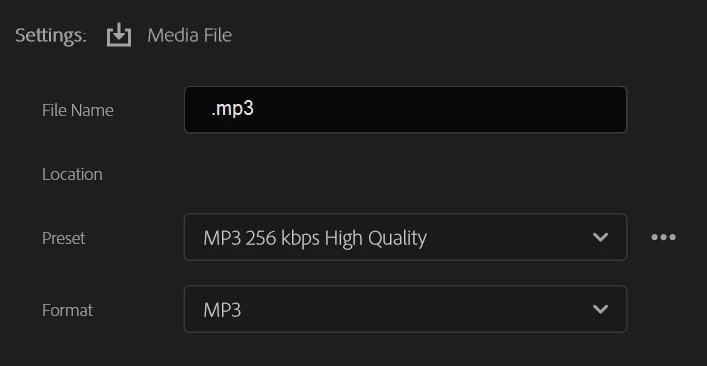


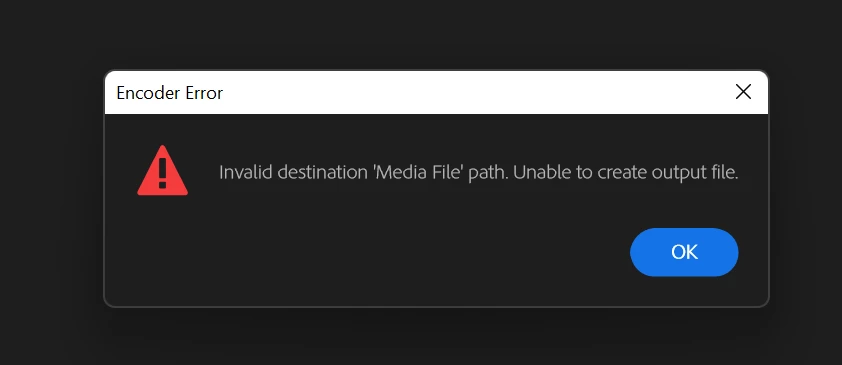
And of course when I click export, I get the following error which is obvious. 
 

Anyone has a solve to this?

41 replies

Participant
Oct 12, 2022 9:40 PM UTC

I'm having the same issue. Have to create a new sequence within the project and the option to choose your export destination reappears. 

Translate
Participant
Sep 21, 2022 3:27 PM UTC

Same - it's related to specific sequences. Opening the project on 2022.5 on MacOS and Windows, same problem. Older sequences in same project export fine.

Translate
Participant
Jun 27, 2022 5:33 AM UTC

Did you find out how to fix it? I am also having the same issue 😞


Translate
Ann Bens
Community Expert
Community Expert
Jun 27, 2022 10:47 AM UTC

Issue has been fixed.


EDIT: this issue has NOT been fixed.

Translate
Participant
Jun 27, 2022 10:37 PM UTC

I am still experiencing the same issue. So it has not been resolved.

Translate
Ann Bens
Community Expert
Community Expert
Jun 7, 2022 5:33 PM UTC

Might not be the cause but the mp3 file does not have a name.

Try:

FAQ: How to reset (trash) preferences.

Translate
Participant
Jun 7, 2022 5:56 PM UTC

Even if I type a filename before the .mp3, the location area doesn't show up. 

Tried using multiple export settings, MXF/MP4/MOV/WAV, nothing works. How can I export without selecting the path where I want it to be exported to. 

Translate
Ann Bens
Community Expert
Community Expert
Jun 7, 2022 7:19 PM UTC

Ah now i see what you mean: its a known issue. Will be corrected in the near future.

Meanwhile you can use the beta which already has been updated.

Translate