Answered
No playback in premier pro
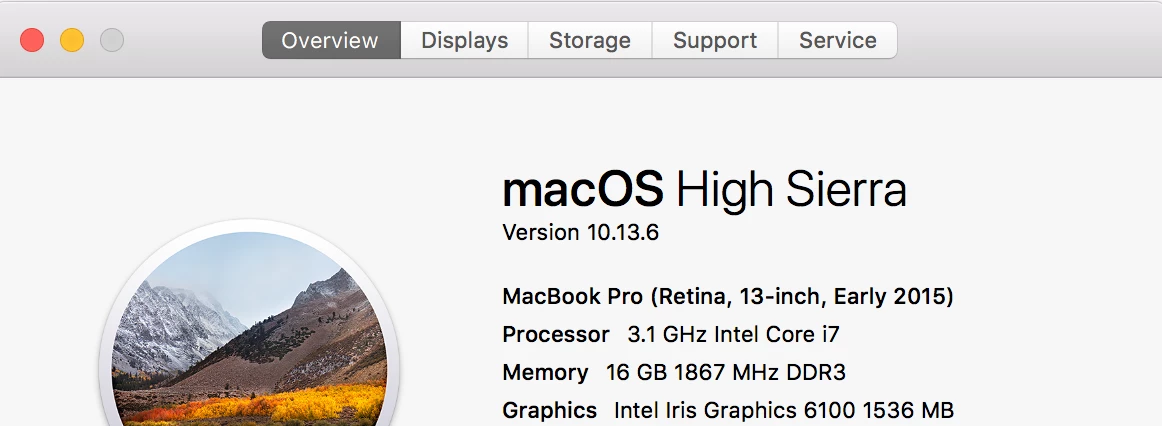
Premier pro worked fine, has suddenly stopped playing back any media imported.
Deleted creative cloud and reinstalled apps, still not working.
tried easy setting fixes hasn't done anything.
Please help 
Premier pro worked fine, has suddenly stopped playing back any media imported.
Deleted creative cloud and reinstalled apps, still not working.
tried easy setting fixes hasn't done anything.
Please help
I just chatted with adobe support an these were the steps the gave me to reset the preferences that worked for me!
1. Please try to double click on Blank desktop screen first
2. Now On top left corner, near Apple Icon, you will see "GO" option
3. Click on that, select "Go To Folder" option
4. In the search box type ~/Library/Application Support and hit enter
5. Please confirm that it should be ~/Library and not just /Library, the small sign ~ is important, or else it will crash all applications.
6. Please locate and Rename "Adobe" Folder to "Adobe.old"
7. Now again, in the box type ~/Library/Preferences and hit enter
8. Please locate and Rename "Adobe" Folder to "Adobe.old"
9. Now, the final one, please Go to "Documents" folder of MAC and Rename "Adobe" folder to "Adobe.old
Already have an account? Login
Enter your E-mail address. We'll send you an e-mail with instructions to reset your password.
 AdChoices