Inspiring
June 13, 2019
Answered

No sound at all out of premiere

  • June 13, 2019
  • 10 replies
  • 3401 views

I've looked up everything I can find on the subject and the sound is just simply NOT working in Premiere.

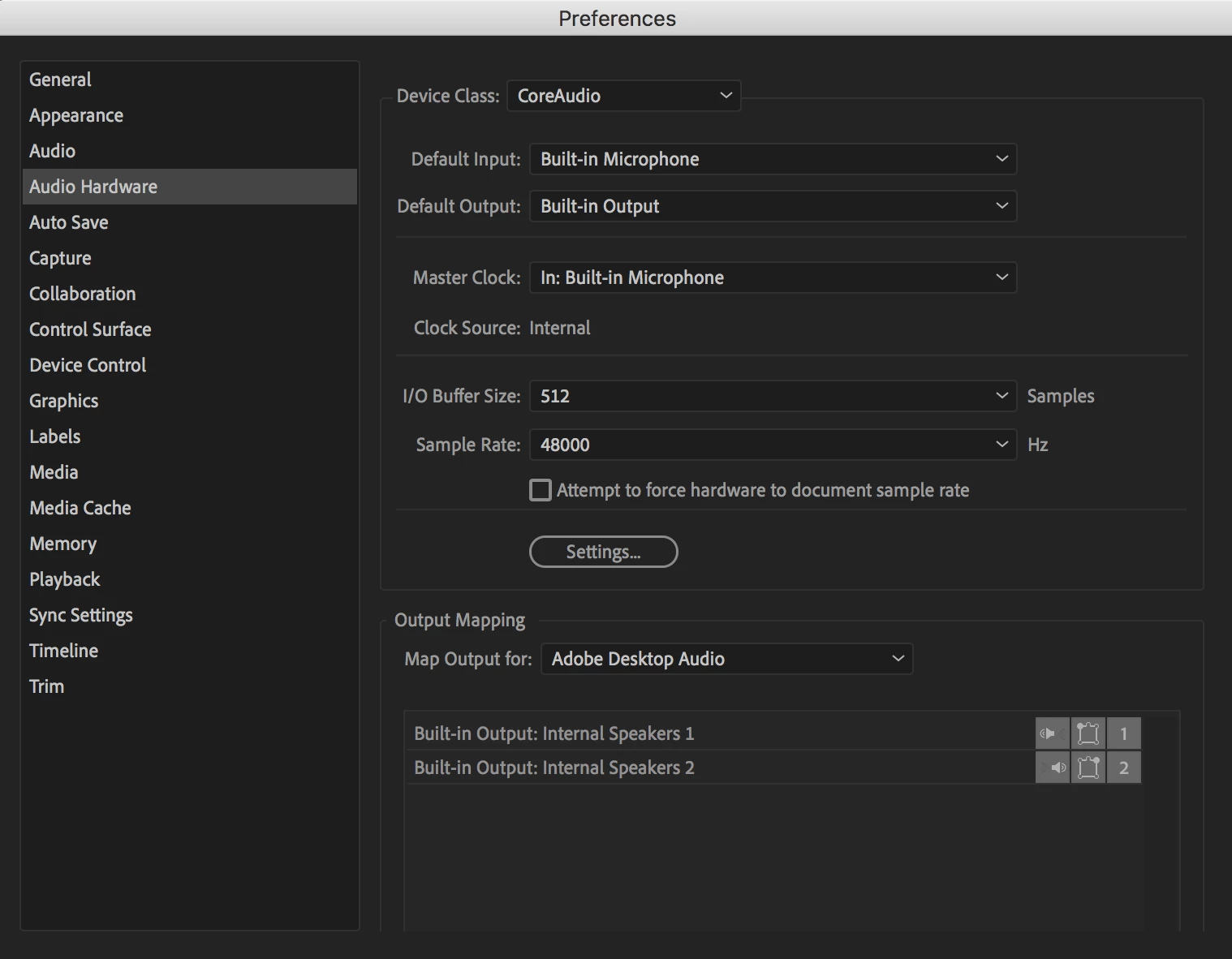
I've tried different headphones, every single possible setting I can change in Audio hardware, everything is set up properly.

Open any other program on the computer and audio is completely fine, including After Effects.

It's the same whether it's an mp4, .mov... so it's not a file-type issue.

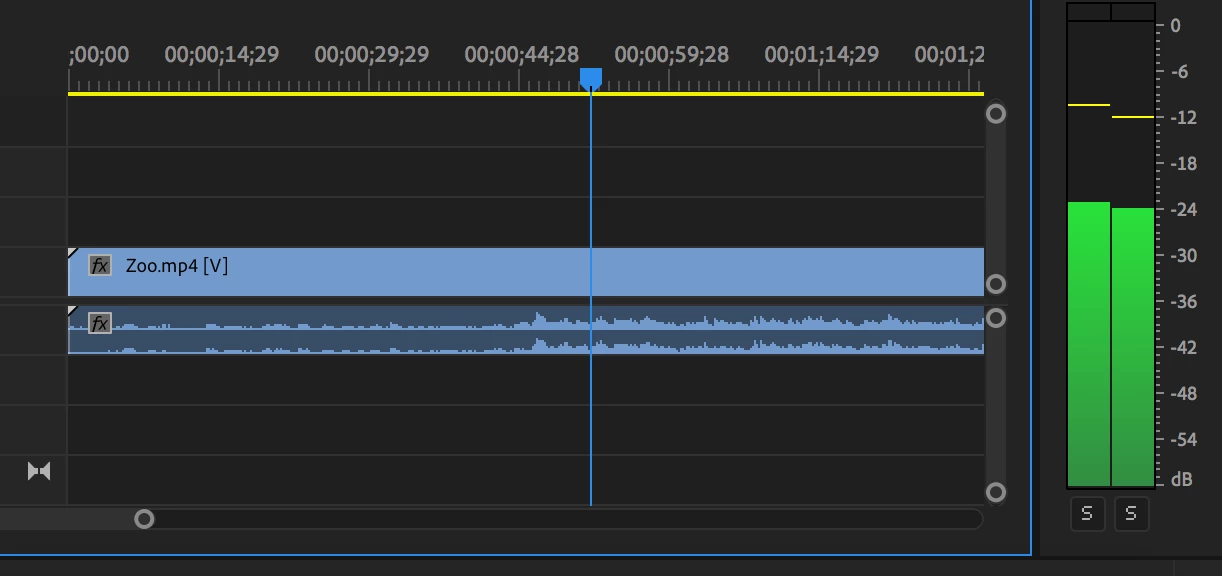
The bars on the timeline are going up and down to the waveform so there is sound there and it is "playing" but I can't hear it at all. Basically makes Premiere completely unusable. Can't edit if I can't hear it.

I'm on a Macbook Pro on High Sierra.
    This topic has been closed for replies.
    Correct answer andrzejgoulding

    Did a remote session with Adobe support.

    Turns out it was something in the mediacore plugin folder within the library prefs. Something in there was blocking the output somehow.

    Removed the folder, restarted Premiere and voila!

    10 replies

    krepta
    Participating Frequently
    June 14, 2019

    Hi all

    Problem solved.

    I deactivated the firefox plugin that was stopping me from seeing the bubble for technical support on the Adobe website.

    We did a remote control session, and the technician did exactly as described in the solution given at the top of this thread, and it worked.

    Thanks for the help everyone !

    Legend
    June 14, 2019

    using edge (come with windows 10 ) browser...

    this link...

    Adobe Help Center

    toward bottom of page.

    sign in as individual with your adobe account stuff ( same as what you use to come here )

    krepta
    Participating Frequently
    June 14, 2019

    Hi,

    I'm having exactly the same problem on a PC and i don't understand how to apply the solution you mentioned.

    And how the hell did you manage to get remote support?

    I keep wandering around the Support part of the website and can't find anything like it !

    Inspiring
    June 14, 2019

    I just started a browser chat with adobe support and then there was the option of screen sharing with one of the support people.

    krepta
    Participating Frequently
    June 14, 2019

    Yeah that's what I meant, I've been looking for some browser chat option and I can't find one.

    Did my mother lie to me? Am I actually completely stupid?

    Legend
    June 13, 2019

    Yipppeeee !   good going !!!!!

    andrzejgouldingAuthorCorrect answer
    Inspiring
    June 13, 2019

    Did a remote session with Adobe support.

    Turns out it was something in the mediacore plugin folder within the library prefs. Something in there was blocking the output somehow.

    Removed the folder, restarted Premiere and voila!

    Legend
    June 13, 2019

    creepy.

    you said, I think, that sound works for everything else including After Effects ?  Since After Effects is a totally different program ( programmed by a whole different group of programmers ).. I am wondering if you can open after effects now and get sound out of the program ?

    If you can it is likely ( in my mind of imagination ) that there are preferences and user settings that you have set up for that program. I am not on a mac and don't have your CC version.

    But, I am imagining that there are 'settings' in after effects for SOUND.

    Is there any way you can make a note of what they are, and then close after effects, re-open PPro and duplicate those settings ??

    You don't have a telephone answering service on your computer do you ???

    Inspiring
    June 13, 2019

    Comparing the two, the only difference is in the output mapping.

    After Effects has output mapping for "built-in-output"

    Premiere has output mapping for "adobe desktop audio". There isn't however an option for "built-in-output".

    Legend
    June 13, 2019

    that second screenshot, of output mapping for PPro.. you see the little speaker icon down there by right and left speakers ??? If you click on them I assume it goes to a slider for volume level … are they on ??  like, what happens if you click on them ??

    sorry, I don't have the same stuff you do.

    Legend
    June 13, 2019

    p.s. plus I got speakers that have a headphone jack IN THE SPEAKER .. so I am not messing with the device thing on mobo, but rather use the speaker(s) as the bridge.  This is something that Jim Simon used to recommend to a lot of people, and I finally took his advice, and it works great.

    Legend
    June 13, 2019

    About a year ago I had problems with sound stuff ( a lot ). I finally figured out that the plug into my edit computer on top of the case ( the pig) that I used to plug in headphones was crappin out. But at the same time, if I plugged headphone in and out when computer wasn't ON adobe didn't know what to make of the new 'device' when I booted up the computer. It was a real mess, cause of the concurrent 2 problems going on at same time. I finally got stereo speakers and used the rear panel front right and left stuff to permanently attach speakers. Now if I use headphones I ONLY plug them in and out while the computer is ON.

    Things get weird sometimes …

    Legend
    June 13, 2019

    yeah, I'm useless … only have old cs6 and use a PC instead of mac... so my settings are different ( including sound input output device class, etc. ) All my stuff is just going through the mobo onboard sound chip.

    this is my stuff... on windows. 

    sometimes the asio settings helped me in the past but that was so long ago I don't remember that stuff..

    Now that you have all the basic stuff in your post.. someone with mac should be able to help you.

    good luck !

    Legend
    June 13, 2019

    maybe post screenshot where people can see your settings ( boxes checked etc. ) on left side … like this...

    if blue tooth is ON, turn it OFF … REBOOT … see if that fixed it.

    Inspiring
    June 13, 2019

    Thanks for the quick response.

    Bluetooth was the first thing I turned off plus a reboot but no joy.

    This is what my timeline looks like, which is different to yours.

    Peru Bob
    Community Expert
    Community Expert
    June 13, 2019

    Try resetting the preferences:

    FAQ: How to reset preferences in Premiere Pro?

    If that doesn't work, try resetting the Workspaces:

    Reset a workspace

    Reset the current workspace to return to its original, saved layout of panels.

    1. Do one of the following:
      • Click the Workspace menu icon and select Reset to Saved Layout.
      • Choose Window > Workspace > Reset to Saved Layout.

    from here:

    https://helpx.adobe.com/premiere-pro/using/workspaces.html