

lehestro
Inspiring
January 15, 2025
Answered

No sound in multiclip, weird track layout

  • January 15, 2025
  • 3 replies
  • 607 views

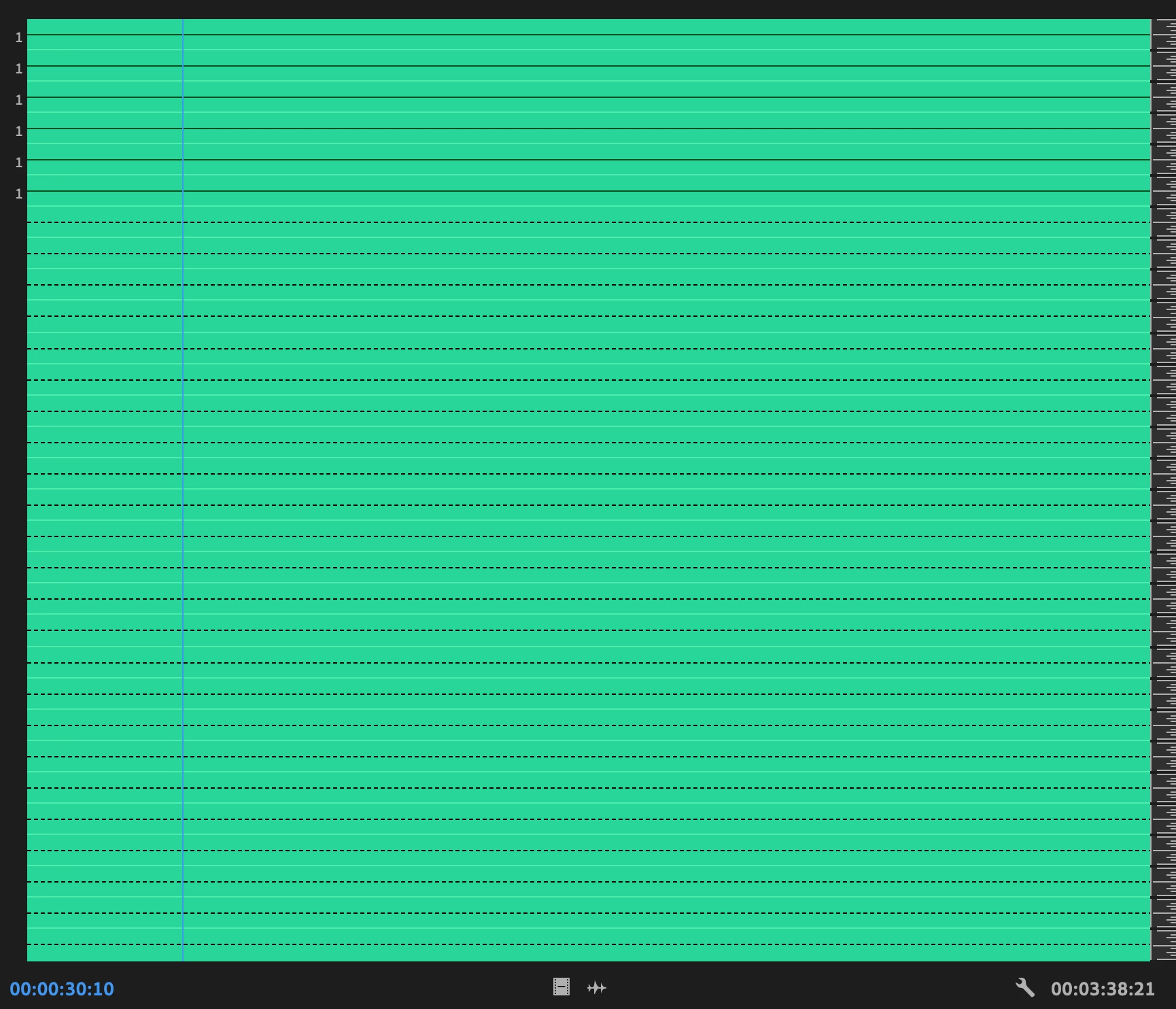
Anyone ever seen their multicam clip with an audio layout like this? No waveforms and a crazy number of tracks (that should not be present)?
 

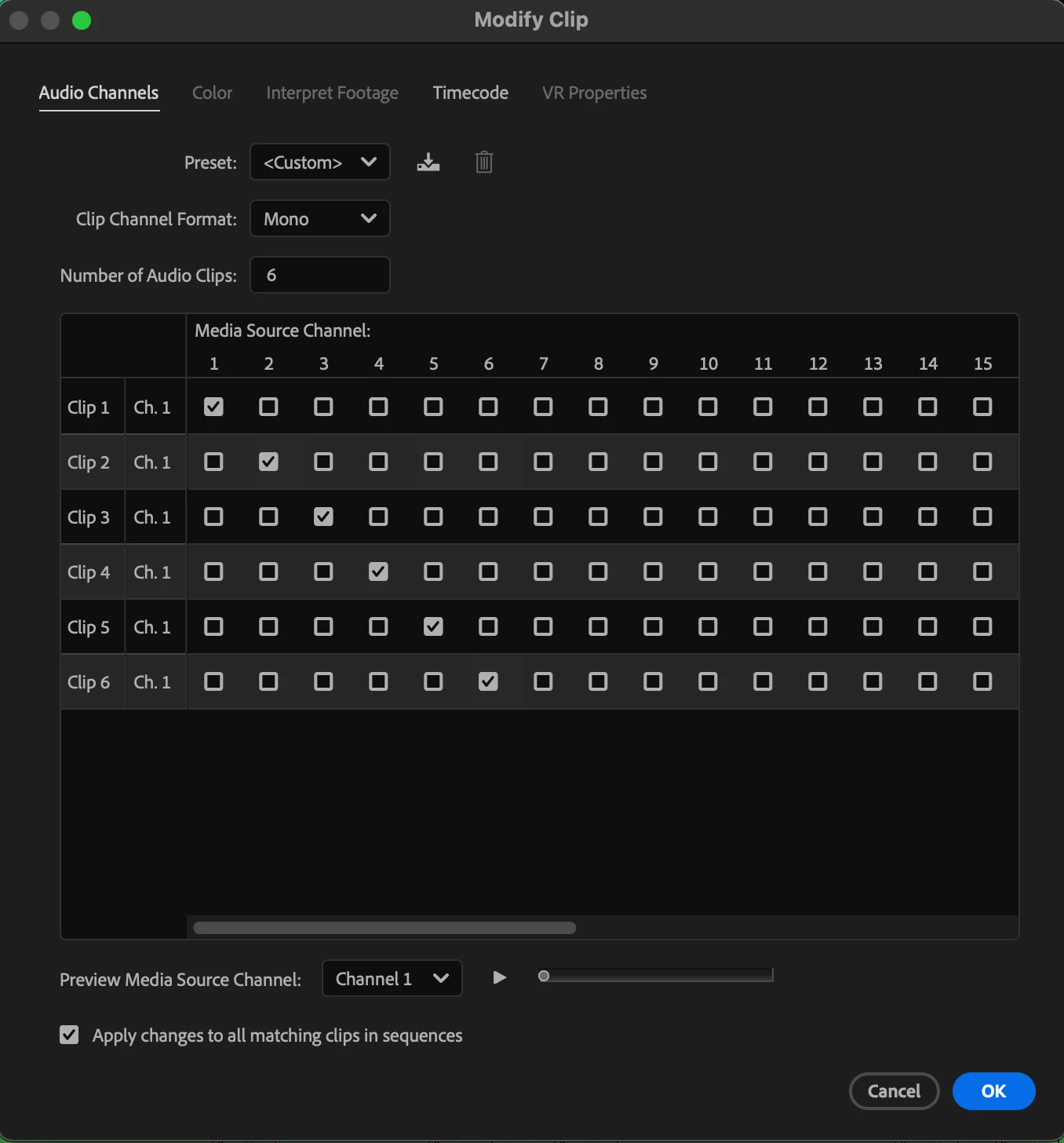
Here is the Audio Channel settings. 6 Channels.
Also, clearly there is audio present in the multicam:

Set this guy up the way I've set up 100s of others. Not sure what's going with this lil guy, but I need that audio.
Correct answer PaulMurphy

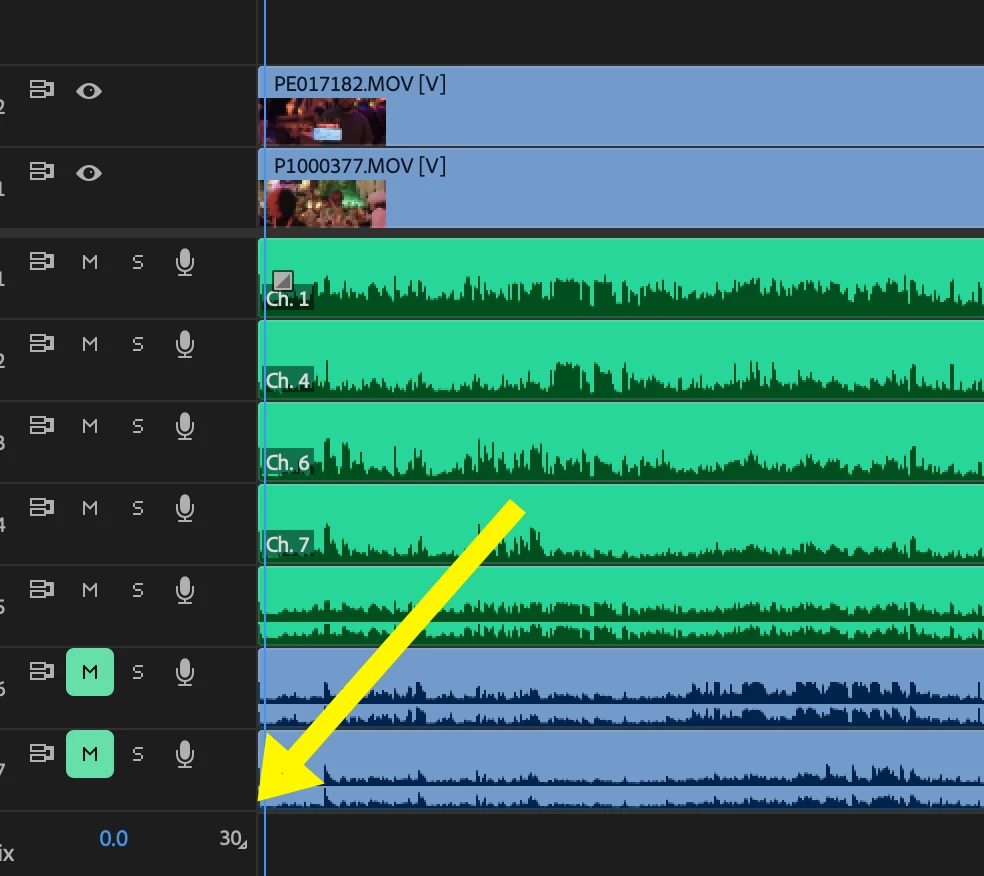
You can change the number of output channels on the Mix track directly in the timeline:

These types of errors often occur when you use Clip > Create Multi-camera Source Sequence, load the resulting sequence into the timeline, and then move or delete some of the clips. This can lead to issues with audio routing, especially when combining stereo and mono clips.

A better approach is to leave all the tracks as they are, then go to Clip > Modify > Audio Channels. Here, you can adjust the number of output channels and untick any tracks you don’t need.

3 replies

Community Expert
January 16, 2025

If you’re seeing those empty dotted lines in the Source Monitor, try changing the number of Mix channels from 30 to 6 (the Mix track is located at the bottom of the Timeline or the far right of the Audio Track Mixer).


As for the missing waveforms, this can happen if the audio is being mixed down in some way—for example, a mono clip on a Standard track will not display properly if it hasn’t been panned left or right. Since your multicam includes both stereo and mono clips, that might be part of the issue.

lehestro
lehestroAuthor
Inspiring
January 16, 2025

How would I change that number? There aren't 30 tracks in my multicam, but only 10 (if you count the stereo tracks as 2 tracks), and in Modify>Audio Channels the number of channels is set to 6. Is there a further way to control channels?

PaulMurphyCommunity ExpertCorrect answer
Community Expert
January 16, 2025

You can change the number of output channels on the Mix track directly in the timeline:

These types of errors often occur when you use Clip > Create Multi-camera Source Sequence, load the resulting sequence into the timeline, and then move or delete some of the clips. This can lead to issues with audio routing, especially when combining stereo and mono clips.

A better approach is to leave all the tracks as they are, then go to Clip > Modify > Audio Channels. Here, you can adjust the number of output channels and untick any tracks you don’t need.

Community Expert
January 16, 2025

What mthod did you use to create the multicam?

lehestro
lehestroAuthor
Inspiring
January 16, 2025

"Create Multicam Source Sequence" with the below settings:


Kevin-Monahan
Community Manager
Community Manager
January 15, 2025

Hi @lehestro,

Thanks for the post and bringing your issue to the group. Since this worked in the past for you, it might be a bug. Let's hope not, however, is there any other info you can give to help us diagnose the issue? See the post, “How Do I Write A Bug Report? (https://adobe.ly/40AIacz) to list the details that would be helpful for us to know in order to reproduce your problem, then try to solve it. I hope the community will respond shortly. Sorry for the issue.
 
Thanks,


Kevin


Kevin Monahan - Sr. Community & Engagement Strategist – Pro Video and Audio
lehestro
lehestroAuthor
Inspiring
January 15, 2025

I don't know that I could recreate it, is the problem. I tried to, but when I made a new multicam using these clips, everything was normal.


I was able to move on and keep working. Sometimes that this easiest way forward, though it doesn't get to the crux of the problem. Should I still submit it as a bug report, you think?

Kevin-Monahan
Community Manager
Community Manager
January 16, 2025

Hi @lehestro,

Thanks for the message. We haven't heard back from anyone in the community yet, but I'd be happy to move your case over to the Bugs forum. Let me know if that is what you would like to do.


Thanks,
Kevin


Kevin Monahan - Sr. Community & Engagement Strategist – Pro Video and Audio