chanah
Participant
Aug 29, 2021 3:46 PM UTC
Answered

No '+' to add captions in Premiere Pro

Hi.

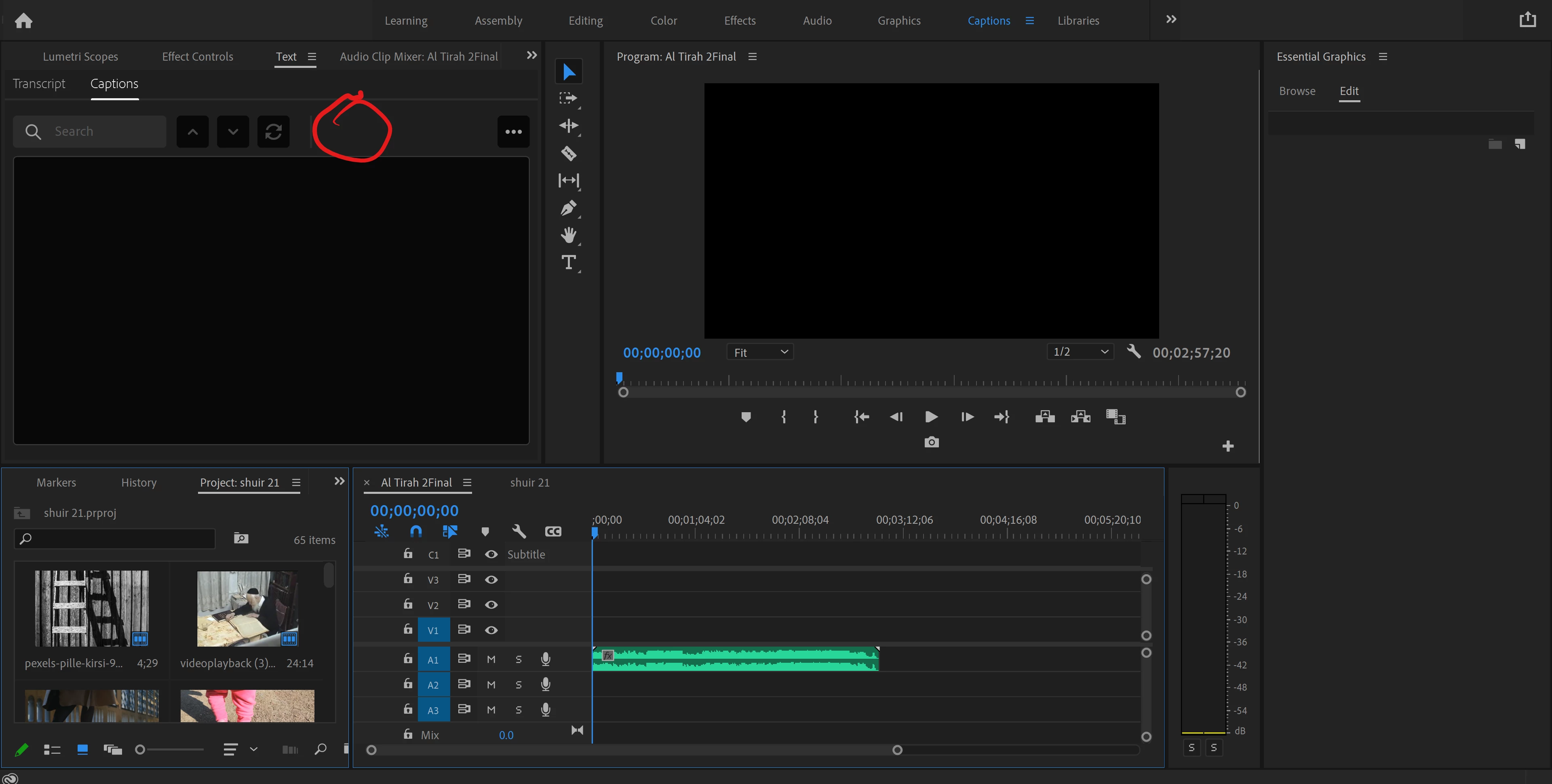
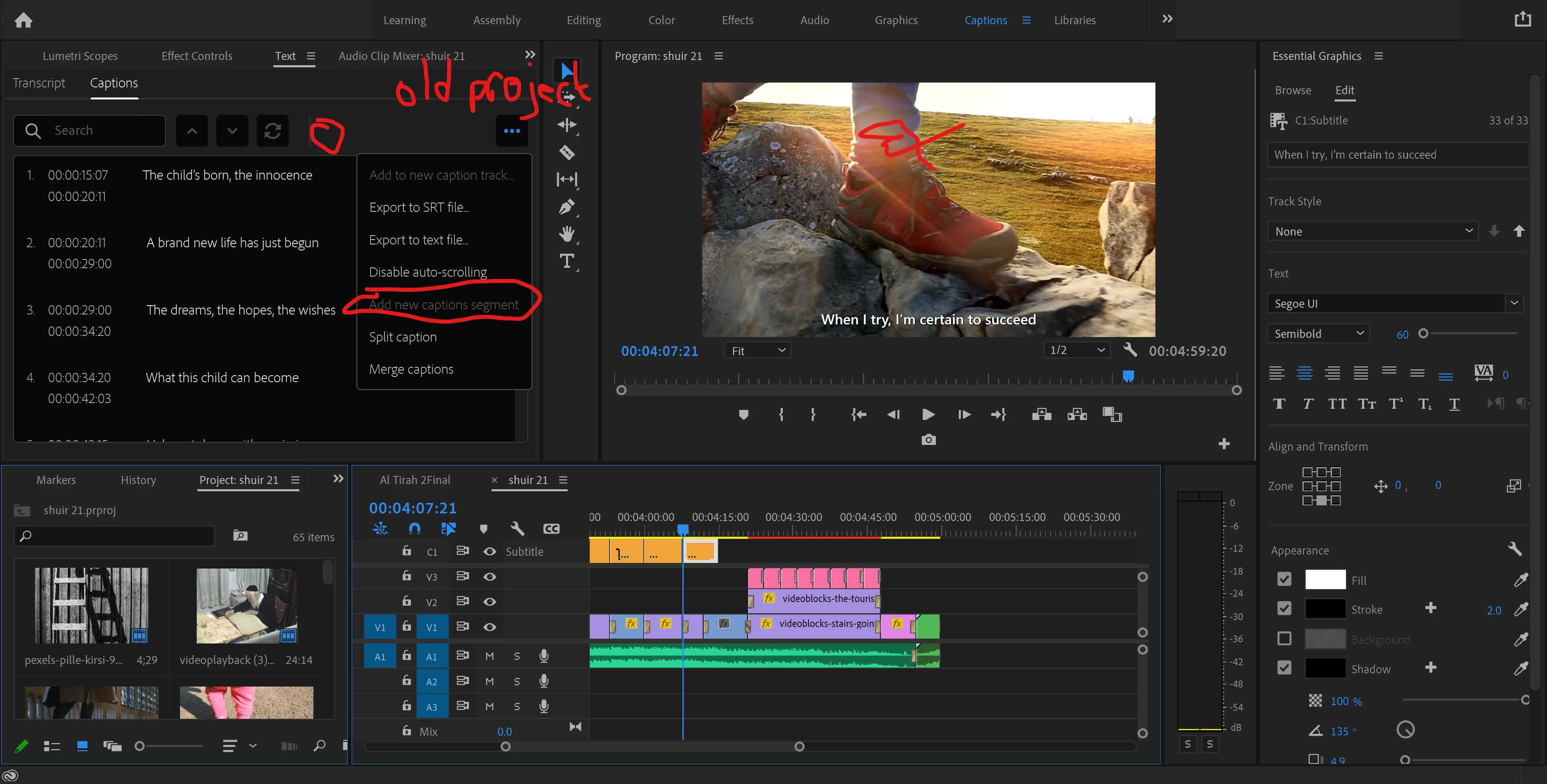
I am try to add captions through the captions panal in preimere pro. It worked in a video I made about 2 months ago but now I cant create new captions in both new projects and old ones.

I am placing a screen shot below.

This topic is closed to new replies. Start a new post to keep the conversation going.
Stan Jones
Stan JonesCorrect answer
Community Expert
Aug 29, 2021 5:28 PM UTC

The plus symbol does not show if your Text panel is not wide enough. Drag to the right, and you'll see it.


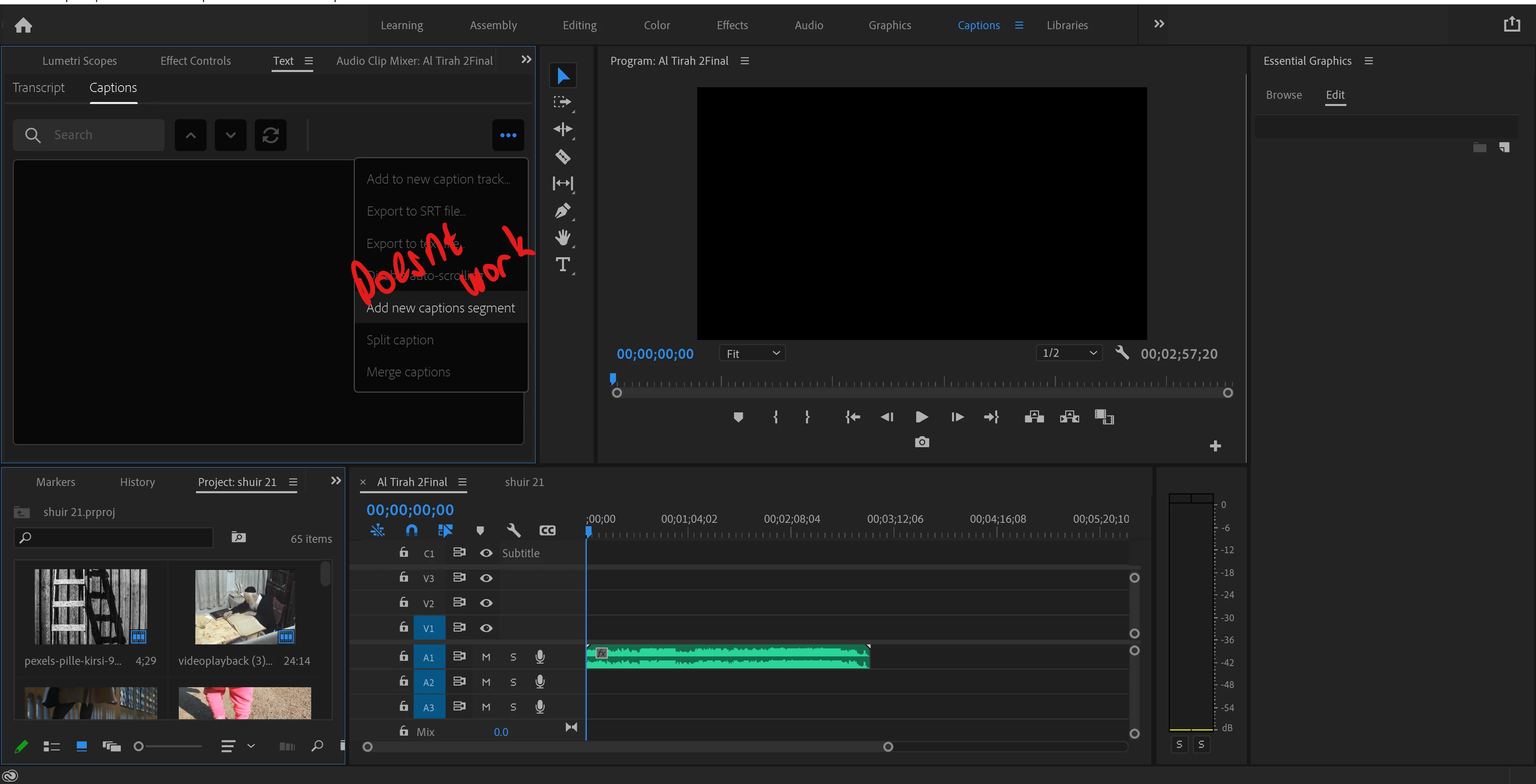
As you noticed, when you click the 3 dots, you see the additional items, including the "Add new caption segment." BUT, as you also noticed (and I did not know), it does NOT work. I tried:

  • targeting the caption track by clicking on the C1 in the track header,
  • clicking various places to make sure something else in the timeline did not have the focus, and
  • expanding the Text panel so I could access the + symbol to make one caption, then moving the CTI (leaving in the old location would prevent a new caption segment), then narrowing the Text Panel and using the 3 dots.


Note that you can use the keyboard shortcut Ctrl-Alt-C - "Add new caption segment at playhead".


Your old project did not work for two reasons: 1) you did not have access to the plus button, probably did not know about the keyboard shortcut, and 3 dots options does NOT work and 2) the CTI is in front of a caption segment, so does not allow for adding a new caption segment.


I also tested this in a recent Beta version, and it does not work there. If you file a bug report, add a link here. If I file one, I will.


Stan

 

6 replies

Stan Jones
Community Expert
Community Expert
Dec 15, 2021 3:23 AM UTC

FYI, the oddity identified here (when the Text Panel is so narrow that there is no Plus button to add a caption, the 3 dot drop down "Add new captions segment" did not work) is fixed in Release version 21.1.1.


All 3 options now work: the Plus button, the drop down, and Ctrl+Alt+C.


Stan


Translate
Stan Jones
Community Expert
Stan JonesCommunity ExpertCorrect answer
Community Expert
Aug 29, 2021 5:28 PM UTC

The plus symbol does not show if your Text panel is not wide enough. Drag to the right, and you'll see it.


As you noticed, when you click the 3 dots, you see the additional items, including the "Add new caption segment." BUT, as you also noticed (and I did not know), it does NOT work. I tried:

  • targeting the caption track by clicking on the C1 in the track header,
  • clicking various places to make sure something else in the timeline did not have the focus, and
  • expanding the Text panel so I could access the + symbol to make one caption, then moving the CTI (leaving in the old location would prevent a new caption segment), then narrowing the Text Panel and using the 3 dots.


Note that you can use the keyboard shortcut Ctrl-Alt-C - "Add new caption segment at playhead".


Your old project did not work for two reasons: 1) you did not have access to the plus button, probably did not know about the keyboard shortcut, and 3 dots options does NOT work and 2) the CTI is in front of a caption segment, so does not allow for adding a new caption segment.


I also tested this in a recent Beta version, and it does not work there. If you file a bug report, add a link here. If I file one, I will.


Stan


Translate
Stan Jones
Community Expert
Community Expert
Aug 29, 2021 5:58 PM UTC
chanah
chanahAuthor
Participant
Aug 29, 2021 6:12 PM UTC

Thank you so much for your response.

Widening the panal got the + to appear.

Here is a link to another thread I found on this topic after posting my own.


https://community.adobe.com/t5/premiere-pro/add-captions-button-disappeared/m-p/12217187#M359693

Translate
Ann Bens
Community Expert
Community Expert
Aug 29, 2021 5:07 PM UTC