Inspiring
November 10, 2016
Answered

No Vertical Scroll in Project Panel?

  • November 10, 2016
  • 1 reply
  • 3019 views

Hello,

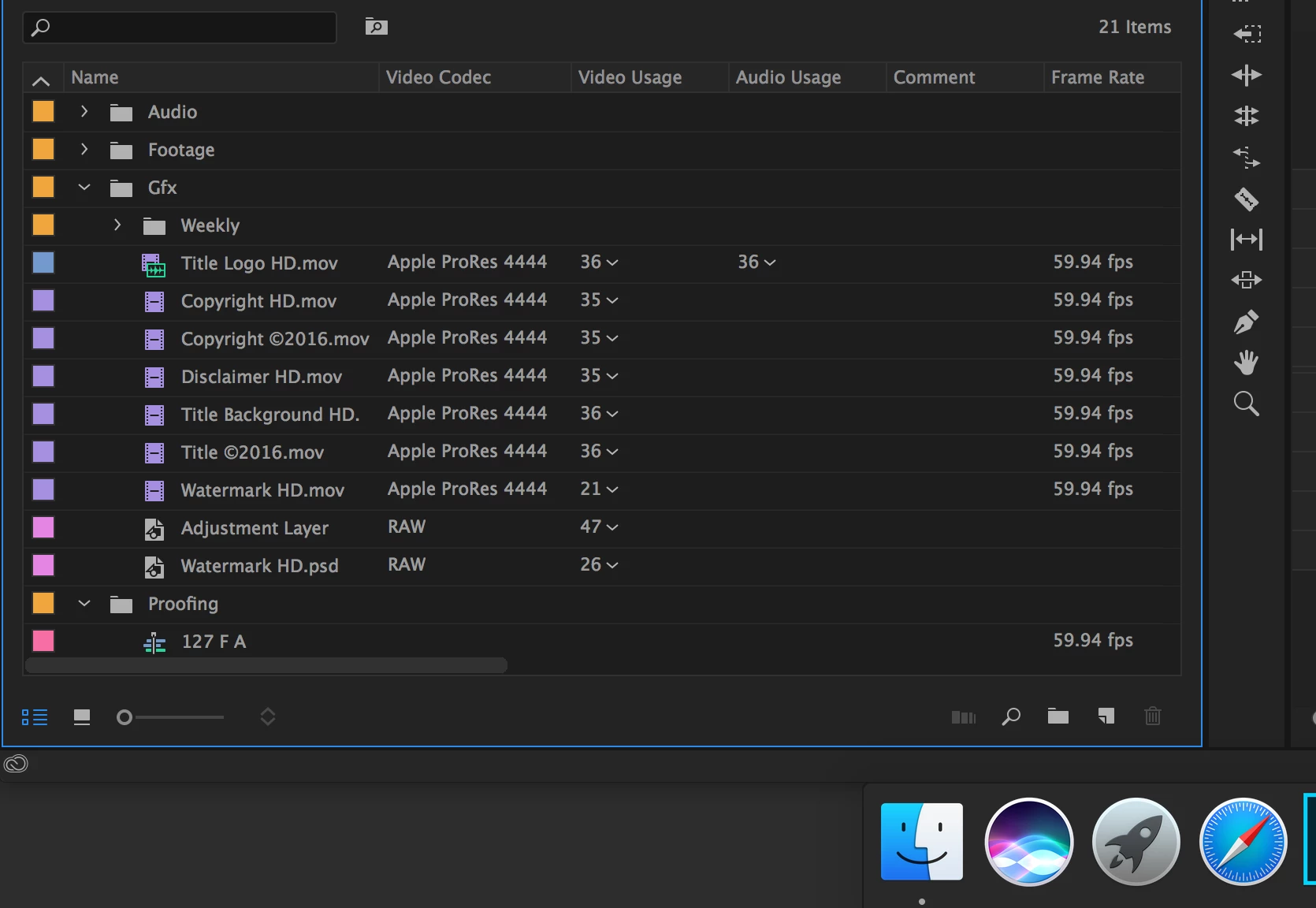
I have notice in the default editing workspace that there is not vertical scroll bar in the project panel...yet there is a horizontal one?
    This topic has been closed for replies.
    Correct answer Trent Happel

    I doubled checked on my MBP and the vertical scroll is present. On my iMac 5k (where the screen grab is taken from), I cannot get the vertical scroll to appear no matter how many items are in the project and how many are expanded/collapsed.


    This issue is being investigated. As a workaround, try resizing the Project panel vertically or horizontally. That should make the vertical scroll bar appear.

    1 reply

    Vidya Sagar
    Participating Frequently
    November 10, 2016

    Hi ShaneP,

    Vertical Scroll bar disappears when there are no more items to show in the project panel.

    In the above Screenshot, Expand the Folder Audio or Footage & check the Vertical Scroll bar.

    (or)

    Decrease the size of the Project panel vertically.

    Please let us know the status.

    Thanks,

    Vidya Sagar.

    Shane_PAuthor
    Inspiring
    November 10, 2016

    There are many more items under folder "Proofing". That is why I questioned the scroll bar. I know enough that if not enough items are in view that it will not scroll. Common sense there.

    And why is it that all of these answers to questions are being marked as "Correct" when there are obviously more to it than the answers given?

    Shane_PAuthor
    Inspiring
    November 10, 2016

    I doubled checked on my MBP and the vertical scroll is present. On my iMac 5k (where the screen grab is taken from), I cannot get the vertical scroll to appear no matter how many items are in the project and how many are expanded/collapsed.