Participant
July 9, 2018
Answered

no video / thumbnail / ...

  • July 9, 2018
  • 1 reply
  • 1043 views

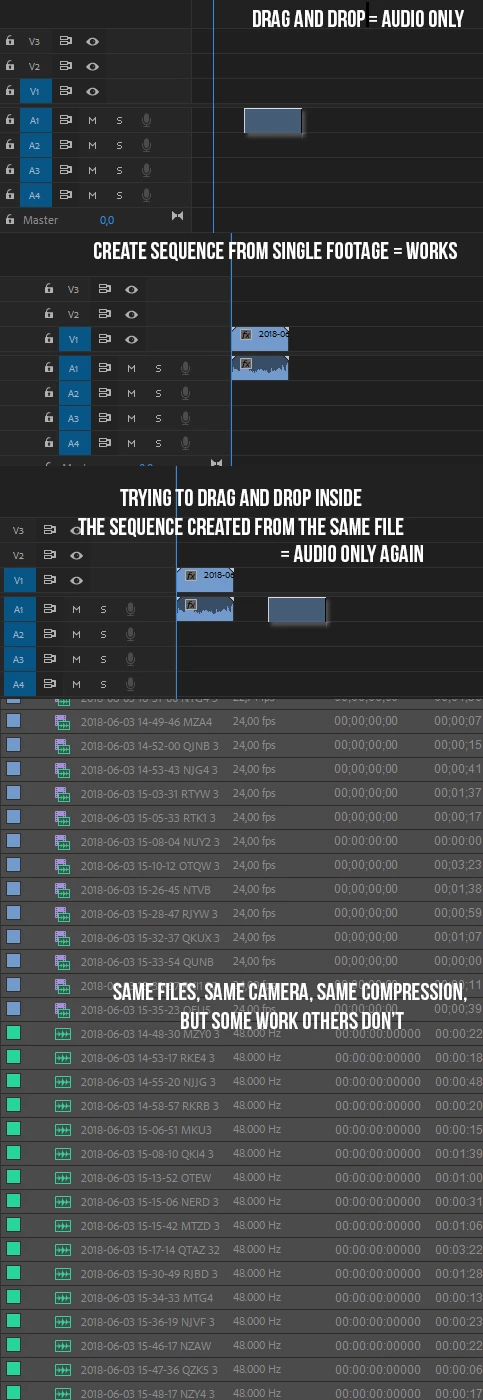
Hey there, I'm having a problem since quite some time now. I import a folder of footage, and even though they're all made with the same camera, some of the footage have no video. For the remaining files, I always have to create a new sequence from a single footage, then cut and paste inside a common sequence, otherwise the footage I drag and drop from the project panel has only audio. This renders 50% of the footage useless, and takes me twice the time to place the "working" footage in a common sequence.

the app used to record on iPhone

ZY play

audio

file type : mov

frame width : 3200

frame height : 1800

bitrate : 68904 kbps

frame rate : 24 fps

video

bite rate : 240 kbps

channels : 1

audio sample rate : 48kHz
    This topic has been closed for replies.
    Correct answer Vidya Sagar

    Hi edwinj48819098,

    Thanks for the details. If possible, install a previous version of Premiere Pro and check the issue.

    Here are the steps: Install previous version of your Creative Cloud app

    Thanks,

    Vidya

    1 reply

    Vidya Sagar
    Participating Frequently
    July 10, 2018

    Hi edwinj48819098,

    Sorry for the trouble. Which version of Premiere Pro you are on? Steps: FAQ: How to find the exact version of Premiere Pro you're using?

    There is a known issue with iPhone footage in the latest version of Premiere Pro. Engineering is working on a fix. Hopefully, it will get fixed in the next update.

    In few cases the issue gets fixed by clearing the media cache. Please try the step: FAQ: How to clean (delete or trash) media cache files?

    Let us know the status.

    Thanks,

    Vidya

    Participant
    July 10, 2018

    Hello, the version is 12.1.1 (Build 10)

    I cleared the cache following this process FAQ: How to clean (delete or trash) media cache files?

    with no success. Thanks for your help.

    Vidya Sagar
    Vidya SagarCorrect answer
    Participating Frequently
    July 11, 2018

    Hi edwinj48819098,

    Thanks for the details. If possible, install a previous version of Premiere Pro and check the issue.

    Here are the steps: Install previous version of your Creative Cloud app

    Thanks,

    Vidya