Mickey Germany
Inspiring
February 3, 2021
Answered

NOT ALL audiofiles are shown with WAVEFORM

  • February 3, 2021
  • 2 replies
  • 767 views

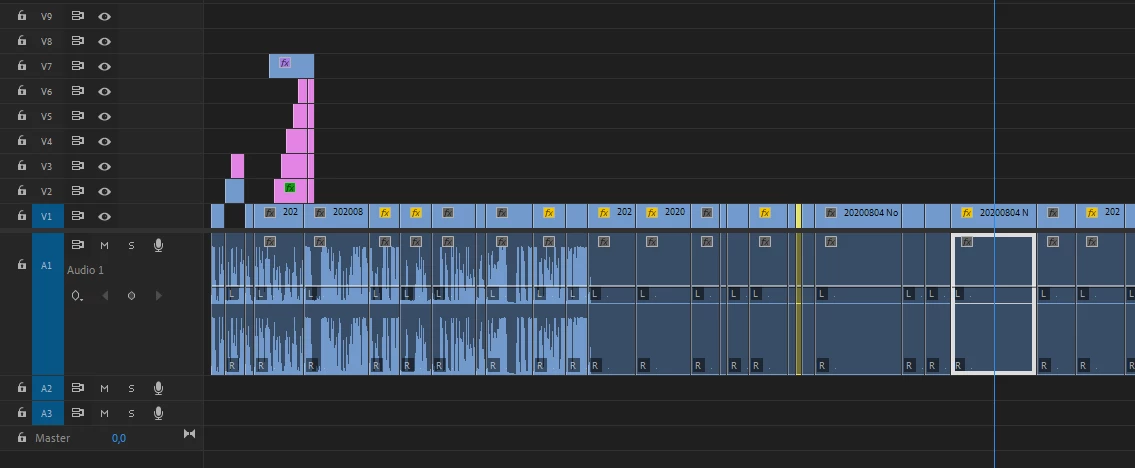
Premiere Pro v.14.0 does not show me the waveform ONLY IN SOME OF the audio files.


As you can see, the waveform is visible in the first files, but not in the later files.
The files were recorded at the same time with the same camera technology. They are in the same folder. They are not silent.


Of course I have
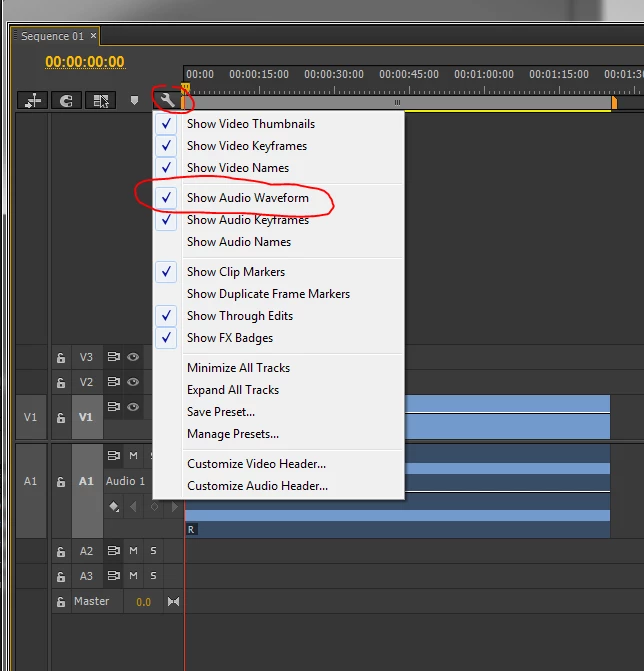
- "Show audio waveform" switched off and on
- reloaded the file.
- Computer shut down and restarted.

Nothing has improved.


Quite difficult to cut the videos if you can't see the wave shape.


Do you have any idea? I can't find anything about it in the turorials nor here in the support forum.
  

This topic has been closed for replies.
Correct answer MyerPj

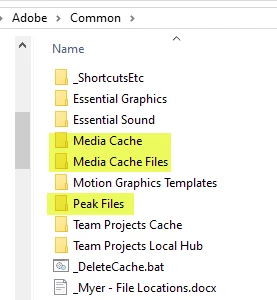
Delete your cache files as follows. 

The files are located here: Paste the whole line into File Explorer.
%UserName%\AppData\Roaming\Adobe\Common

I just delete the three folders:

Media Cache
Media Cache Files
Peak Files
You can also just delete the files inside. Premiere will make the one's it needs automatically.

2 replies

Ann Bens
Community Expert
Community Expert
February 3, 2021

Are these your screenshots or copied from the internet. Bottom one is not version 14.


When importing assests you need to wait until all is indexed/conformed before starting editing.


Update to 14.8.

Mickey Germany
Inspiring
February 4, 2021

Well seen! The second screenshot is from another question here in the support community. I only wanted to underline, that "Show Audio Waveform" is enabled. 😉
Thank you.


MyerPj
Community Expert
MyerPjCommunity ExpertCorrect answer
Community Expert
February 3, 2021

Delete your cache files as follows. 

The files are located here: Paste the whole line into File Explorer.
%UserName%\AppData\Roaming\Adobe\Common

I just delete the three folders:

Media Cache
Media Cache Files
Peak Files
You can also just delete the files inside. Premiere will make the one's it needs automatically.

Mickey Germany
Inspiring
February 4, 2021

YEAH!!!!


This is the right way! Thank you very much! 

Mickey Germany
Inspiring
February 4, 2021

I searched the "Peak Files" folder and deleted all files. Then it worked.