

Question
Noticeable color saturation change when I imported video into Premier on a Mac
 c.
c.
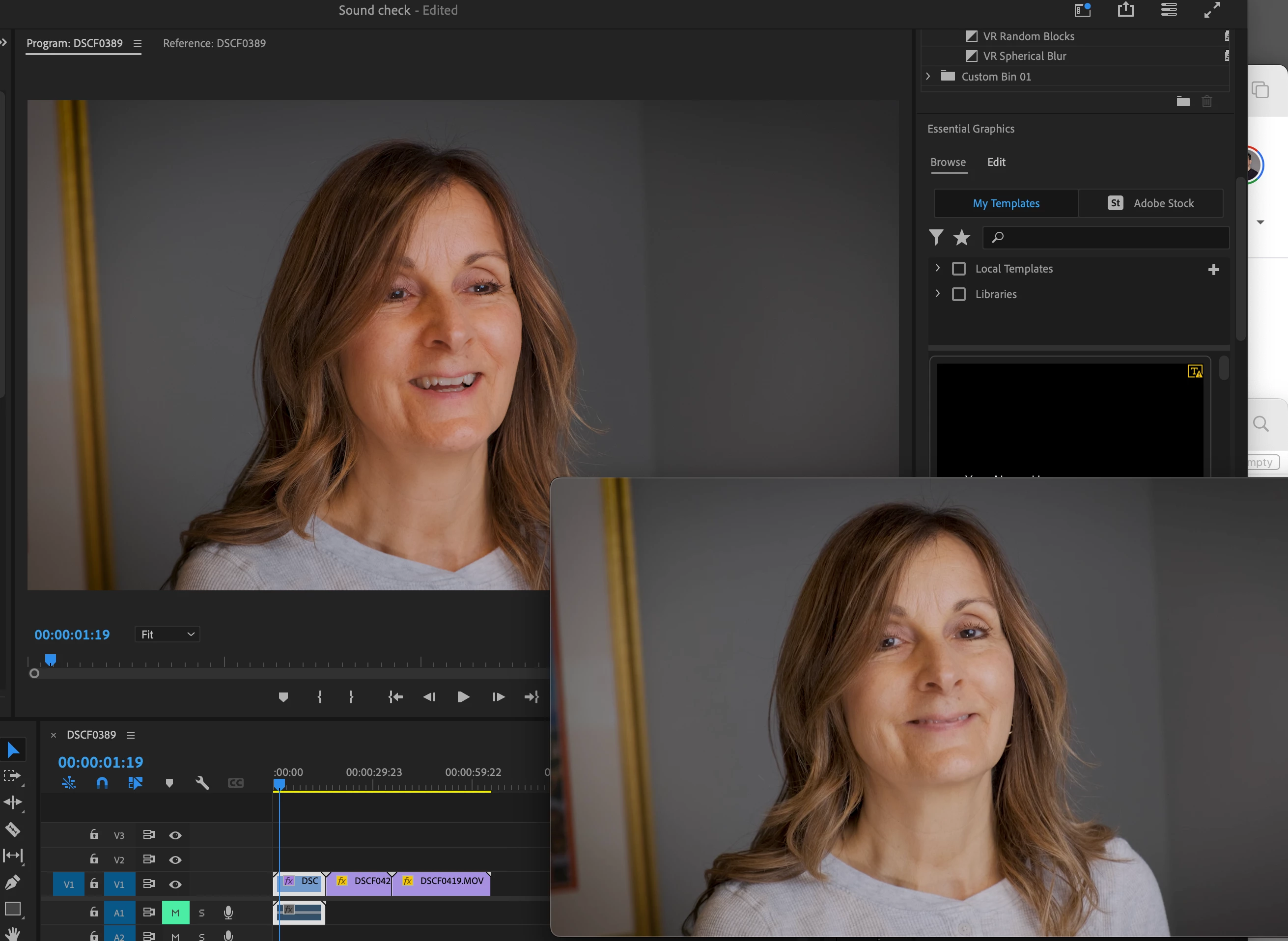
When I shoot a video on my Fuji XT3, the color looks good on the camera monitor. When I upload it to YouTube, the color matches. When I open it in Quicktime, it matches. But not in Premier. I tried color correcting in Premier to compensate, but when I export, it's totally different. Very muted. I'm sure its a preview or color space setting in Premier but I've tried everything I could find and was not able to solve this issue.
Ayttached is a sample.
The image on the low right is how it looks in the camera and quicktime and when I upload it to YouTube.
The image on the upper left is the same file in Premier. As you can see, the situation is exaggerated.
Any light you can shed on how to fix this would be greatly appreciated.


 AdChoices