
Participant
January 31, 2023
Answered

NVIDIA GeForce RTX 2060 - Driver not compatible

  • January 31, 2023
  • 3 replies
  • 4568 views

Last week i started to experience troubles with Premier app, lost files when they was saved, app closes without reason. 

Today it presents this error:

"NVIDIA GeForce RTX 2060 - Driver not compatible"
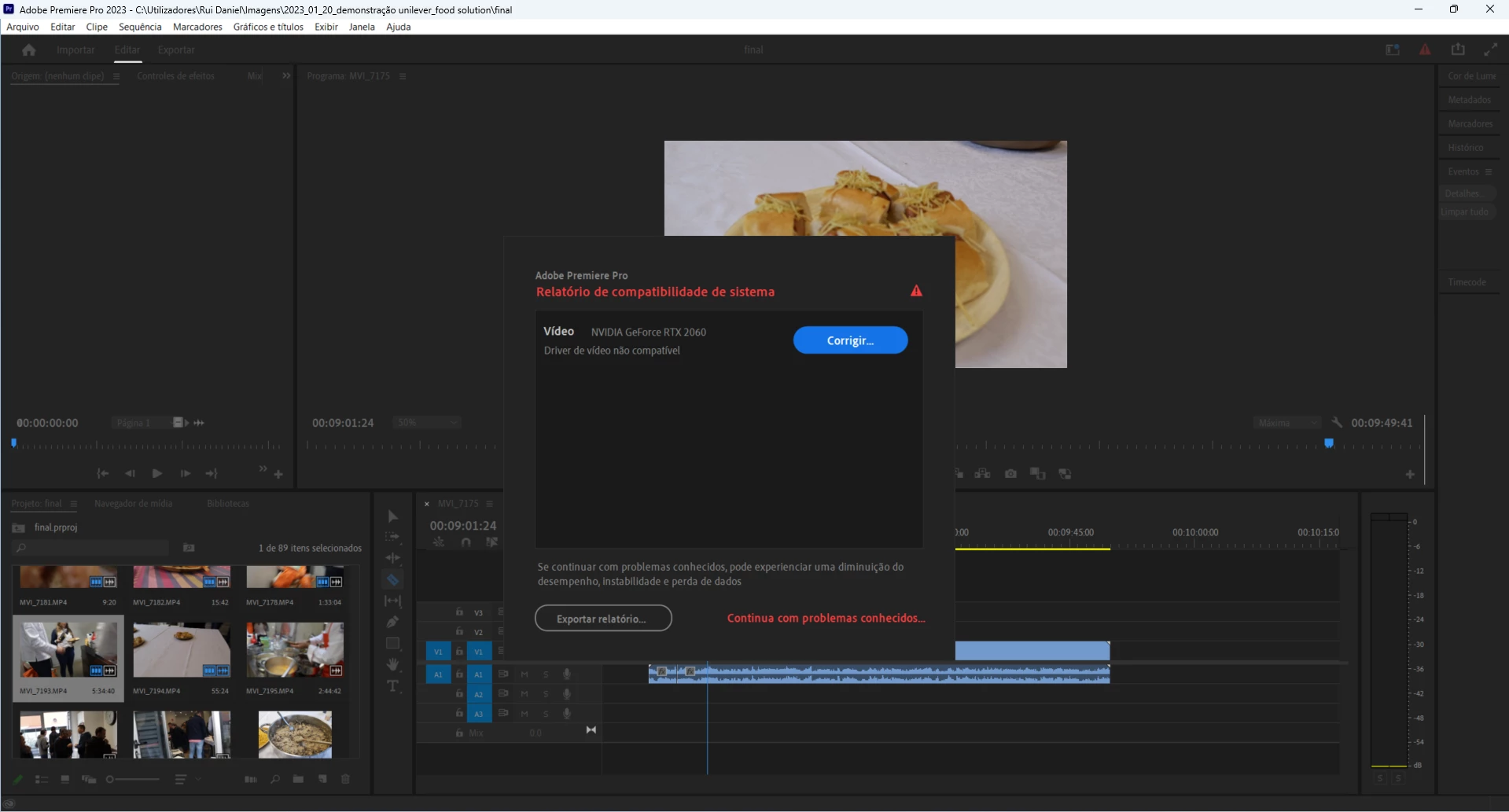
 What´s happening? - 

Correct answer Peru Bob

The 528.24 Studio Driver has the bug fix:

https://www.nvidia.com/Download/driverResults.aspx/198730/en-us/


Do a Clean Installation (choose Custom).

3 replies

Peru Bob
Community Expert
Peru BobCommunity ExpertCorrect answer
Community Expert
January 31, 2023

The 528.24 Studio Driver has the bug fix:

https://www.nvidia.com/Download/driverResults.aspx/198730/en-us/


Do a Clean Installation (choose Custom).

John T Smith
Community Expert
Community Expert
January 31, 2023

Do not count on Windows to be fully up to date when it comes to device drivers
Go to the vendor site to be sure you have an updated driver for your graphic adapter
.
nVidia Driver Downloads https://www.nvidia.com/Download/index.aspx?lang=en-us
-for all Adobe programs use the STUDIO driver, not the GAMING driver
-To achieve the highest level of reliability, Studio Drivers undergo extensive
-testing against multi-app creator workflows and multiple revisions of the top
-creative applications from Adobe to Autodesk and beyond
See https://www.nvidia.com/Download/driverResults.aspx/198731/en-us/ for a 'good' Studio driver

Ishan Y
Community Manager
Community Manager
January 31, 2023

Hey Rui Daniel,


This seems odd. Sorry for the issue. What's your current GPU driver version? I recommend performing a clean installation of your Nvidia Studio Drivers and trying again. If that doesn't work, please install a previous version of Nvidia driver 517.40 or 522.30. 


Thanks,

Ishan

Participant
January 31, 2023

Thanks Ishan!

Well first i didn´t understood correctly the sugestion of resolution made by the program but i read it again and perceived that i was using a default driver for "game ready", when i needed the driver for "studio ready".

i instaled and the error is gone!

Ishan Y
Community Manager
Community Manager
February 1, 2023

I'm glad you found a fix! Feel free to reach out if you need help troubleshooting.