
NVidia gpu hardware encoding to keep 10 bit rec2020 HDR metadata using Adobe media encoder
Hi Guys , Just been using Premier pro and Adobe media encoder for the first time for x265 4k hardware encoding and selecting
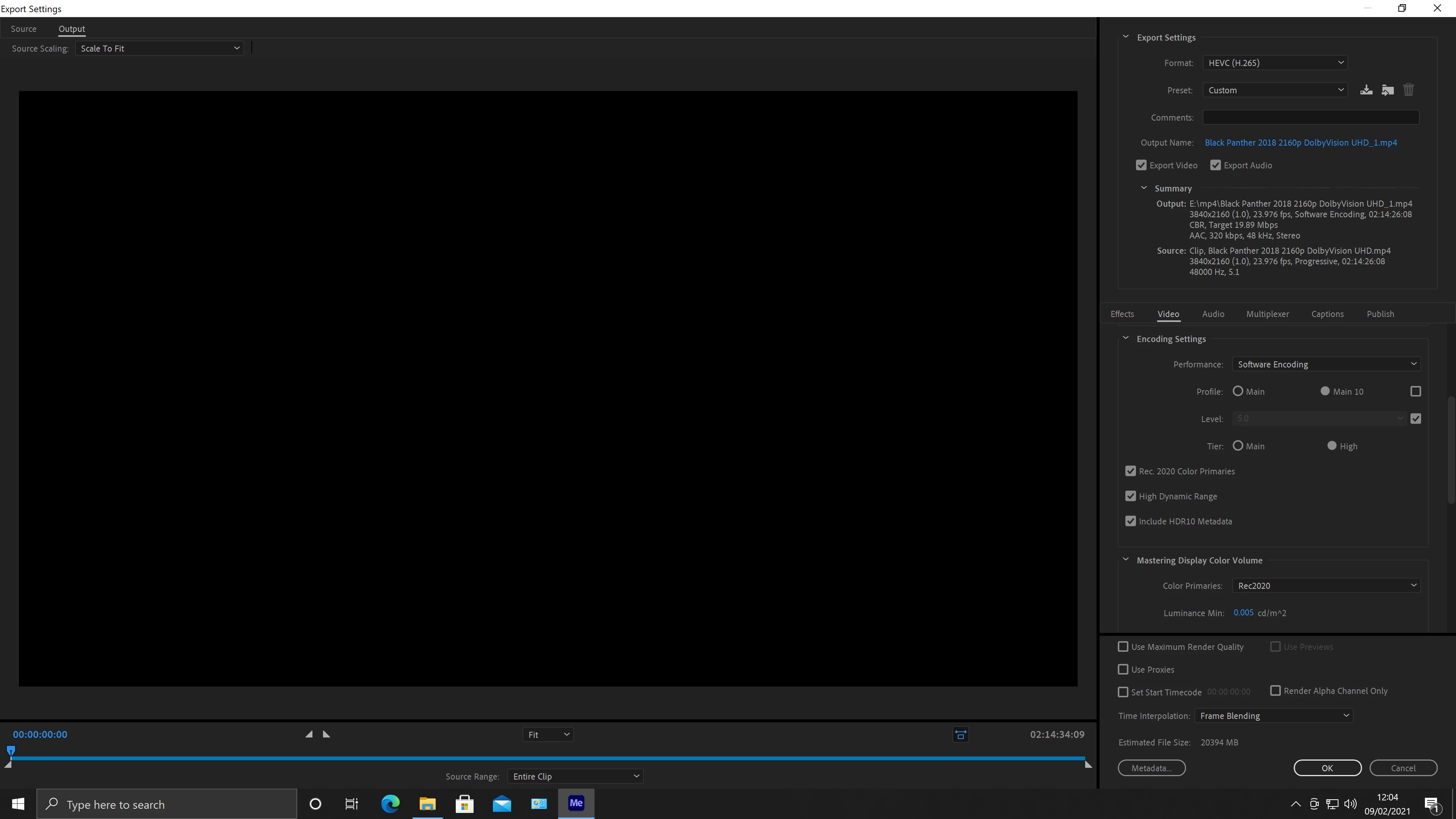
encoding settings main 10 , Tier High, Rec.2020 Color Primaries, High Dynamic range,
once I select that, a message appears , as follows
your system's hardware does not support hardware acceleration for the current settings,
the GPU I am using is, EVGA Nvidia Geforce 1080p using the latest nvidia studio driver,
All I want to do is keep all the metadata included in my 4k movie which is one of my retail copys, which has been ripped to a mp4 at 60gb and I just want to resize it to a smaller file again keeping the quality,
I know its not my computers as I use a free program called Staxrip which keeps main 10 hdr settings and just reencodes it to a smaller file which is very good quality from compression, But for some reason Adobe media encoder doesnt like it I get a message (your system's hardware does not support hardware acceleration for the current settings which is crazy because I know it does support it, I have two computers and I have installed the same software and nvidia drivers and still get the error message , if a free program like Staxrip which can do this why is it Adobe media encoder can not use hardware gpu??, But if you select software encoding with all the same preset settings it works but encoding times are crazy slow between 12 hours to 15 hours, this is defeating the object here, also by googling this I am not the only one with this same issue this needs to be looked into by the software developers and the reason I took out a plan subscription thinking I would get a premium software to do a better job I will attach a few screen shots with settings I am using and the error message that appears hopefully someone on here could help, before anybody goes and says contact support I have done spoke to 4 adobe tech staff, and still no one knows what is causing these issues 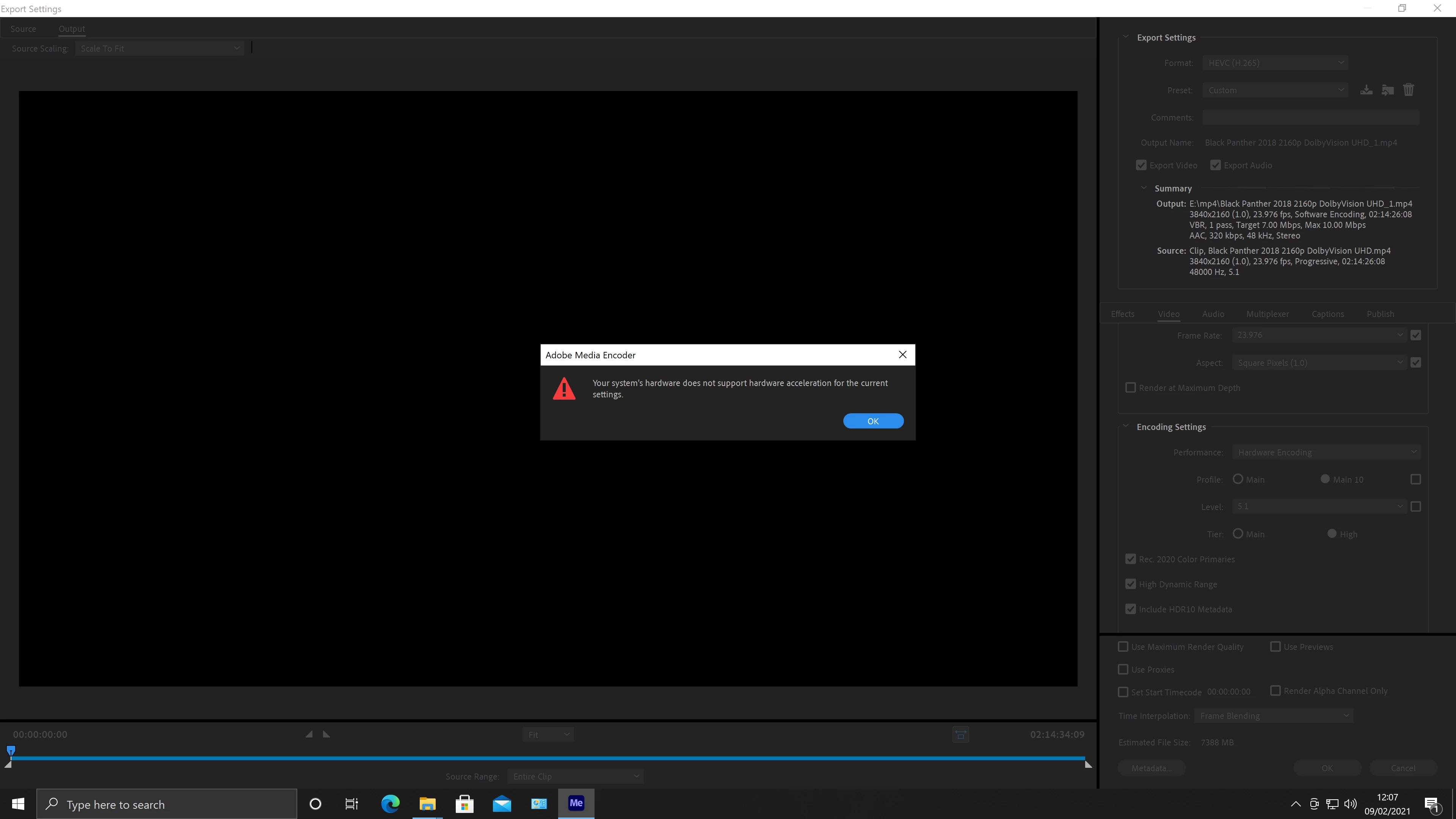
 ??
??
Hope someone can help me out, cheers guys.
 AdChoices