

active_days7b74
Participant
Nov 25, 2026 11:13 AM UTC
Question

O processo de transcrição de textos não se completa.

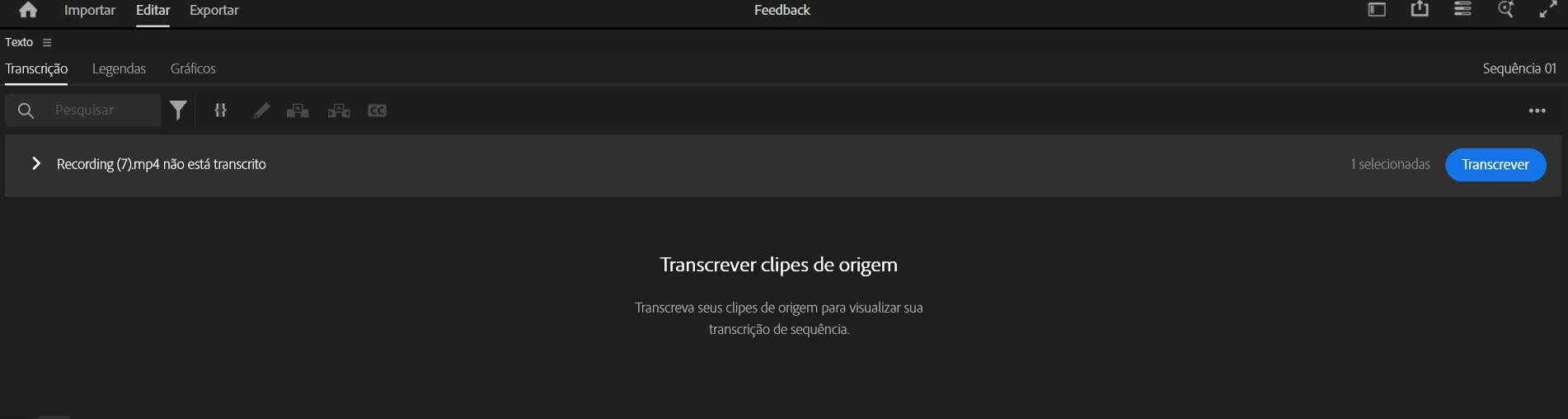
Olá! Tenho uma licença corporativa. A transcrição de áudios não se completa. Ela se inicia e quando está quase no fim, o processo é interrompido e volta pro início, pra tela inicial, de antes de pedir a transcrição. Já fiz ajustes de cache e outros malabarismos que encontrei na comunidade, mas continuo sem conseguir… :(
 

    6 replies

    Stan Jones
    Community Expert
    Community Expert
    Nov 27, 2026 11:37 AM UTC

    ​@active_days7b74 

    Your description sounds like the problem @ARMC Video producer is having here:


    Transcription starts, then stops without any message and goes back to the start screen, with no transcript.

    Please tell us your PR version and operating system. And when you watch the Progress panel (Window → Progress), does it show only “Rendering audio data,” or does it get to “Transcribing on device”?

    ​@Kevin-Monahan ​@Amy the Stuv 

    Stan

    Translate
    active_days7b74
    Participant
    Nov 27, 2026 2:30 PM UTC

    I recorded the PC screen so you can see what happens. I started the process twice.

    Translate
    Leandro
    active_days7b74
    Participant
    Nov 27, 2026 2:30 PM UTC


    Translate
    Leandro
    Stan Jones
    Community Expert
    Community Expert
    Nov 26, 2026 2:39 PM UTC

    ​@active_days7b74 

    What version of PR? What operating system?

    It might help to know what step the transcription gets to. First, make sure you know how to open the Progress panel: Window → Progress. Where is says “Speech to text transcriptions,” does it say “completed”? Expand that line to see previous transcriptions. Are the ones you did listed?

    Now Right-click on the file in the Project Panel, and pick Transcribe (or Re-Transcribe) from there. When the “Create transcription from source media” Dialogue box appears, it will switch to the Text panel/Transcription tab. Make your selections and click Transcribe. Immediately switch to the Progress panel. In addition to percent complete, it will tell you what step you are on. It starts with Rendering audio data, then moves to Transcribing on device. I don’t see a percentage over 94%, then it will say Complete. (If the Language pack for your language is not installed, it starts with downloading” - for a long time. Not your issue.)

    Does it appear to get to the 94% step? Does it say complete?

    A number of transcription issues have been reported, but not one that sounds like yours recently.

    Stan


    Translate
    active_days7b74
    Participant
    Nov 27, 2026 2:24 PM UTC

    Thanks for trying to help me. The truth is that the transcription sometimes doesn't start, and when it does, it doesn't finish. The progress just gets interrupted.

    Translate
    Leandro
    Community Manager
    Nov 25, 2026 6:15 PM UTC

    Hi ​@active_days7b74,

    Thanks for your post. I hope we can help you. ​@Stan Jones, can you take a look:? 

    Cheers,
    Kevin

    Translate