Participant
June 16, 2025
Answered

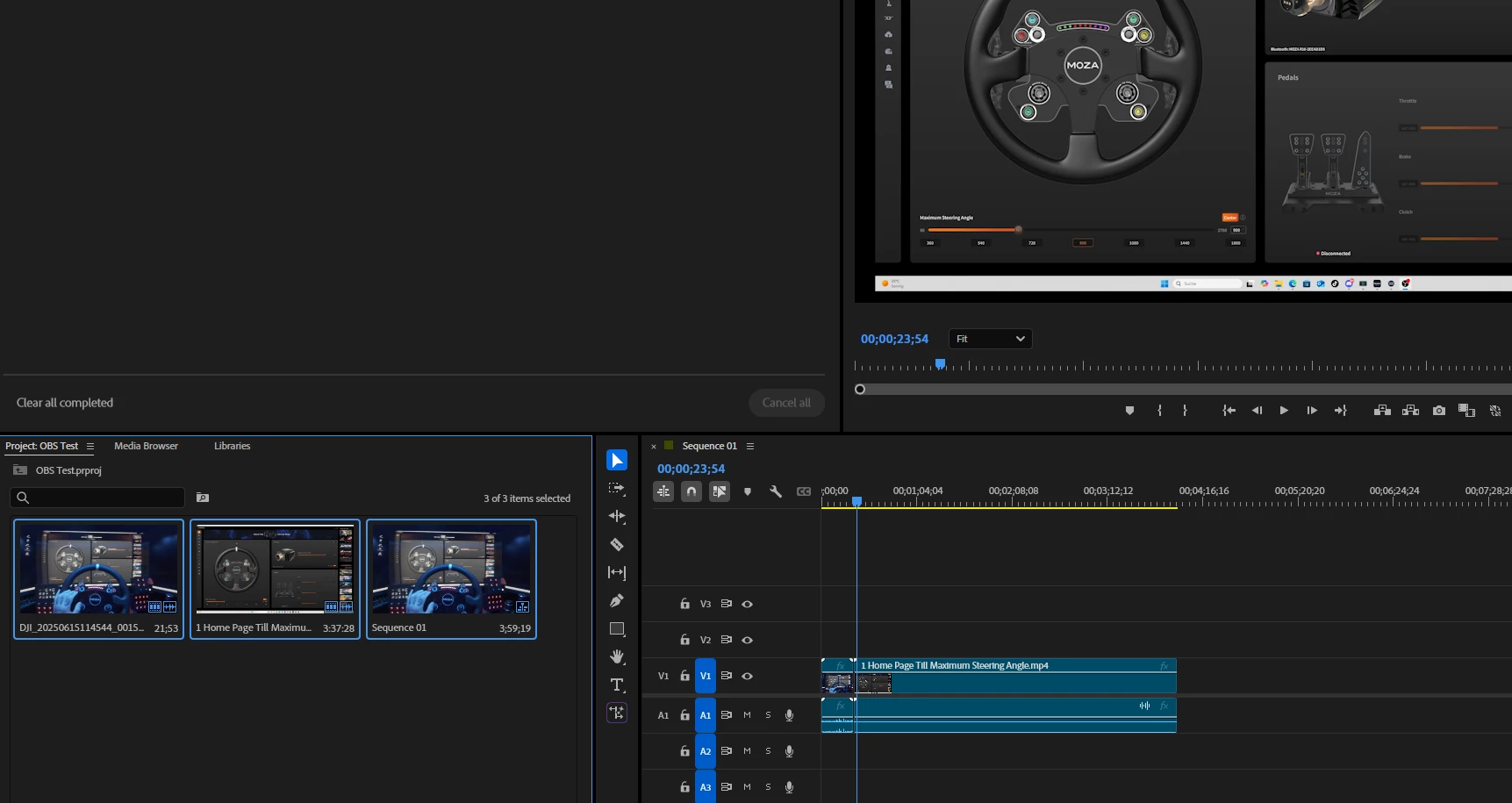
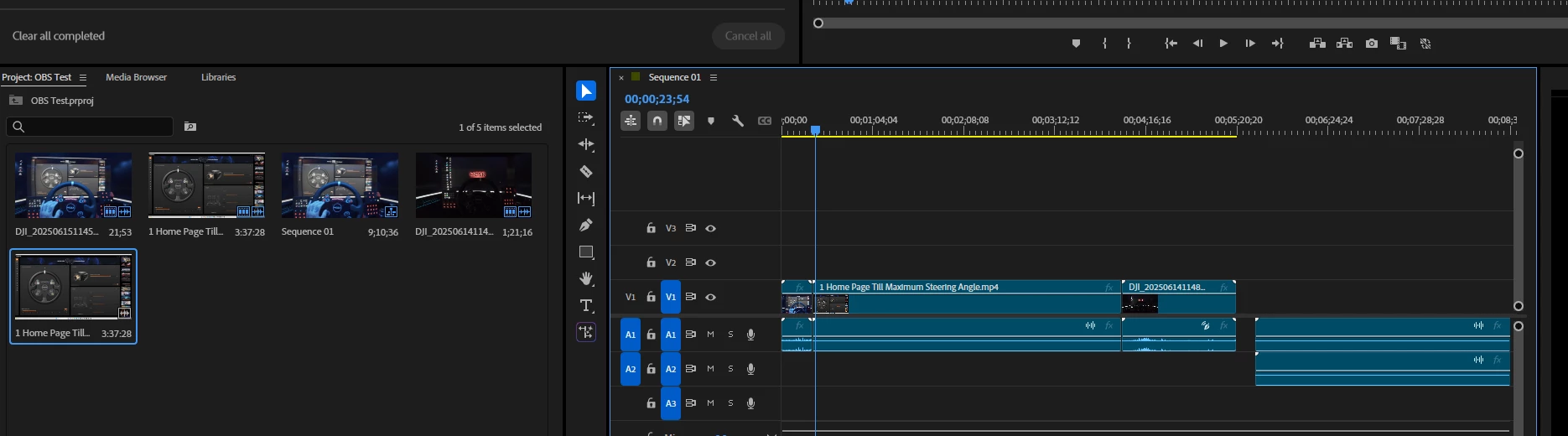
OBS vidoes doesnt show on Video Tab. Only Audio

  • June 16, 2025
  • 1 reply
  • 241 views
  1. Version of the app : 25.3.0 (Build 84)
  2. Platform and OS version : Windows 11 Pro -  Version 10.0.26100 Build 26100
  3. Basic steps to reproduce the problem : After Project creation and uploading first Video files from the import Tab, all other Videos created with OBS dont have the Video Tab after import.
  4. Expected result and actual result: I can import and edit videos from my Action cam. All my OBS recorded videos have audio bars after import.


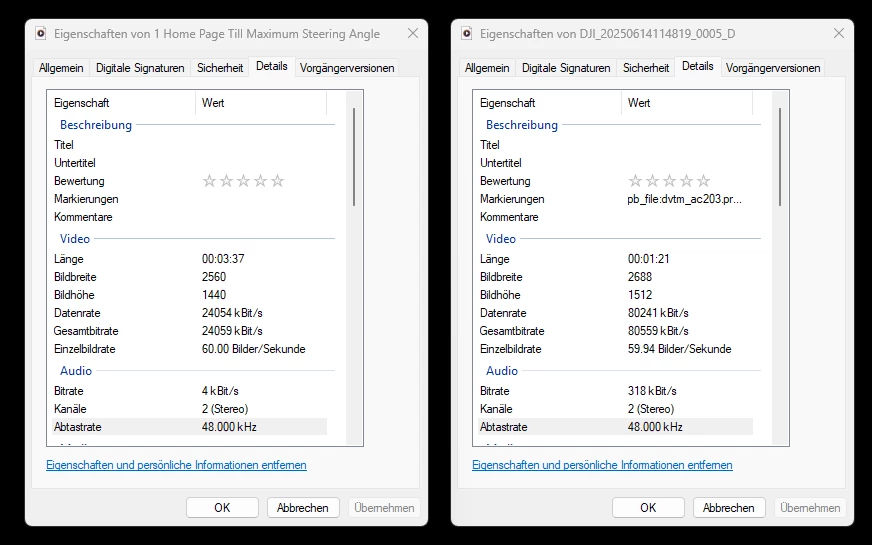
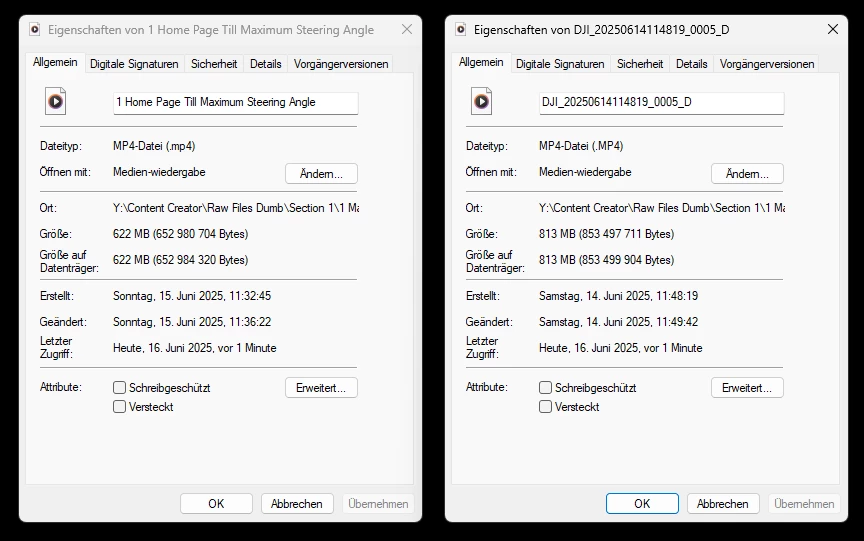
Here are some screenshots, yes there is a resolution difference, but the same mp4 file i guess. Not sure if thats the problem. I cant switch my resolution on my Action Cam cause i use the wide angle.
Correct answer Warren Heaton

Hi @selcuk_1206 

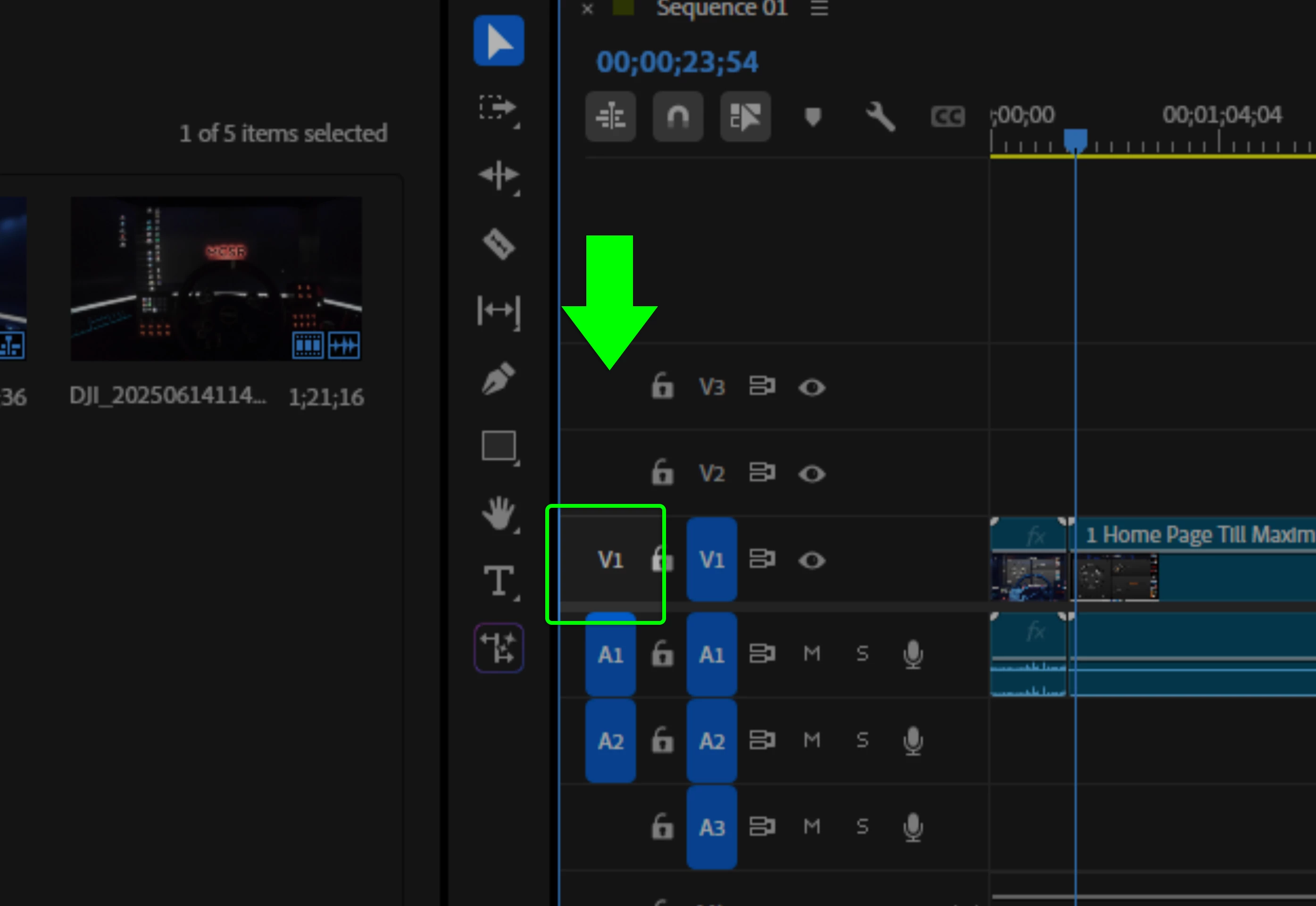
In your screenshot, you have V1 disabled and A1 and A2 enabled in the Patch column.  This tells Premiere Pro to not take Video when you Insert or Overwrite clips to the Timeline.


Click V1 in the Patch column so that it is blue (enabled) and you should be good to continue editing.

1 reply

Warren Heaton
Community Expert
Warren HeatonCommunity ExpertCorrect answer
Community Expert
June 19, 2025

Hi @selcuk_1206 

In your screenshot, you have V1 disabled and A1 and A2 enabled in the Patch column.  This tells Premiere Pro to not take Video when you Insert or Overwrite clips to the Timeline.


Click V1 in the Patch column so that it is blue (enabled) and you should be good to continue editing.

Participant
June 23, 2025

That was it. Thank you ! Great feeling to get help here.