Odd artifacting in certain fonts in Open Captions?
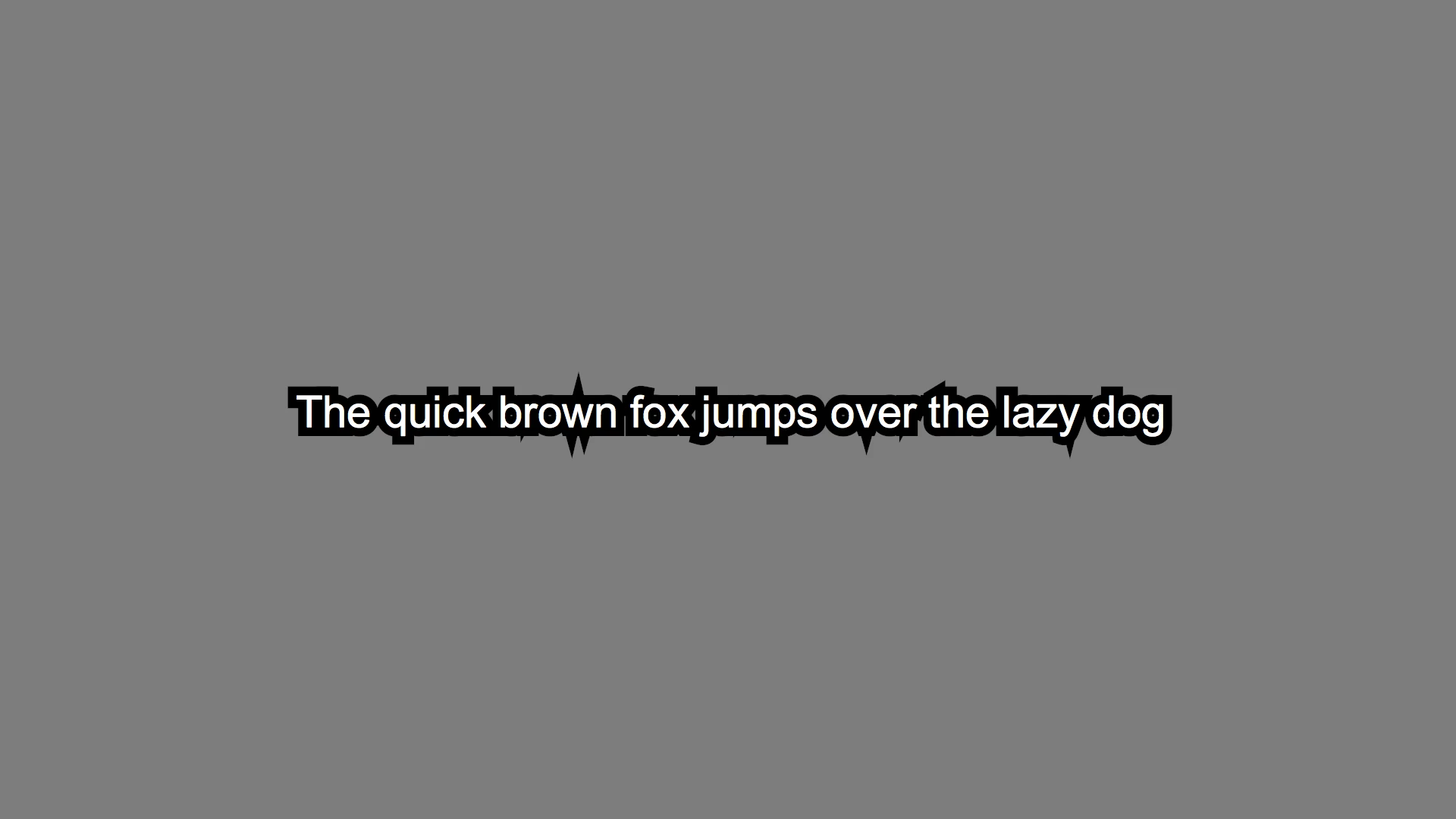
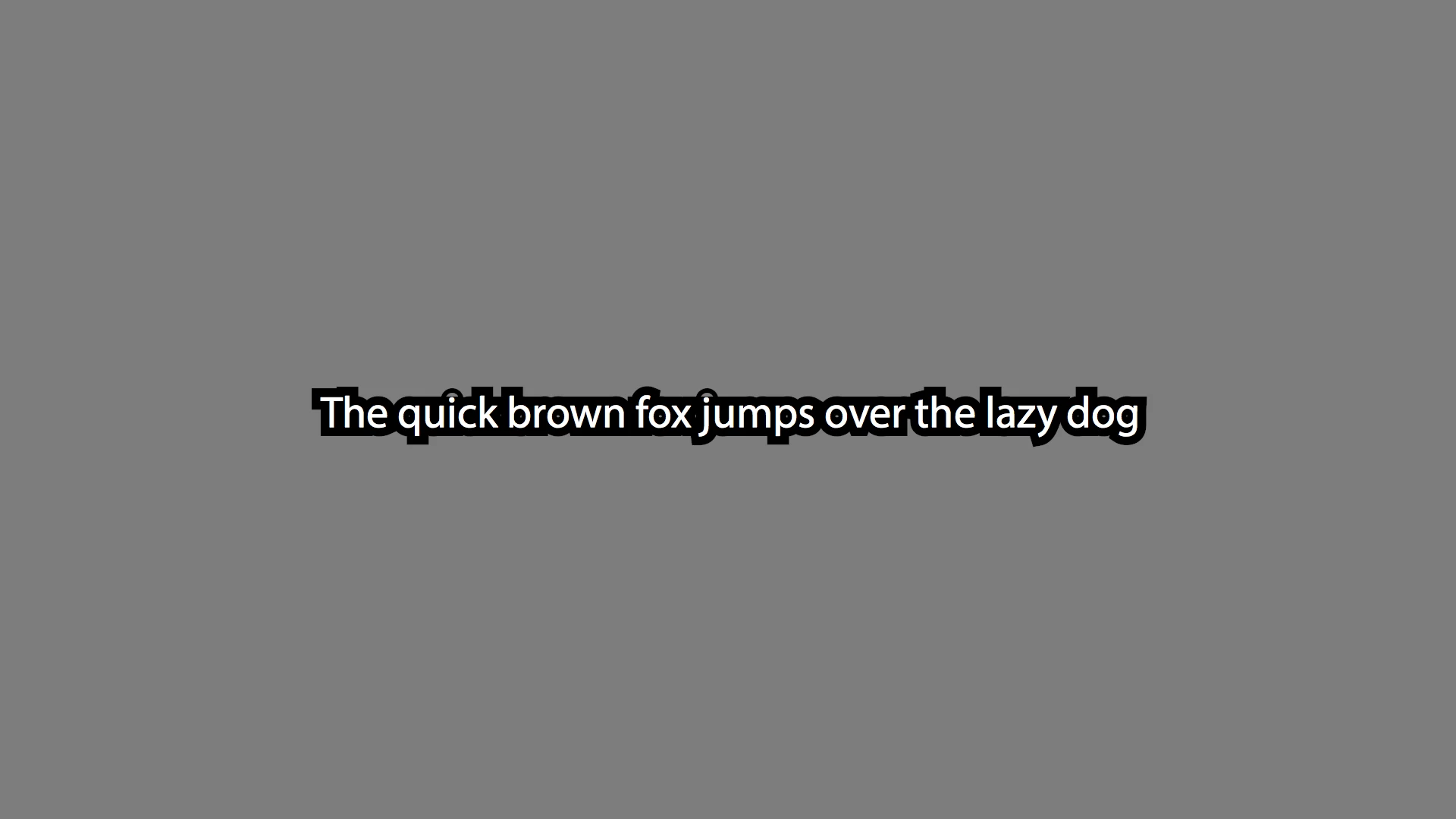
I have been getting this odd artifacting in certain fonts when I choose Open Captions in Premiere Pro CC. They are pretty standard fonts, most of the time, too. The one in my first example is Arial. I have found a couple fonts where this is not an issue, but I would like to be able to use whichever style and font I'd want from my library. Additionally, sometimes the pointy parts are not there, but the dots around the "i"s seem to not fill in all the way. My second example is with Myriad Pro. I've exaggerated the stroke size to make these errors more obvious, but even when they are thinner, the issue is still visible. I would like to note that I create these captions from scratch, and they are not imported from a Closed Caption file. Any advice on how I can get rid of this?
(Example A: Sharp Artifacting which appears around most fonts)
(Example B: Dots around "i"s do not fill in correctly)
Mac ver 10.12.4
Adobe Premiere Pro CC 2017.1.1 v.11.0, Tanq - All updates installed
 AdChoices