Participating Frequently
April 13, 2018
Answered

Odd color and image flicker at end of video after export

  • April 13, 2018
  • 1 reply
  • 1777 views

Hey Everyone,

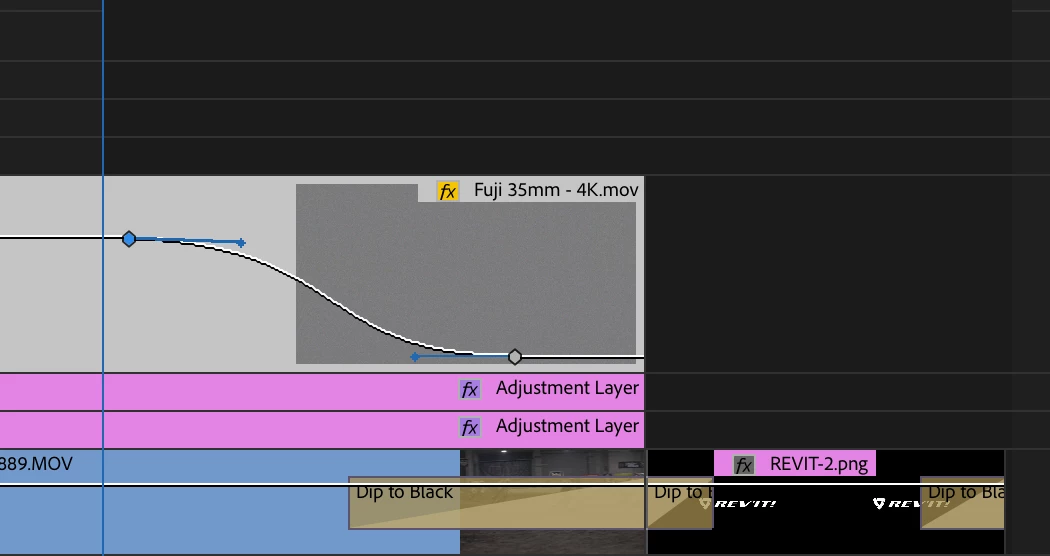
I'm trying to finish up this job and I'm having this odd output that I've never experienced before. My video has a clip that fades to black, then a logo that fades in and fades back to black. On export, someone crazy is happening with with magenta and greens and image flickering. I'm inserting the video and also a still of the portion of my timeline. Any help would be much appreciated. Thank you.
This topic has been closed for replies.
Correct answer R Neil Haugen

That's an issue with the alpha channel of that PNG file. It's a publicly recogized bug, and they've announced they'll have a fix out soon. Don't know how 'soon' that is, of course.

For the moment, convert that png to a psd file, reimport & apply, and it will work.

Neil

1 reply

Community Expert
April 13, 2018

If you are applying a 'transform' effect to any of the adjustment layers, turn off the checkbox 'use composition shutter angle'

and everything should be fine.

did you apply 'optical flow' to your slow motion ?

rhandtAuthor
Participating Frequently
April 14, 2018

Thanks for the input. Neither of those were the issue, but I corrected the issue. I ended up replacing a few clips to do it and creating new logos. Didn't figure out what the problem was, but needed to get the final to the client.

Community Expert
April 14, 2018

There might have been some issues with applied effects not collaborating well with the GPU