


brycelyons02
Participant
Mar 19, 2018 5:24 AM UTC
Answered

Once exported, it only fills half the screen

Hey all,

Quick question. I'm doing a project for school and have been using premiere for a while but in exporting the video, I am encountering the following issue.
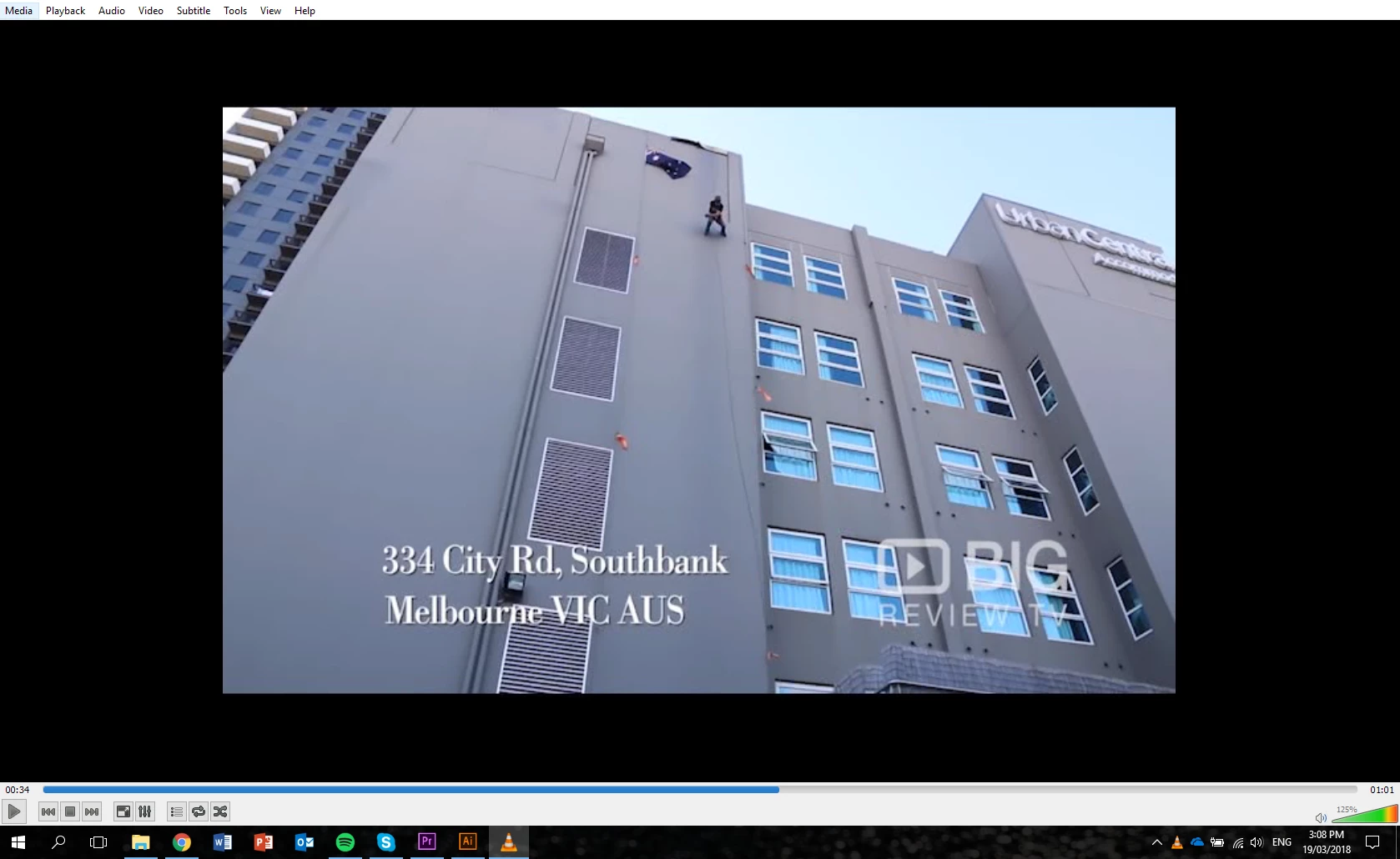
It is only outputting to half the screen and I need it to be fullscreen. I have made sure all the files are the correct frame size and gone through all the normal procedures I do every time I produce a video on premiere, but this keeps happening, not matter what I try.

Does anybody know why this is the case and how to resolve it?

Thanks in advance!

catherine.yy.xuCorrect answer
Participant
Jun 12, 2023 4:22 PM UTC

Hey ! The same problem happened to me, turns out the VR option was checked in my export settings. Once unchecked, the problem was gone. Hope it helps anyone who encounters this !

9 replies

catherine.yy.xuCorrect answer
Participant
Jun 12, 2023 4:22 PM UTC

Hey ! The same problem happened to me, turns out the VR option was checked in my export settings. Once unchecked, the problem was gone. Hope it helps anyone who encounters this !

Translate
Participant
Jul 26, 2023 1:43 AM UTC

THANK YOU!! Just had this same issue and this is the solution!

Translate
Ann Bens
Community Expert
Community Expert
Mar 19, 2018 10:17 AM UTC

Post screenshot of export settings with left tab to output with this image.

Translate
R Neil Haugen
Legend
Mar 19, 2018 6:11 AM UTC

What frame-size is your original sequence, what frame-size did you export to, and ... what does this player have for settings? The player may be auto-sizing the media.

Neil

Translate
Everyone's mileage always varies ...