
Answered
One camera is not shown anymore in multicam
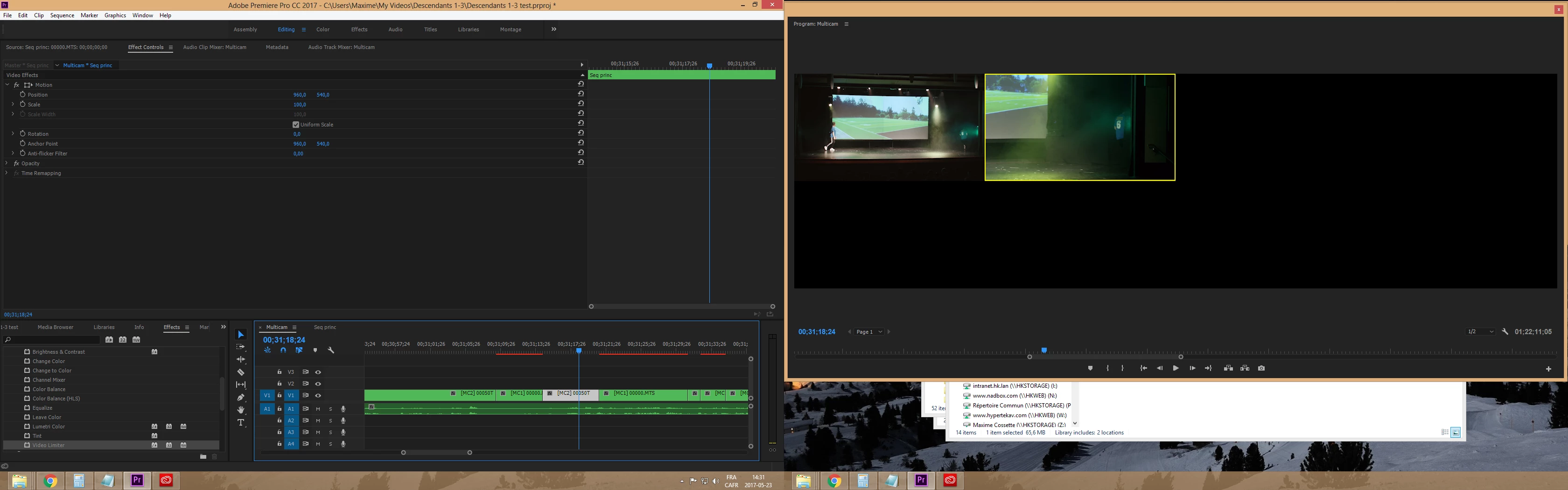
Hi! I'm new to multicam editing. I just edited my whole project using multicam and everything was fine. I then made my color correction. As I wanted some scene to have a different correction, I cut one of my video track 1 into smaller clips in my original sequence. Now, when I go to my multitrack sequence, All the shots from the video track 2 aren't shown in the program. However, when I open the multiview, both of my video tracks are here.
I'm running Adobe Premiere Pro 11.1.1 on Windows 8.
What could solve this problem?
Thank you very much!
Maxime
Here is a screenshot of the problem:
 AdChoices