
rookslash
Participant
March 11, 2017
Answered

Only audio appears with my .mp4 file (no video)

  • March 11, 2017
  • 2 replies
  • 1201 views

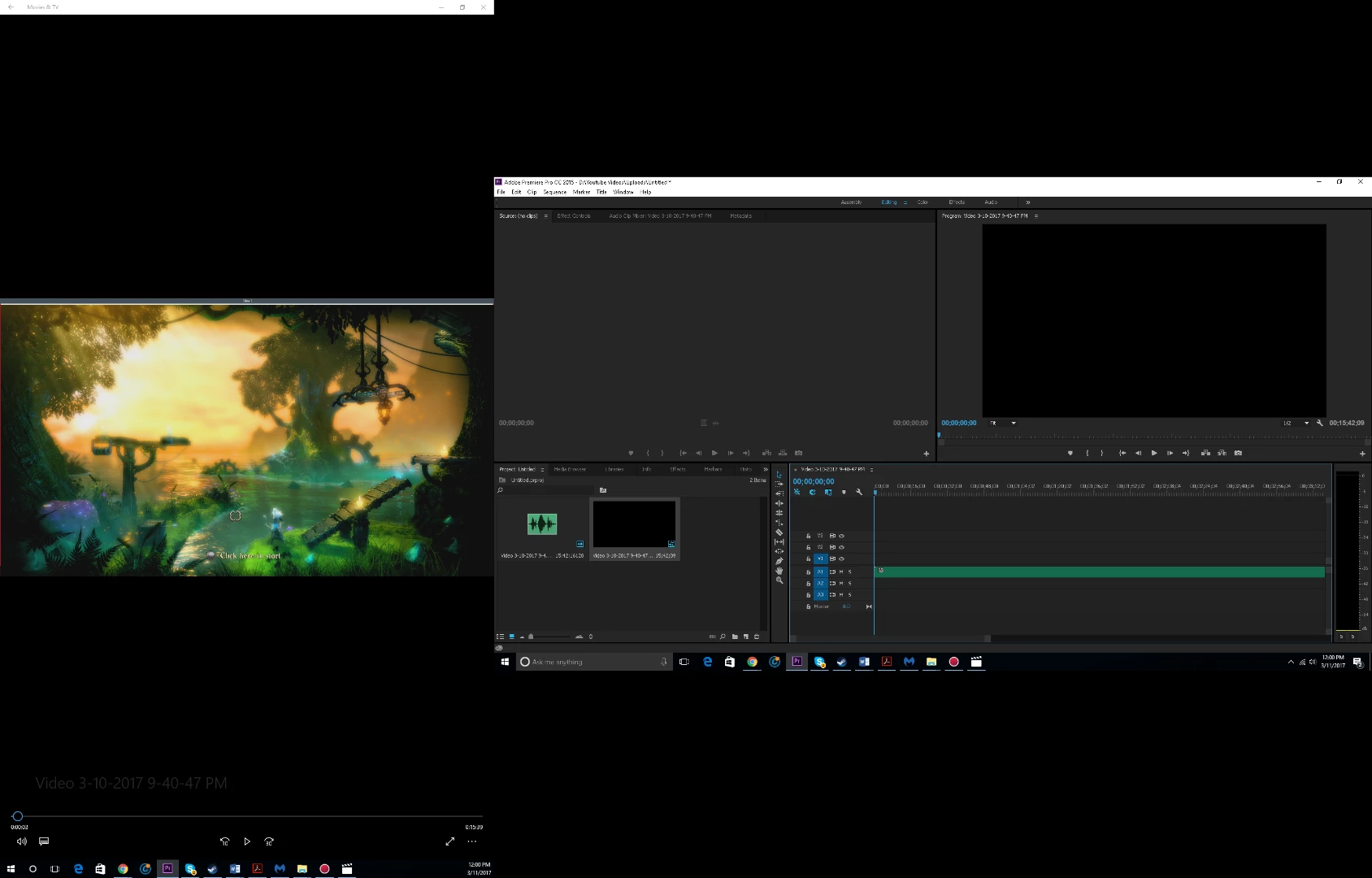
I record gaming on Action! by Mirillis on a .mp4 format and the video is viewable on the programs the came with win 10 and the Action! software. When i try to drop them into any editing software (premiere pro 2015 and i tried my gf's final cut pro) only the audio appears.

Here is what i have tried:

Switching color and video options to Nividia instead of video

Praying
Thank you!
    This topic has been closed for replies.
    Correct answer John T Smith

    This might be easier to see


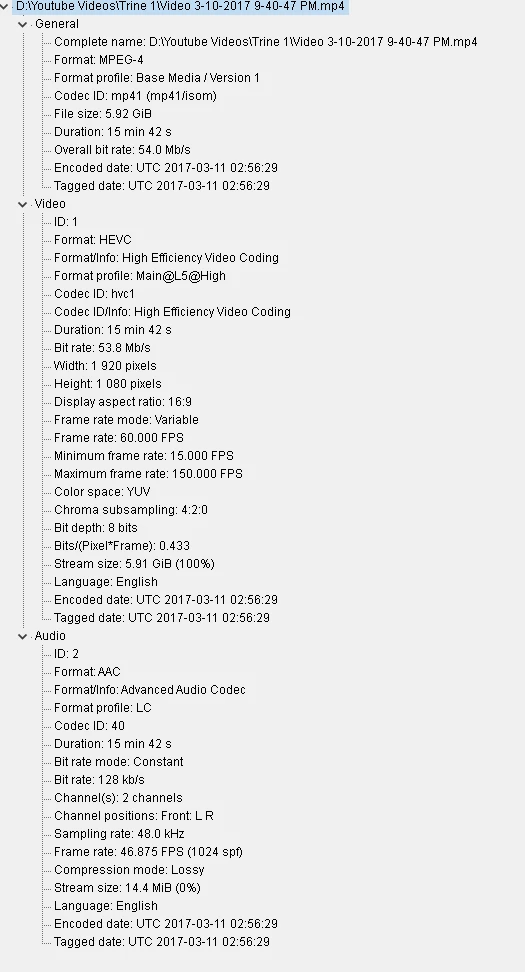
    First, your video is VFR (variable frame rate) which will NOT edit in Premiere Pro

    Try again with a different setting in your capture software, or convert with https://handbrake.fr/ open source transcoder/converter

    2 replies

    Peru Bob
    Community Expert
    Community Expert
    March 11, 2017

    Two possibilities:

    FAQ: Why does audio or video not go to the track where I drop it?

    More likely, your video is variable frame rate and needs to be converted with HandBrake to constant frame rate.

    Use the free MediaInfo and post a screenshot of the media properties in tree view:

    MediaInfo

    rookslash
    rookslashAuthor
    Participant
    March 11, 2017

    I'm new to this so this is all new to me, sorry if this is a fool's error

    rookslash
    rookslashAuthor
    Participant
    March 11, 2017

    This might be easier to see

    John T Smith
    Community Expert
    Community Expert
    March 11, 2017

    First, MP4 is a wrapper, what is inside YOUR wrapper - Exactly what is INSIDE the video you are editing?

    Report back with the codec details of your file, use the programs below... A screen shot works well to SHOW people what you are doing - For Windows Internet Explorer press the PRINT SCREEN button on your keyboard, and then do CTRL-V to paste the screen print from the clipboard into a forum message

    Free programs to get file information for PC/Mac http://mediaarea.net/en/MediaInfo/Download POST IN TREE VIEW

    2nd, Screen Capture http://www.toptenreviews.com/software/multimedia/best-video-capture-software/

    NOTE - do NOT use a Variable Frame Rate capture setting... it does NOT edit well !!!