Participant
March 12, 2017
Answered

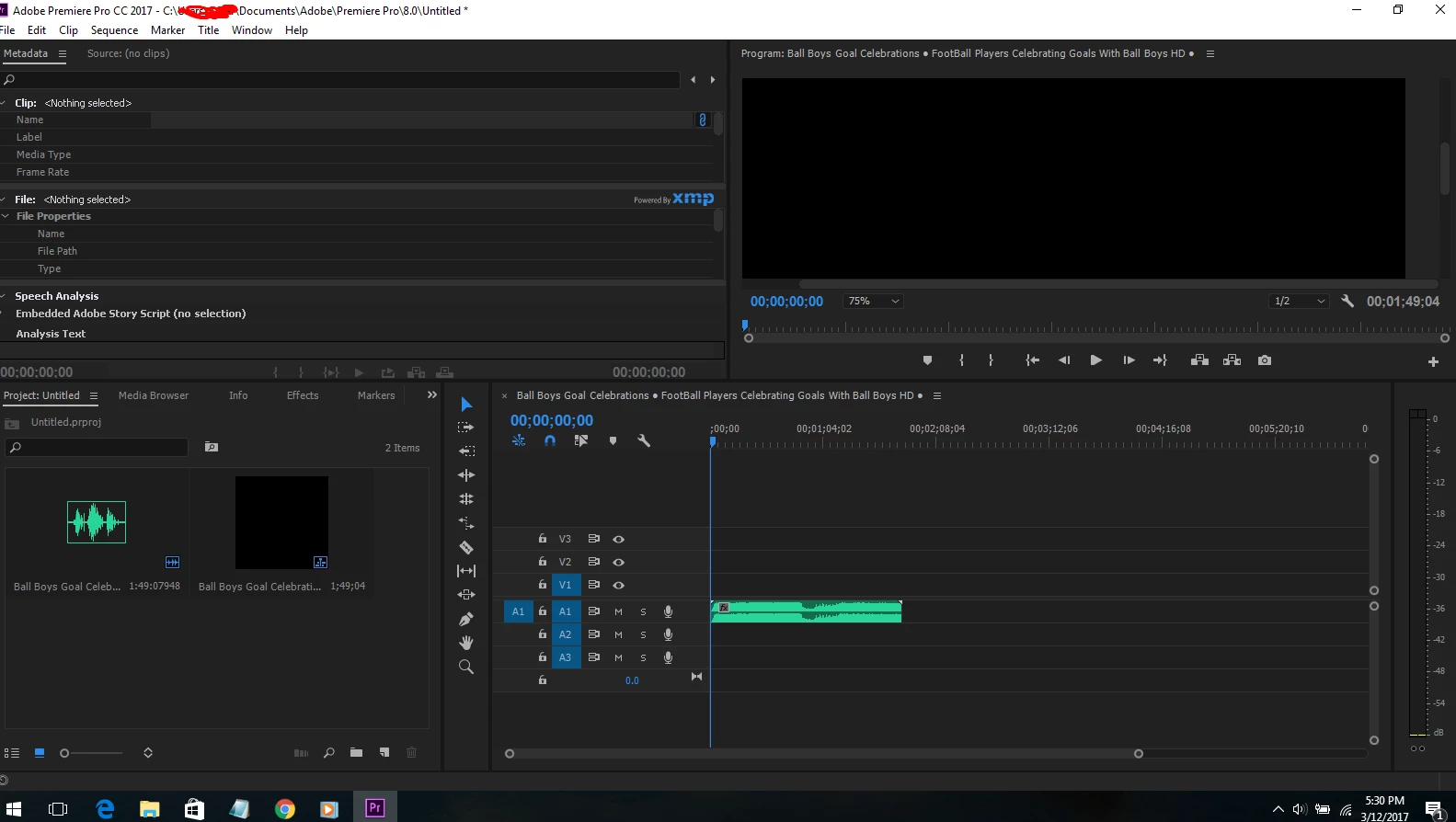
Only audio appears with my .mp4 file (no video)

  • March 12, 2017
  • 3 replies
  • 34897 views

hello im trying to import .mp4 video but only audio no video its just black 😕😕 please help me i use Adobe Premiere CC pro 2017 , Windows 10

Correct answer Peru Bob

Your video track is not targeted:

FAQ: Why does audio or video not go to the track where I drop it?

3 replies

Participant
September 7, 2017

Hey there,

I had the same problem with a video I downloaded from Vimeo. What fixed it for me was the following:

Control Panel>Appearance and Personalization>File Explorer Options>View>Uncheck "hide extensions for known file types"

Then go to the file and change the file extension to .mov (or an alternate video extension)

Hope this works!

Kevin J. Monahan Jr.
Community Manager
Community Manager
September 7, 2017

Good tip for importing footage that shows no audio, Tyler. MurtaR has a different issue. Her tracks are merely unpatched, probably the #1 thing that confuses newer editors.

Thanks,
Kevin

Kevin Monahan - Sr. Community and Engagement Strategist – Adobe Pro Video and Audio
Peru Bob
Community Expert
Peru BobCommunity ExpertCorrect answer
Community Expert
March 12, 2017
Participant
October 21, 2024

Why is this site offline?

John T Smith
Community Expert
Community Expert
March 12, 2017

MP4 is a wrapper, what is inside YOUR wrapper - Exactly what is INSIDE the video you are editing?

Report back with the codec details of your file, use the programs below... A screen shot works well to SHOW people what you are doing - For Windows Internet Explorer press the PRINT SCREEN button on your keyboard, and then do CTRL-V to paste the screen print from the clipboard into a forum message

Free programs to get file information for PC/Mac http://mediaarea.net/en/MediaInfo/Download POST IN TREE VIEW