Question
Only one Audio Track appears when I import my video?
So I just recorded a video that I was going to edit and I was playing it back in my "Movies & TV" function(Im on Windows 10) and everything looked completely fine. I also recorded two audio tracks, one for Minecraft and one for my mic. I was going to edit it but when I put it in the Sequence in Premiere, the video played fine but there was only one track and it was the Minecraft one. I tried opening the original video file to see if it was corrupted somehow, and when I opened it everything was fine. I could hear myself and the game, so Im a little confused why only one track popped up. I have tried clearing the video from the timeline and the Project folder but it yieled to the same thing. Am I doing something wrong?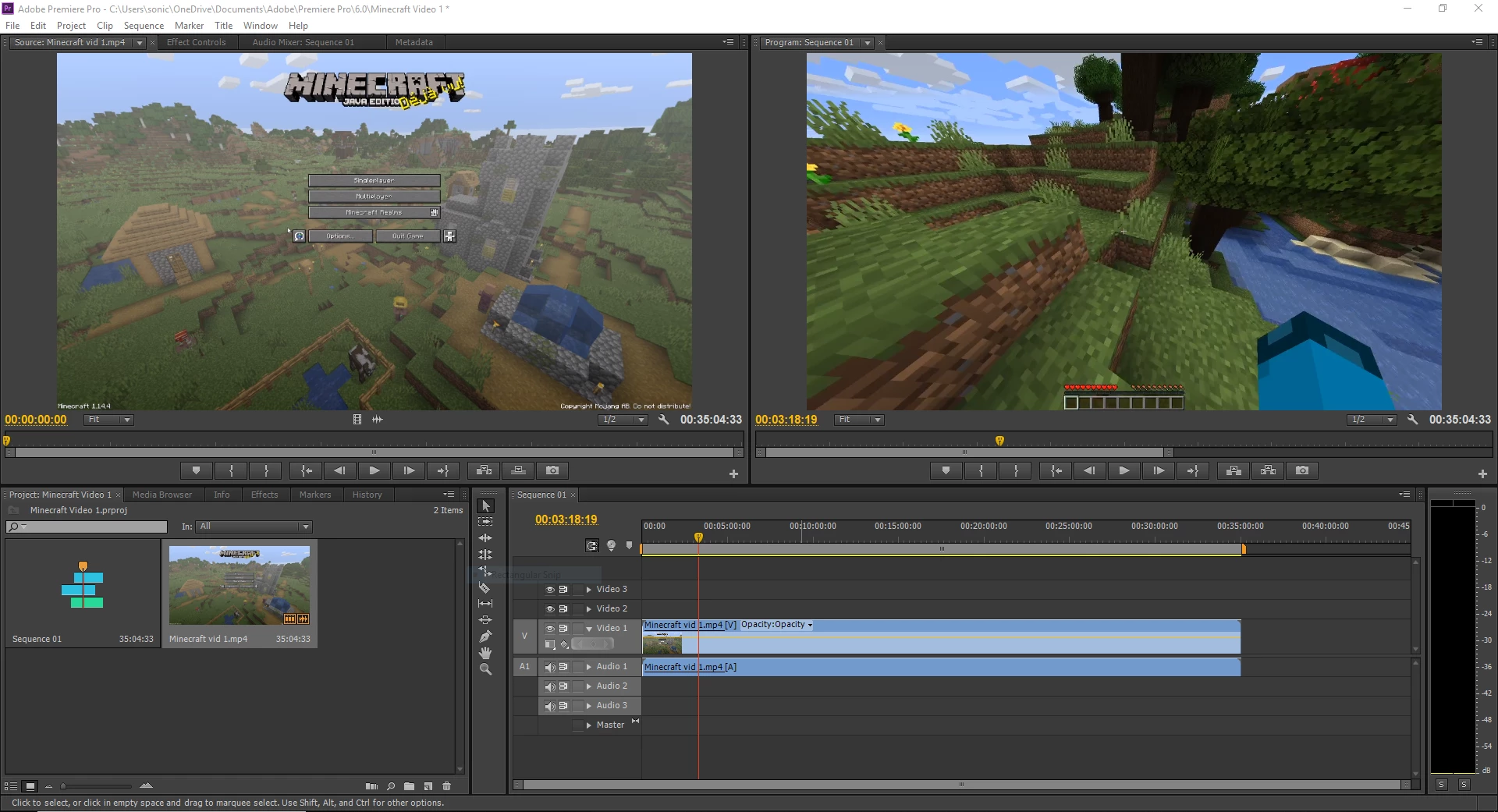
 AdChoices