Participant
May 3, 2017
Answered

Open captions - Format (Premiere Pro 14.9 and earlier)

  • May 3, 2017
  • 2 replies
  • 6909 views

Hi everyone,


I'm having issues with the open captions. It's the first time I'm using it, for a short film.
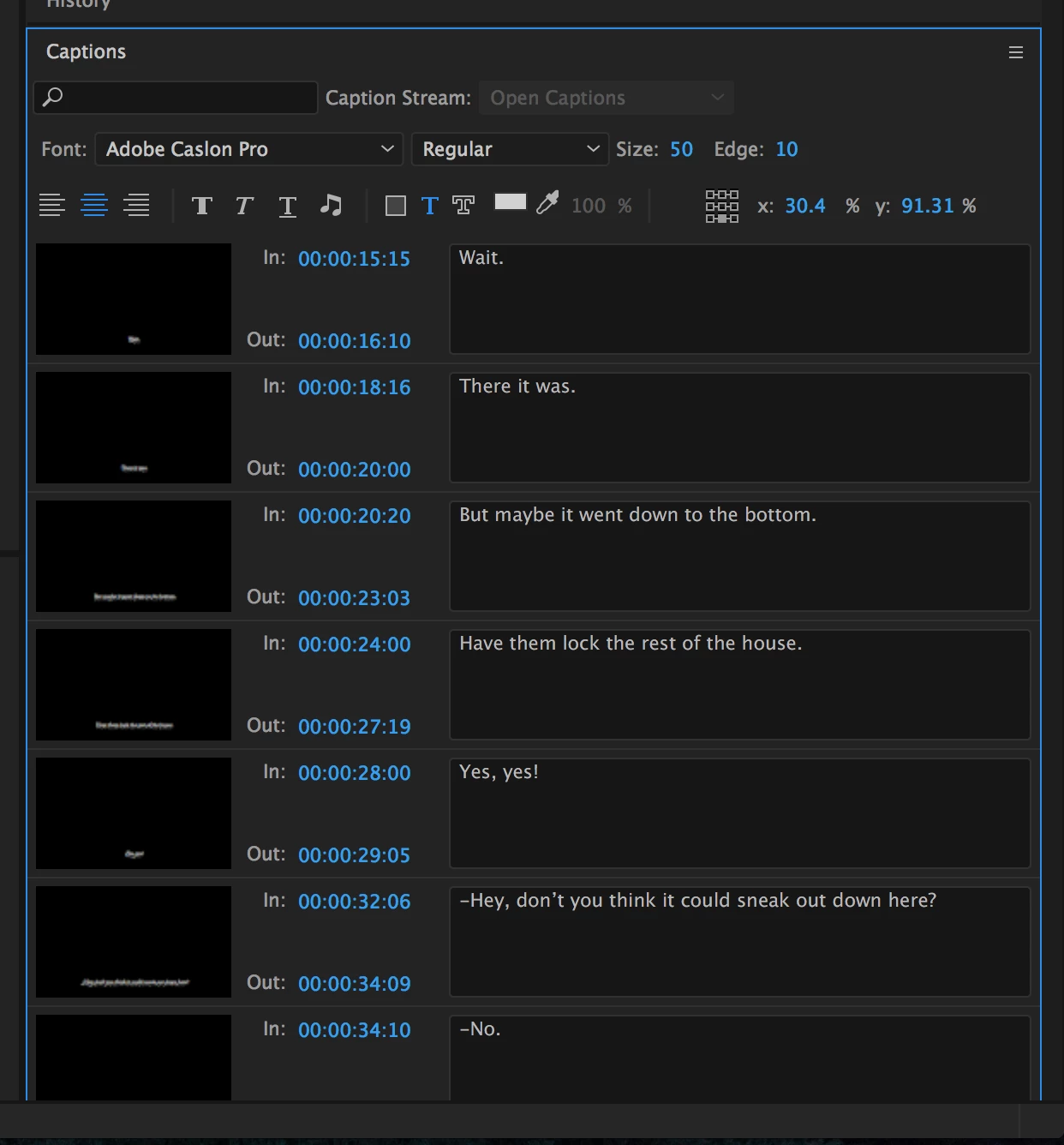
I already have my entire captions sequence, with a lot of texts on it. Now I want to change the whole font format, from Helvetica to Adobe Caslon Pro.
The thing is that it doesn't allow me to select all the texts and change them by one click, so I will have to do it one by one.
Does anyone know the solution?
Thanks a lot.
This topic has been closed for replies.
Correct answer Roei Tzoref

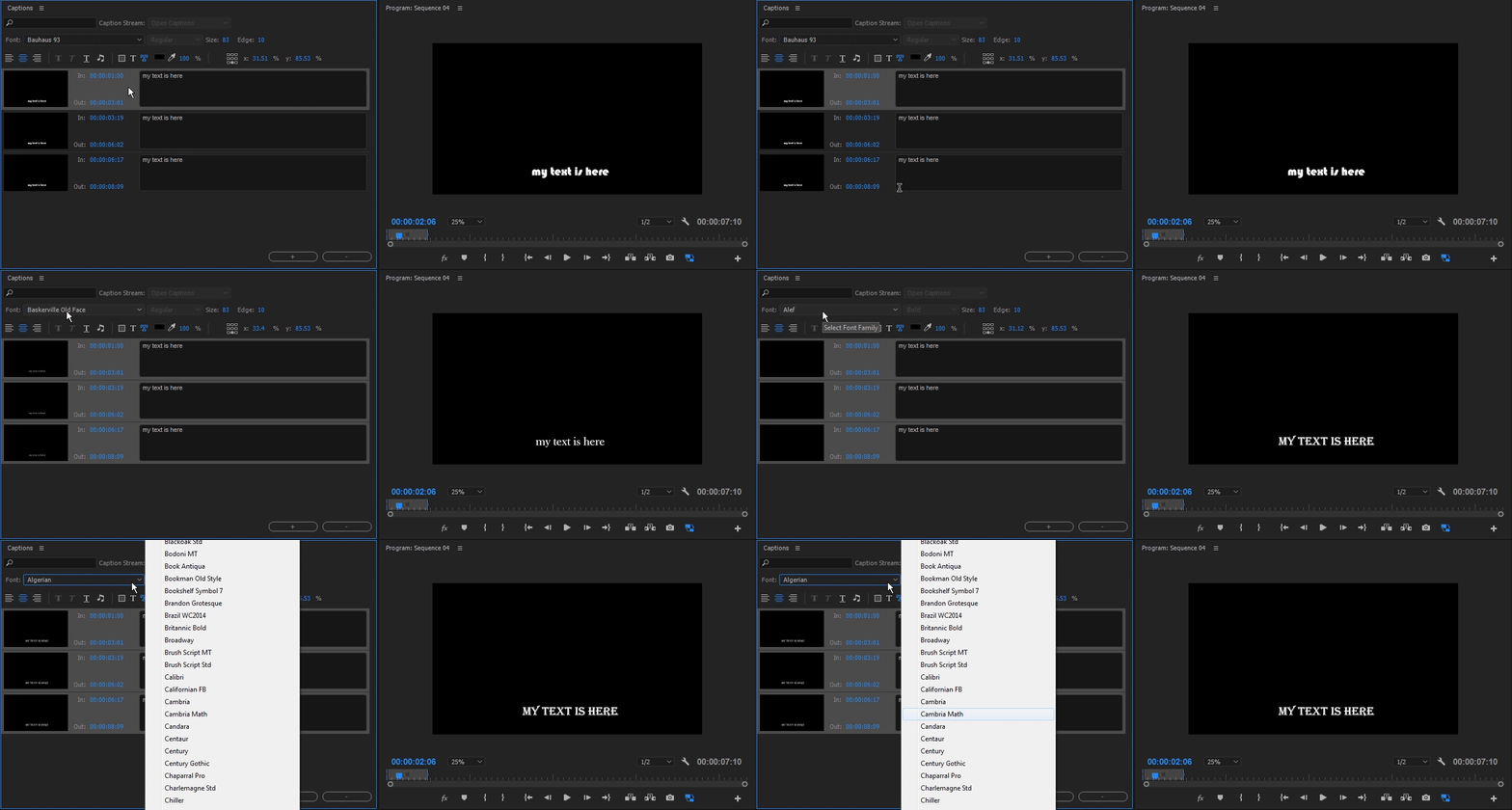
I just reviewed it myself a short while ago and found that you should select the first one and then shift click the last. now are multi selecting the captions and can change parameters globally. for text, I find scrolling is nice when you hover over the font selection, but you can also click on the font selection and type the first letter of the font and it will scroll through the options. demonstrated in this complementary GIF. I am typing "C" to scroll select fonts that begin with that letter

about the multi selection selection: Ctrl+A is more intuitive wouldn't you agree? I would also like the option to add a caption by duplicating or Alt Drag which are familiar conventions in the software. or maybe a shortcut option for adding a caption, but one does not exist in the shortcut editor

2 replies

Participant
September 9, 2022
Kevin J. Monahan Jr.
Legend
September 12, 2022

Hi Arthur and others, 

FYI: this works with version 14.9 and later only. In other words, the video shows the way it works currently. The original post referred to an earlier version that did not have this feature.


Thanks,
Kevin

Kevin Monahan - Sr. Community and Engagement Strategist – Adobe Pro Video and Audio
Roei Tzoref
Roei TzorefCorrect answer
Legend
May 3, 2017

I just reviewed it myself a short while ago and found that you should select the first one and then shift click the last. now are multi selecting the captions and can change parameters globally. for text, I find scrolling is nice when you hover over the font selection, but you can also click on the font selection and type the first letter of the font and it will scroll through the options. demonstrated in this complementary GIF. I am typing "C" to scroll select fonts that begin with that letter

about the multi selection selection: Ctrl+A is more intuitive wouldn't you agree? I would also like the option to add a caption by duplicating or Alt Drag which are familiar conventions in the software. or maybe a shortcut option for adding a caption, but one does not exist in the shortcut editor

Participant
May 4, 2017

Thanks for answering!
It's weird because I've just tried what you said and it doesn't work for me. Could it be a CC 2017 bug?
I'm selecting the first one, scrolling to the end and shift-clicking the last one (as I do always I want to multi-select a list of things) but it's still not working.
I totally agree with the Ctrl+A and Alt-Drag thing too.

Just checking, does your example sequence looks like this too? Trying to see where is my problem.
Thank you!

Roei Tzoref
Legend
May 4, 2017

are you using the latest version 14.2? what happens when you click other captions? do they highlight? make sure you do this in the exact same manner I do it (same location in the caption box etc.)