
Participant
May 3, 2017
Answered

Open captions - Format (Premiere Pro 14.9 and earlier)

  • May 3, 2017
  • 2 replies
  • 6893 views

Hi everyone,


I'm having issues with the open captions. It's the first time I'm using it, for a short film.
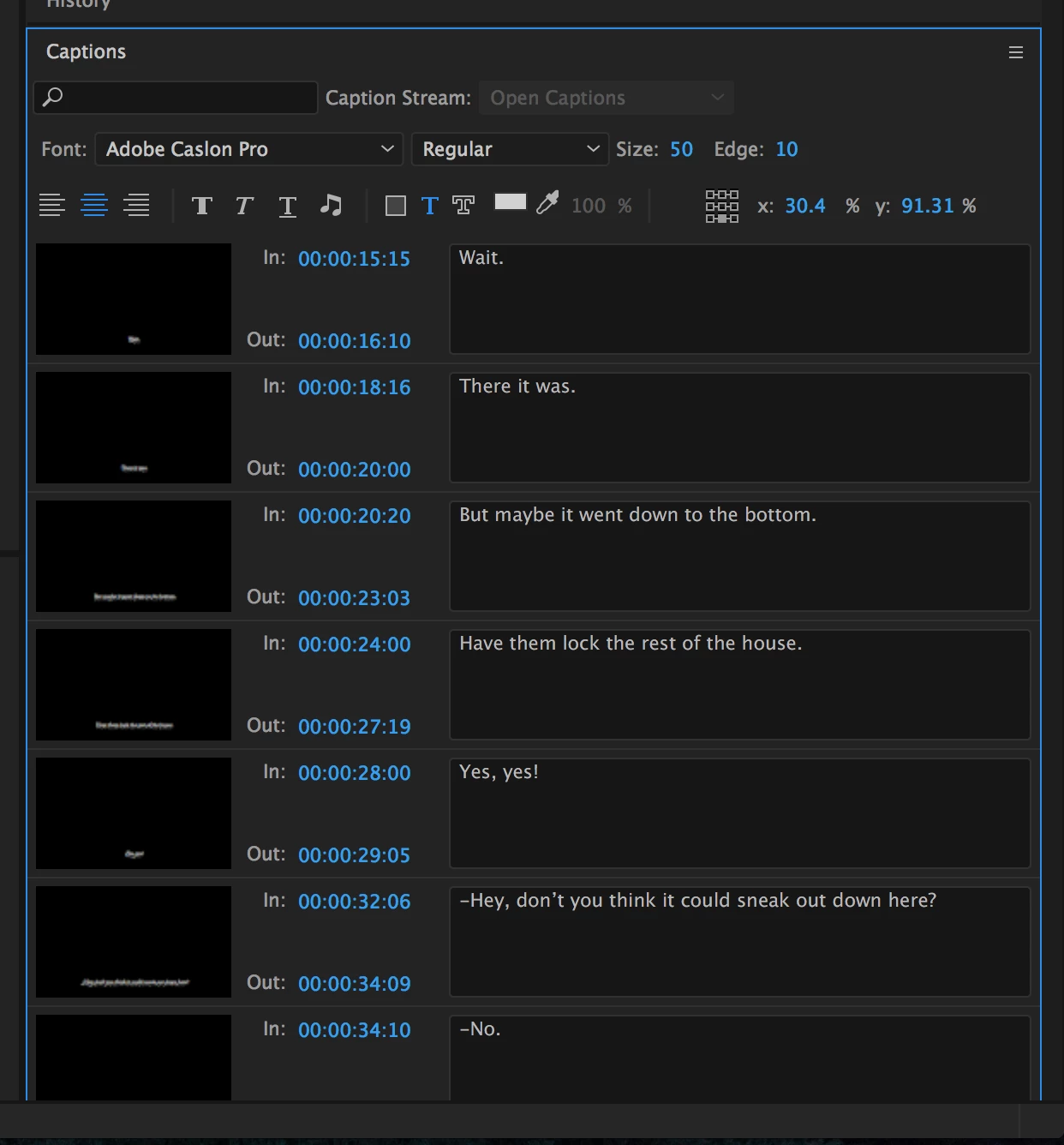
I already have my entire captions sequence, with a lot of texts on it. Now I want to change the whole font format, from Helvetica to Adobe Caslon Pro.
The thing is that it doesn't allow me to select all the texts and change them by one click, so I will have to do it one by one.
Does anyone know the solution?
Thanks a lot.
This topic has been closed for replies.
Correct answer Roei Tzoref

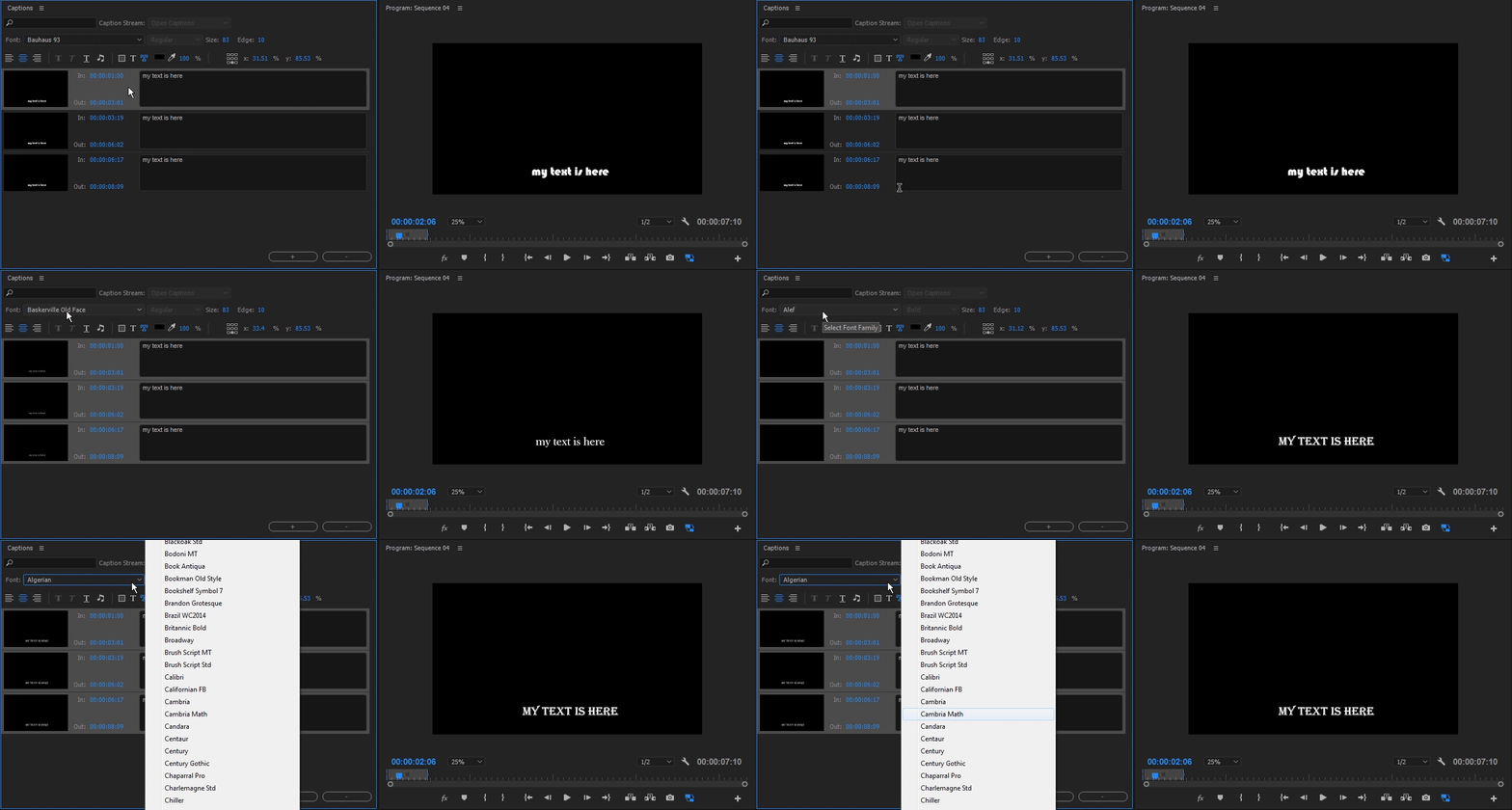
I just reviewed it myself a short while ago and found that you should select the first one and then shift click the last. now are multi selecting the captions and can change parameters globally. for text, I find scrolling is nice when you hover over the font selection, but you can also click on the font selection and type the first letter of the font and it will scroll through the options. demonstrated in this complementary GIF. I am typing "C" to scroll select fonts that begin with that letter

about the multi selection selection: Ctrl+A is more intuitive wouldn't you agree? I would also like the option to add a caption by duplicating or Alt Drag which are familiar conventions in the software. or maybe a shortcut option for adding a caption, but one does not exist in the shortcut editor

2 replies

Participant
September 9, 2022
Kevin-Monahan
Community Manager
Community Manager
September 12, 2022

Hi Arthur and others, 

FYI: this works with version 14.9 and later only. In other words, the video shows the way it works currently. The original post referred to an earlier version that did not have this feature.


Thanks,
Kevin

Kevin Monahan - Sr. Community and Engagement Strategist – Adobe Pro Video and Audio
Roei Tzoref
Roei TzorefCorrect answer
Legend
May 3, 2017

I just reviewed it myself a short while ago and found that you should select the first one and then shift click the last. now are multi selecting the captions and can change parameters globally. for text, I find scrolling is nice when you hover over the font selection, but you can also click on the font selection and type the first letter of the font and it will scroll through the options. demonstrated in this complementary GIF. I am typing "C" to scroll select fonts that begin with that letter

about the multi selection selection: Ctrl+A is more intuitive wouldn't you agree? I would also like the option to add a caption by duplicating or Alt Drag which are familiar conventions in the software. or maybe a shortcut option for adding a caption, but one does not exist in the shortcut editor

kre57
Inspiring
June 27, 2017

Roei Tzoref- Thanks for this! There are a lot of posts saying you CAN'T select the entire caption and make global changes (maybe this is a recent bug fix). I am glad I kept looking. The only thing I was doing wrong was not clicking on the appropriate area of the caption windows when trying to select multiple boxes (the area between the "In" and "out" times).

kre57
Inspiring
June 27, 2017

kre57​ thanks for the feedback,  Glad to be or service


Well, it was all for naught. I made my changes, queued to ME, everything looked good until it started to encode. I noticed that the captions were missing. Also, after the fail I went back to PP and noticed that the captions view in the program monitor went back to the default view. I had to close the project and open it again to reset. Any ideas as to what the captions aren't showing up during encoding? I have done other vids using the default captions look without an issue.

Thanks!