Participant
June 23, 2021
Question

Open captions look different after importing

  • June 23, 2021
  • 1 reply
  • 433 views

A client asked me to create an SRT file for some audio. 

I clicked New>Captions>Open Captions and created the captions. I added color, font, all that jazz. It worked perfectly while watching the video in my Preview panel. I exported the captions as an SRT file.

When they imported the SRT file I sent them, the client told me that the captions looked completely different. Whenever I import the SRT file I made into Adobe, the captions look different. I tried uploading the SRT file using another video editing program and it looked perfect.

What is the problem??
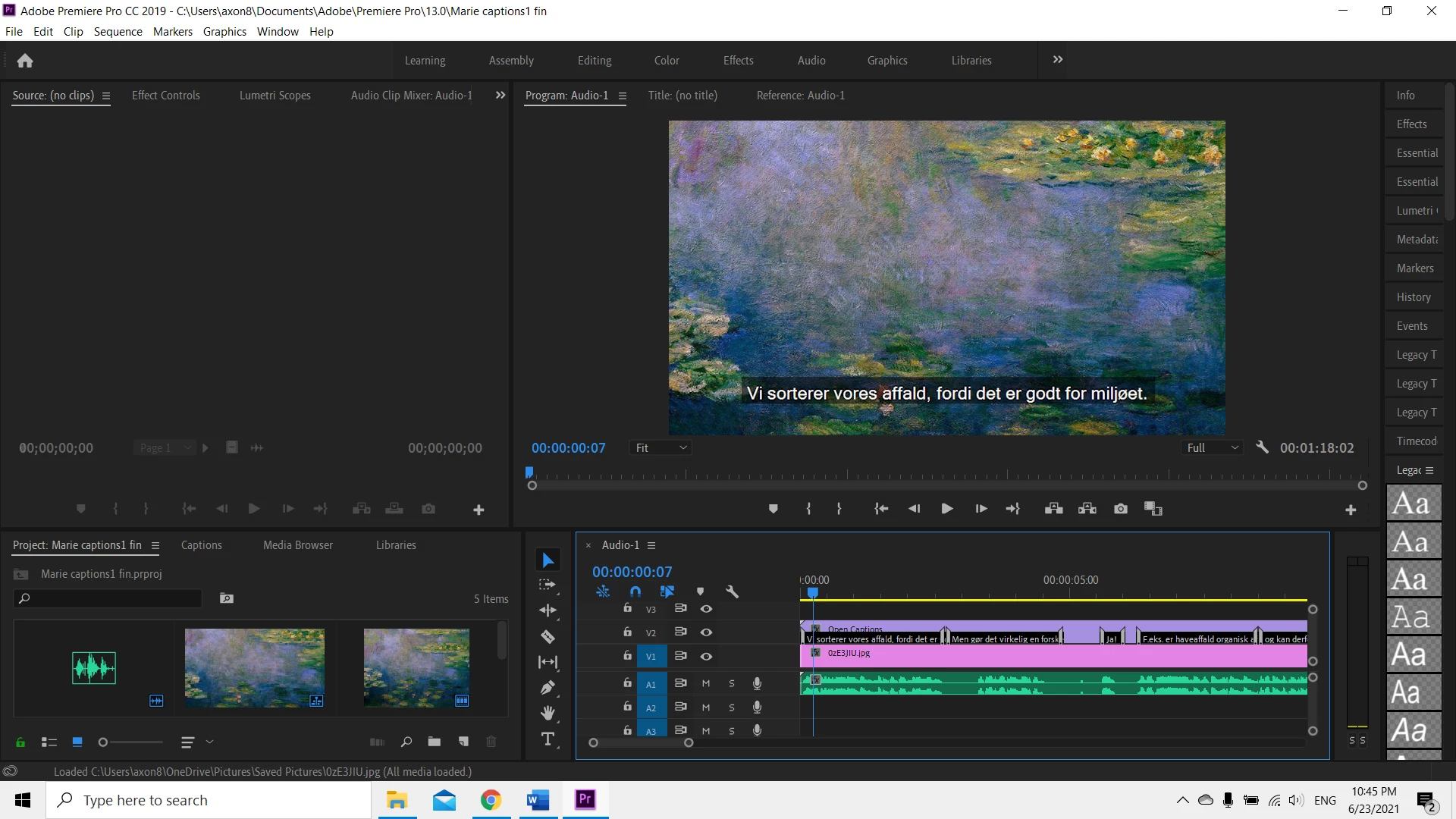
 

This is what the subtitles looked like. I exported the Open Captions as an SRT file.
After that, I opened a new project and imported the SRT file to check the captions and this is what happens:
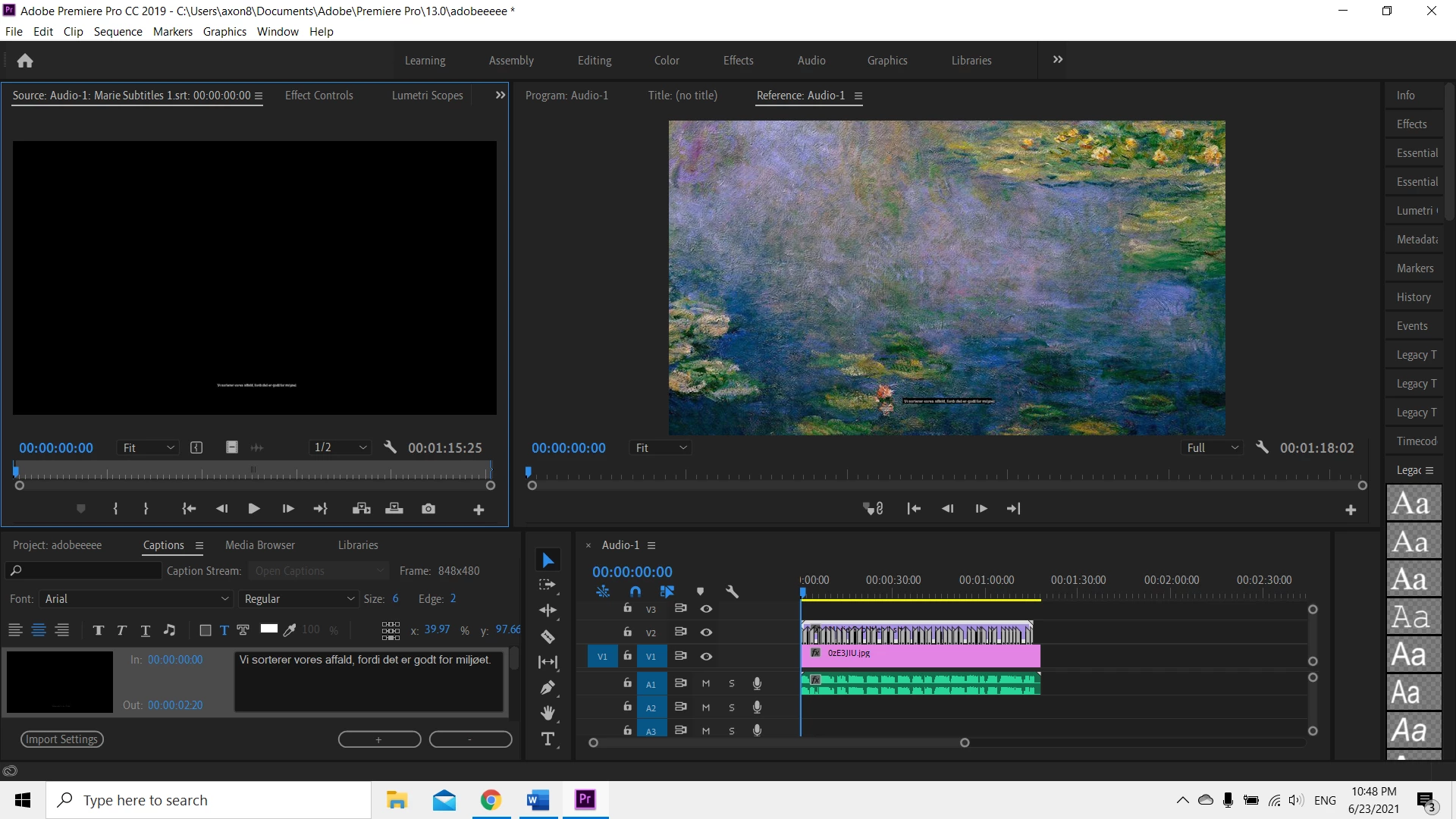
I can't even see the captions and all the characteristics are different.


This topic has been closed for replies.

1 reply

Stan Jones
Community Expert
Community Expert
June 24, 2021

The srt export from PR 2020 and earlier carried very little styling information, even if the "include styling" option is selected.


Look at the .stl export instead.Which sidecar file type will be best may vary also depending on what caption stream type you are using. Subtitles (in PR 2021, what was Open Captions previously) are designed to be burned in. You can style them in PR in many ways that will NOT be exported, no matter what sidecar export type you use.


It is interesting that you see the correct display when uploading the same srt using another program. What program is that?


Even then, you must determine whether the specific styling you want is included. And some programs may not use the information, even if PR includes it.


Stan


Azra5C98Author
Participant
June 24, 2021

Hi Stan, thanks for the reply!

I chose open captions over closed captions because I can stylize them. However, I didn't know that all the characteristics will be lost when I import the SRT file.  

So my question is- is there any way to make captions, stylize them, export only SRT file, and import those open captions with all their characteristics to a new project? 

I uploaded the SRT file to a random video editing site (Clideo.com) and they looked exactly like in PP. This is so confusing that I can edit the open captions in PP any way I wish, export them, but then have all the characteristics disappear when I import them back. 
Also, I wouldn't like to use Closed captions because they don't look good.

Any advice?
Thanks again!

Stan Jones
Community Expert
Community Expert
June 24, 2021

> is there any way to make captions, stylize them, export only SRT file, and import those open captions with all their characteristics to a new project?


Not "all," but try the .stl export. What choices for sidecar export do you have?


How are you exporting?  Select the sequence in the PROJECT panel, then File -> Export -> Captions. 


For example, if you export srt and do not check the "styling" box, you will get none of the style codes. If you check the box, you will get font color, but not backgrond settings and no position settings. But the font color code from PR is not read by all applications. The.stl file should carry position, font color, and others. I don't recall which.


> I uploaded the SRT file to a random video editing site (Clideo.com) and they looked exactly like in PP. 


I have no explanation for that.


I'd examine your srt and see what codes are there.


Stan