
Open captions, opacity (Premiere Pro 14.9 and earlier)
Hi,
Encouraged by a forum member I start this new thread. I am looking for help with the following inconsistently appearing problem. I am using the pc version of Premiere Pro CC 12.1.1 Build 10. Licence acquired by my employer.
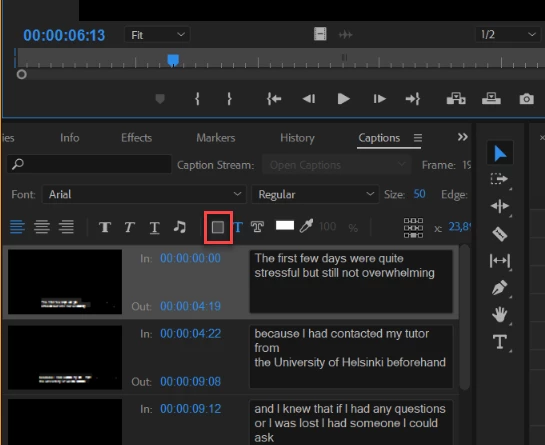
In my latest project (an interview series with five interviewees) I have successfully created three out five open captions.I adjusted the captions to my liking (background opacity, font size, position and so on) but as I tried to create the next caption, the fourth, all of a sudden the option of changing opacity was gone (the icon is grayed out). All of this happened in the course of one editing session.
What I have tried to do to overcome this:
-duplicate earlier captions (not working as the caption text mysteriously remains visible).
-Reset to Saved Layout (not working).
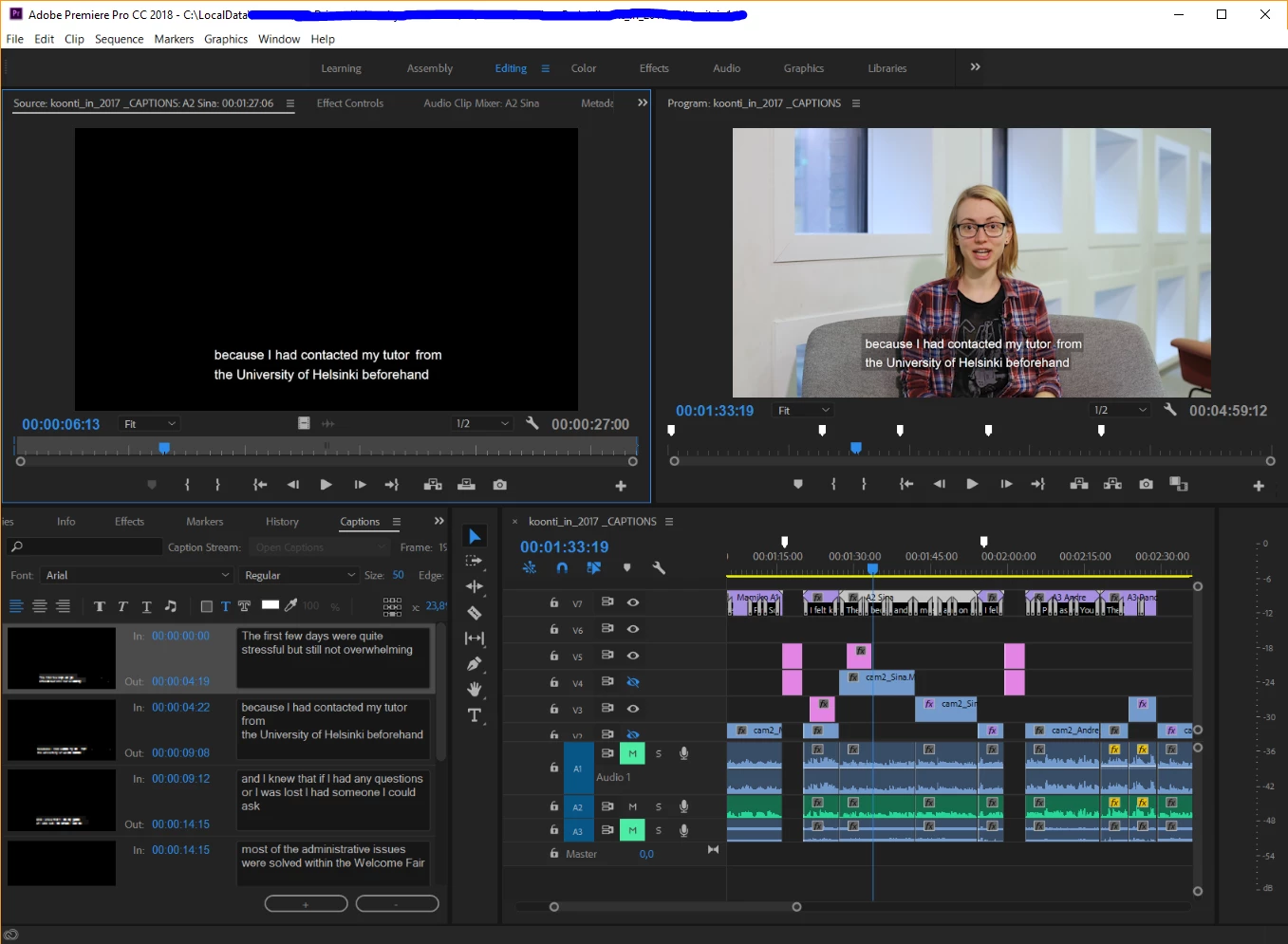
I have added a screenshot displaying the impossible situation of Open Captions with 50% background opacity (upper right hand side monitor) yet the Captions dialogue box (lower left hand side) showing the background opacity icon grayed out.
Any input? What can be done? Anything I am doing wrong?
Thank you for any help.
Sasa
ps. I have to hand in this project by Friday July 6 as I then leave for summer holidays.
 AdChoices