


Participant
October 17, 2018
Answered

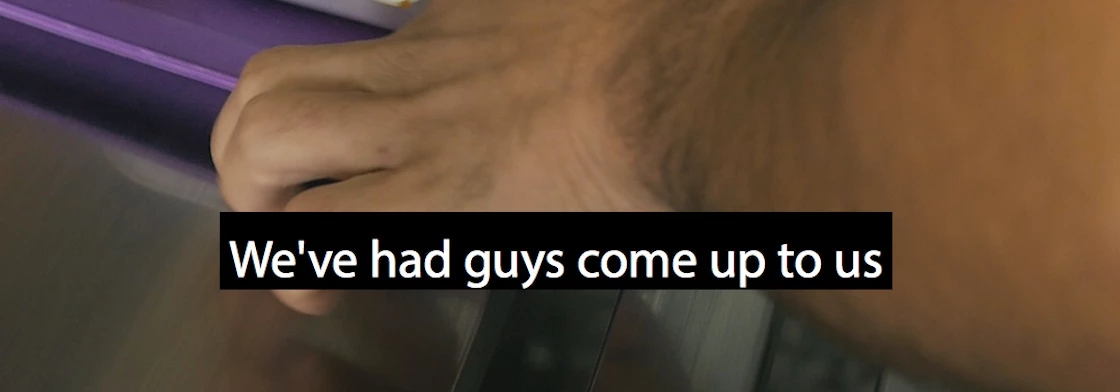
Open captions text not centre aligned with background

  • October 17, 2018
  • 13 replies
  • 19054 views

Just trying to do some simple open captions (white text with black background) and the text is not in the centre of the background box, which looks pretty bad. Can't seem to change it as all controls change the text and background as one. There's got to be a simple solution...? Any help much appreciated.

This topic has been closed for replies.
Correct answer Stan Jones

Known issue and no fix yet. I know of no workaround. I reduce the opacity of the background box - sometimes all the way off.

Problem if burning in; If your exporting srt, it won't matter.

13 replies

danieloduntan
Participant
August 12, 2019

Seriously guys — please can this be fixed, spent ages looking for the right front and now this box doesn't want to center..... it's 2019, please fix this.

FlyPro
Participant
September 19, 2019
12 months on and still not fixed!
Shivangi_Gupta
Community Manager
Community Manager
October 17, 2018

Hi fionaf,

Sorry to hear that you are facing the alignment issue with Open Captions in Adobe Premiere Pro.

This is a known issue and we are working on it. My apologies, I don't have a workaround or a helpful response.

I would advocate on your behalf.

Thanks,

Shivangi

patrickpictures
Participating Frequently
June 14, 2019

Any idea when this will be resolved? 8 months after you acknowledged this is a known issue, and I'm still experiencing this flaw. It looks so unprofessional and is very, very poor from Adobe.

Participant
June 21, 2019

This is a workaround that worked for me. It seems to be a font-face related issue. I tried many different fonts until I came across a couple that worked. Futura and Open Sans. There are probably others but I stopped looking. You just have to try them out for yourself. Hope this helps.

Stan Jones
Community Expert
Stan JonesCommunity ExpertCorrect answer
Community Expert
October 17, 2018

Known issue and no fix yet. I know of no workaround. I reduce the opacity of the background box - sometimes all the way off.

Problem if burning in; If your exporting srt, it won't matter.

Participant
December 1, 2020

Always use the Roboto font as Adobe should default to this font across MAC and PC for the next update