

martap27317614
Participant
September 11, 2020
Question

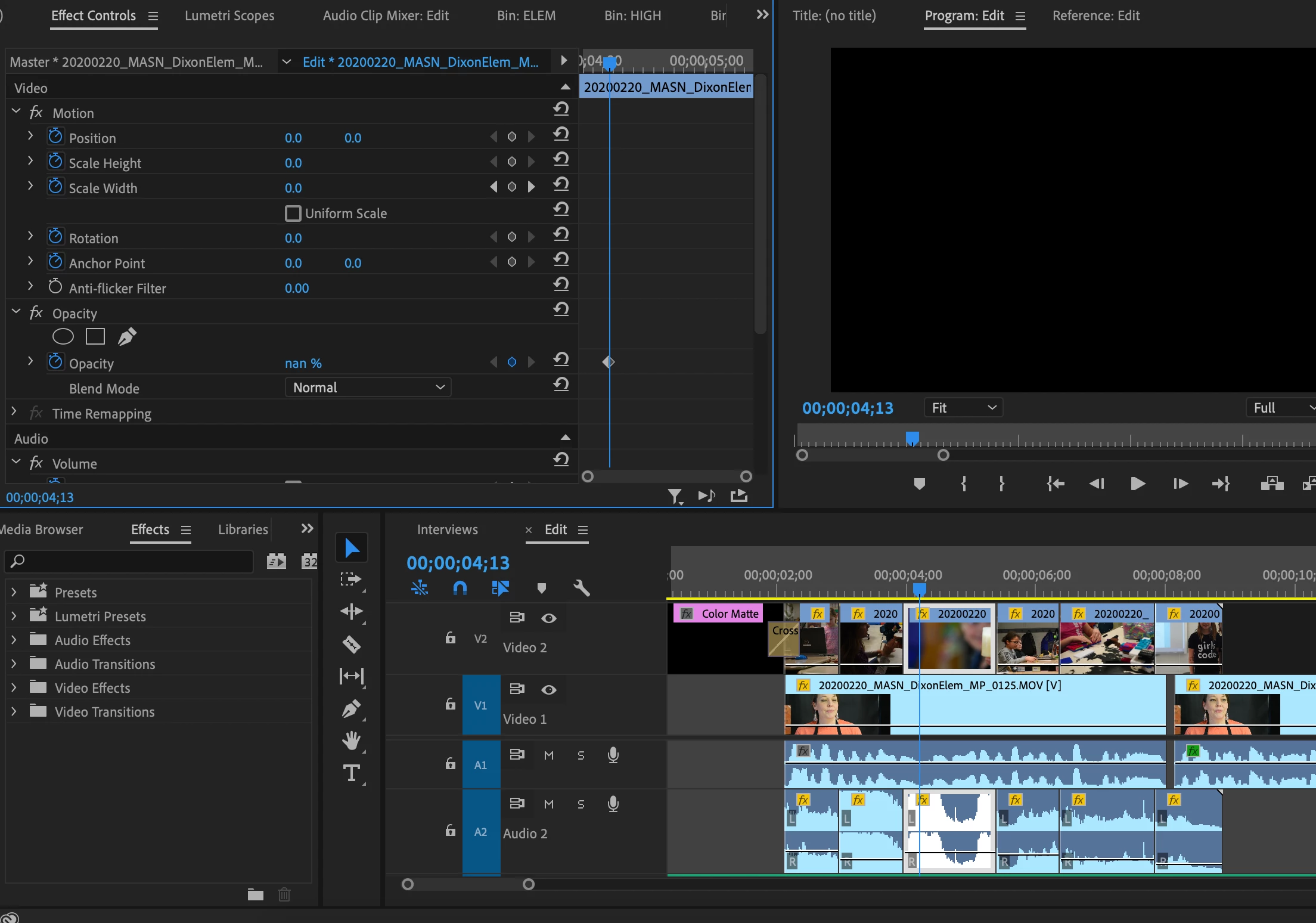
Opened project and picture opacity is at nan% and can't change
  • September 11, 2020
  • 4 replies
  • 2955 views

I went to work on a project and once opened, none of the video clips show. Opacity is at nan% and won't let me change it. I can bring in new clips from my pre-existing bins and they work fine but I'd like to avoid bringing back in each clip that's already in a sequence if possible. Any help is greatly appreciated!

4 replies

Participant
November 17, 2023

I found a solution to this issue.


Right click the affected clip --> Remove attributes --> Select opactity only and click Ok. 

Participant
July 24, 2021

This has just hapened to me too.  Removing the opcity attributes was the only thign that fixed it. I reset preferences, removed cache, updates the app, rebooted—noting fixed it. Adobe, what's going on here?

Participant
July 24, 2021

Now the opacity attribure removal is not working either. Black screen on program window.  ANyone got a workaround?

Brandon Loshe
Legend
March 8, 2021

Ever get this figured out? I've had the same thing happen before. I don't know why. As a workaround, I go into the Effects Panel, apply the Transform effect (under Distort), and then use the parameters from that instead of the built-in motion and opacity ones. So far that's been a successful workaround for me.

Ann Bens
Community Expert
Community Expert
September 11, 2020
martap27317614
Participant
September 11, 2020

That unfortunately didn't help, thanks though!

Ann Bens
Community Expert
Community Expert
September 11, 2020

Make new project and import old one.

See how that goes.