Known Participant
January 23, 2024
Answered

Opening After effects project in Premiere Pro

  • January 23, 2024
  • 2 replies
  • 766 views

Hello

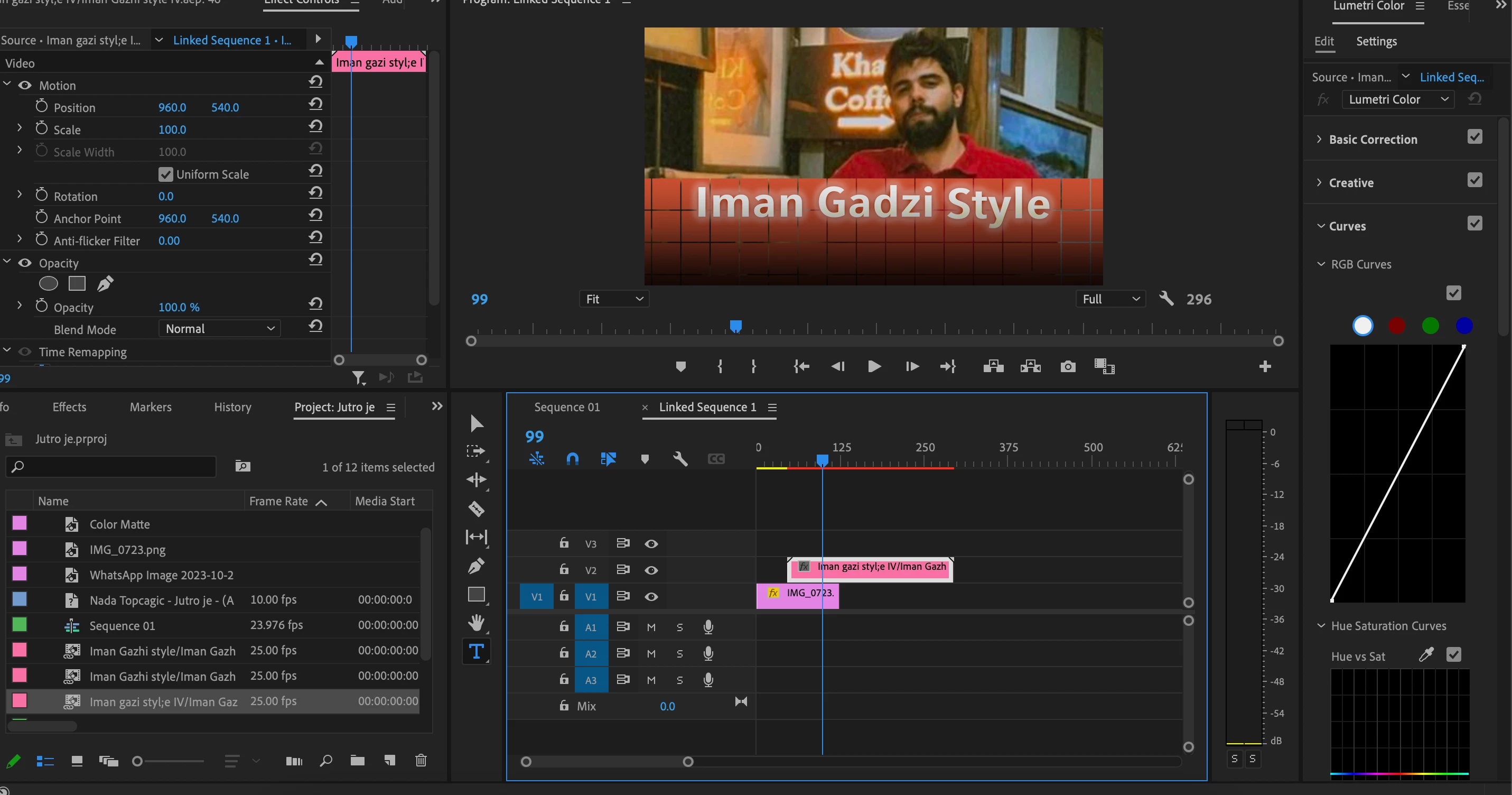
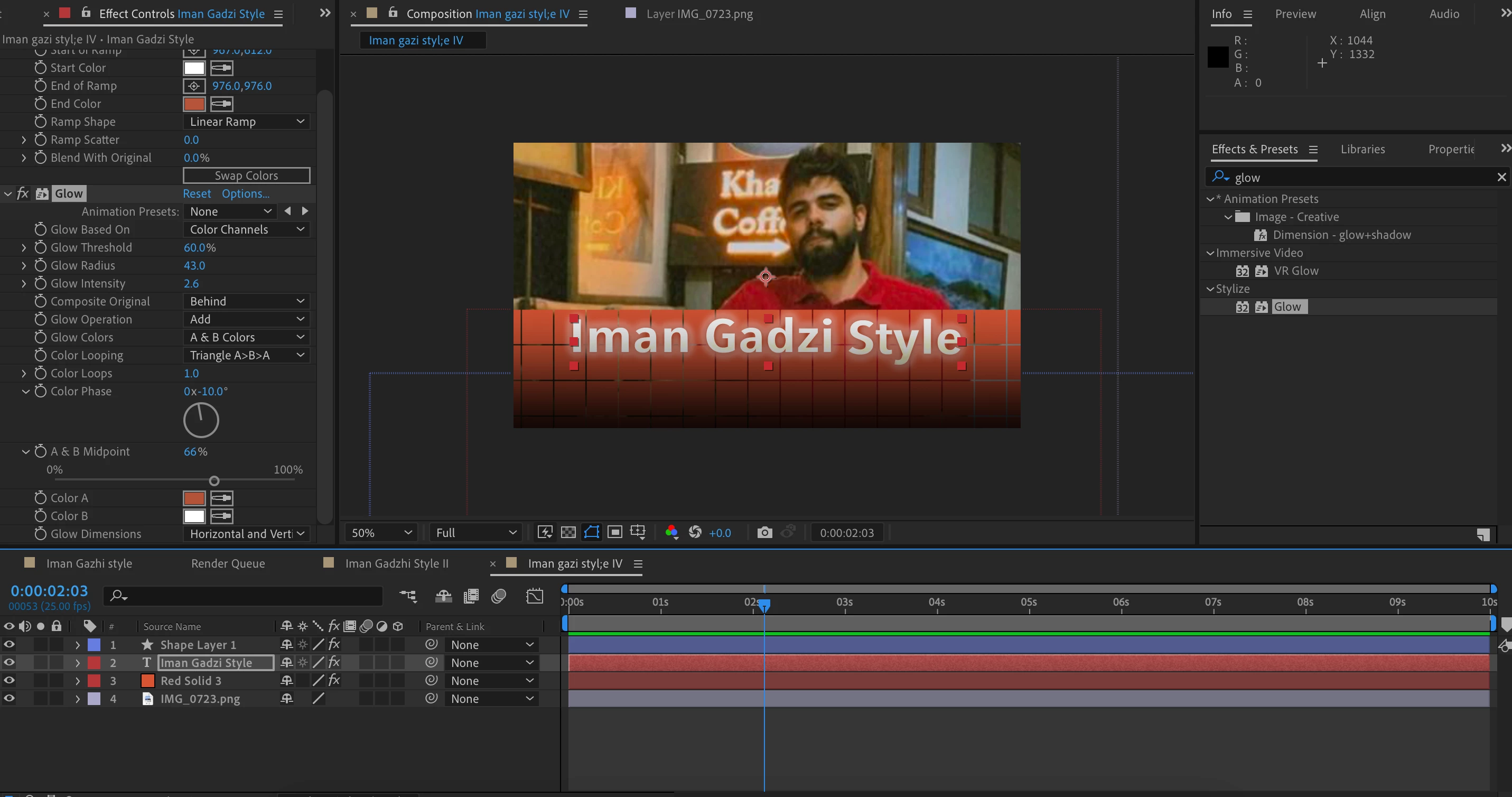
I've been trying to replicate a popular YouTuber's subtitle style. I made the project in After Effects and saved it as an aep file as a template and tried to open it in Pr as an editable layer. But I can't seem to change the font and the other layers in Ae project.

Is there any way wherein I could save the Ae project in different editable layer styles(like in Ps) so that I can edit them in Pr?

Attaching the screenshots of the Ae and Pr workspaces: 


Thank you!


This topic has been closed for replies.
Correct answer R Neil Haugen

I would ask this on the Ae forum, as the folks there are pretty solid on Ae/Pr practices.

2 replies

Warren Heaton10841144
Community Expert
Community Expert
January 26, 2024

There are a couple of ways to bring After Effects into Premiere Pro without rendering the Composition as a movie file and be able to edit the font at any time.


If we import the After Effects project, we can choose a Compostion and add it to the Timeline and it will behave very much like any other video clip; however, editing the font requires that we open the After Effects project in After Effects, open the corresponding Composition, and then edit the Text Layer.  As soon as the After Effects project is saved, the change should refrash in Premiere Pro.

If we export a Motion Graphics Template (MOGRT) from an After Effects project with being able to edit fonts enabled for the MOGRT (it's a checkbox), then we can edit the font directly in Premiere Pro when the MOGRT is added to the Timeline.


R Neil Haugen
R Neil HaugenCorrect answer
Legend
January 23, 2024

I would ask this on the Ae forum, as the folks there are pretty solid on Ae/Pr practices.

Everyone's mileage always varies ...
Known Participant
January 24, 2024

Will do. Thanks, Neil!

Kevin-Monahan
Community Manager
Community Manager
January 24, 2024

HI @Adooby-doobie,

Thanks Neil. Would you like me to move this discussion to the After Effects forum, or have you already re-posted there? Let me know.


Thanks,
Kevin

Kevin Monahan - Sr. Community & Engagement Strategist – Pro Video and Audio