
Question
Opening project on different machine- locate file problem
HI GUYS
I just start using new machine (Windows 10) and latest version Premiere Pro.
I've opened project done on my old Windows 8.1 and previous version of Premier Pro and then when I start locating files things went wrong.
I actually had no problem to locate the files but when I hit OK system is saying that can not do it.
For unclear reason Premiere Pro see files with extension MP4 which and this is the only detail which differentiate names of files in "locate file" search box.
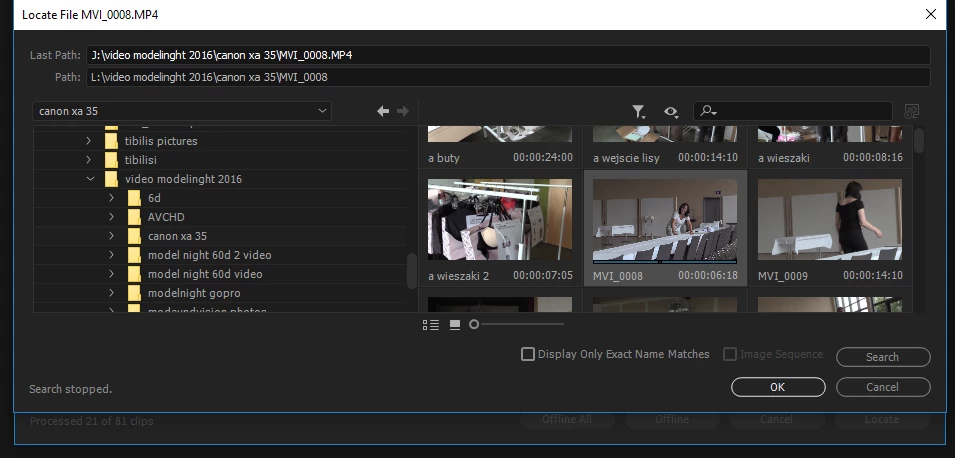
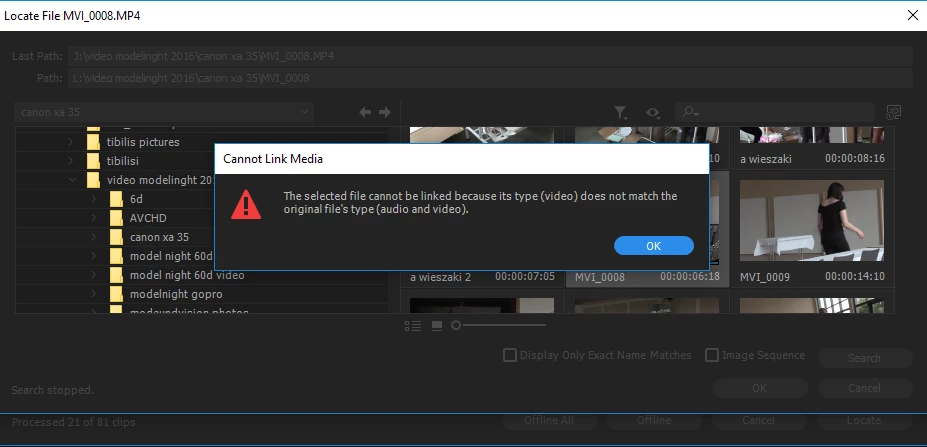
As you can see the path is exact same only difference is ...MP4
How I can open this project ?
Anybody has similar problem ?
 AdChoices