
Answered
Orange text not the right hex color orange.
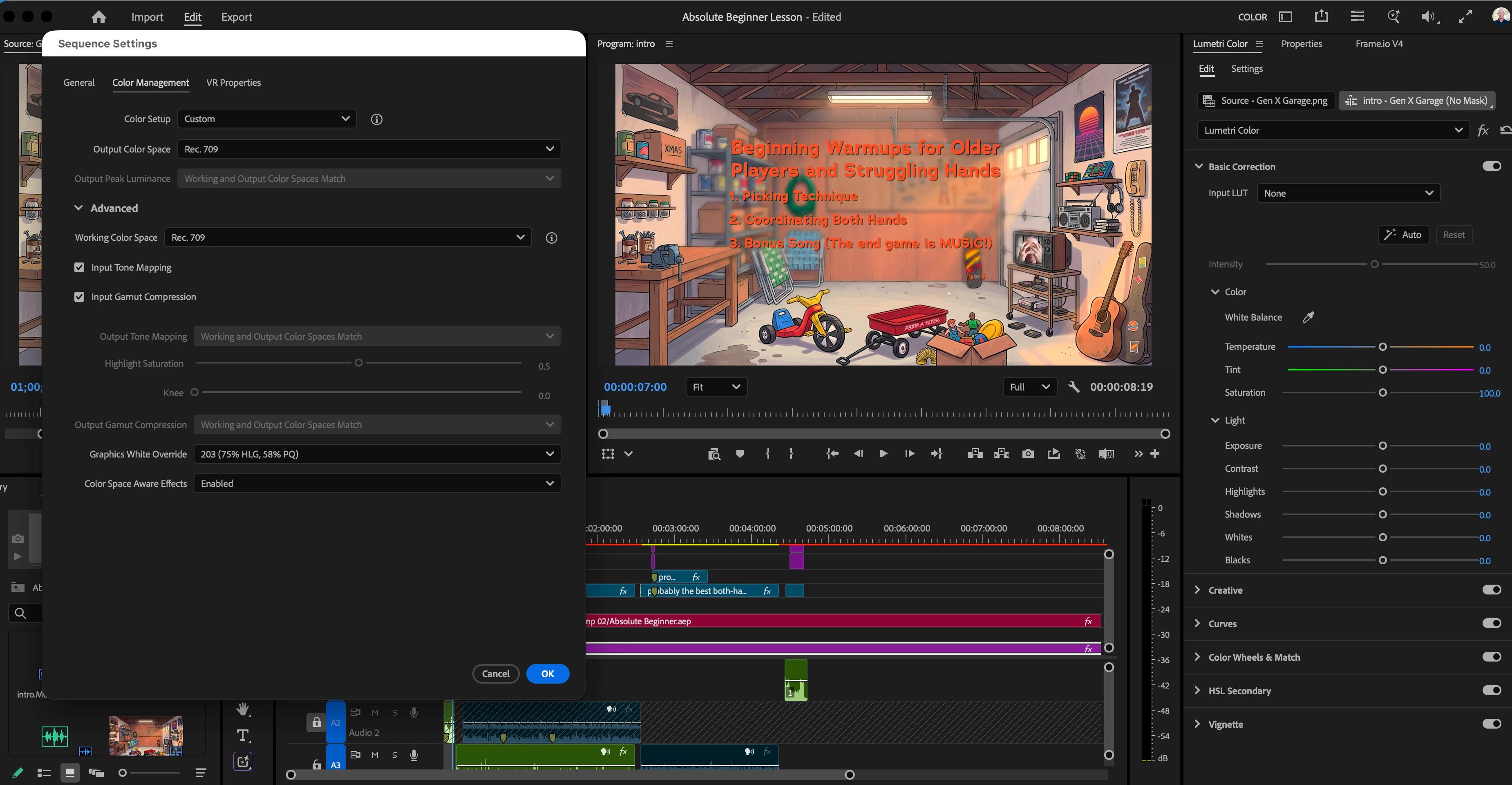
Working on a video and the text is the wrong color orange in Premiere, as shown in the image (along with my current color management settings).
Here is the AE project where I created the text (dynamic link). This is the correct orange for the text.
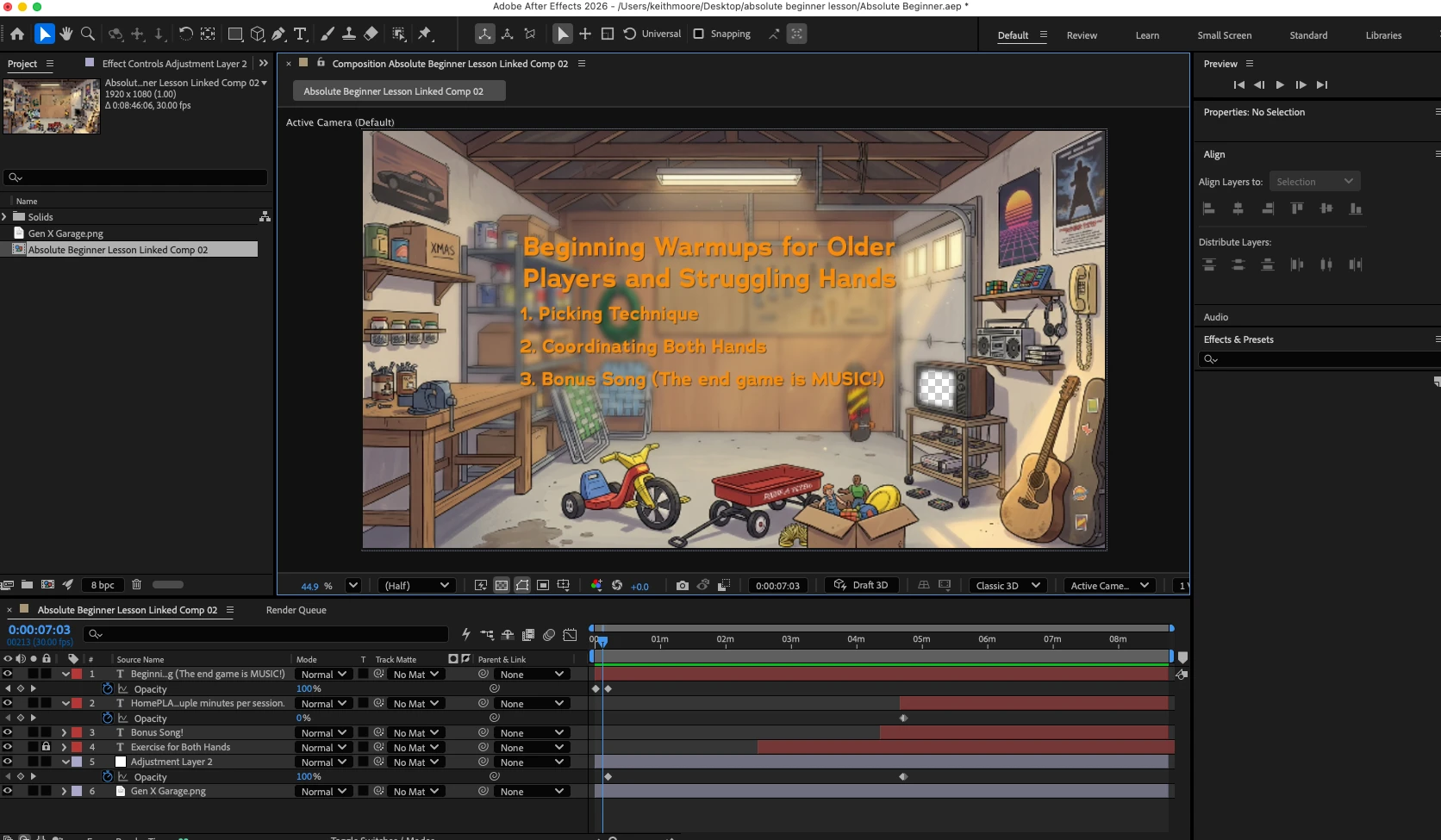
I’ve been setting everything to Rec.709 between the programs, as the live footage was shot with an iPhone 12. Disabling color management in Premiere makes the text the proper orange color, but washes out the video that follows it.
Been through AI and a variety of similar questions in this forum, but not sure how to coordinate the colors properly. Any advice or links that could help? Thanks.

 AdChoices