Андрей 3D
Participant
March 6, 2026
Answered

Отсутствуют средства маскировки в Premiere Pro 2026 (iOS)

  • March 6, 2026
  • 2 replies
  • 19 views

Bug Report: Missing Mask Tools (iOS)

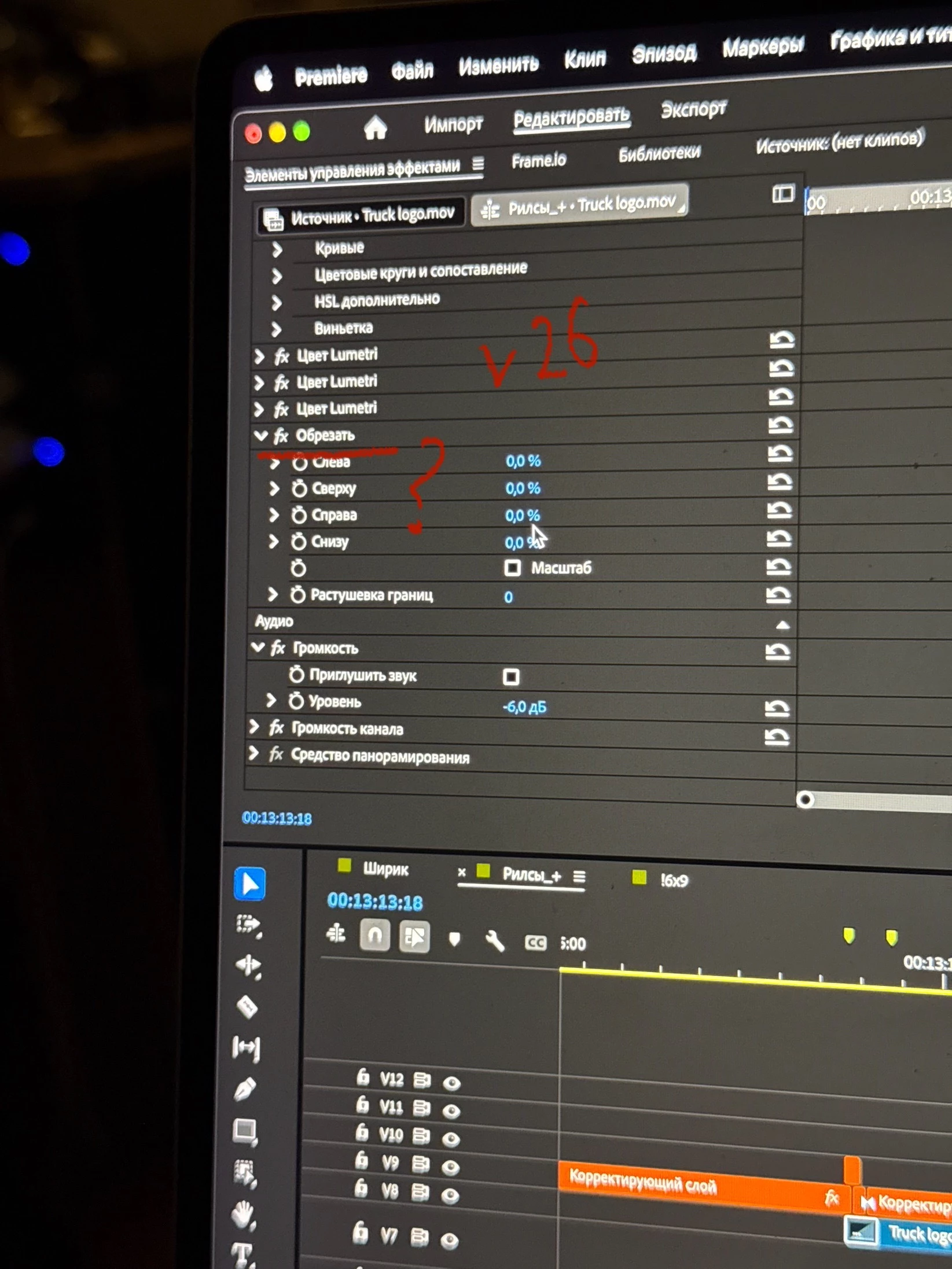
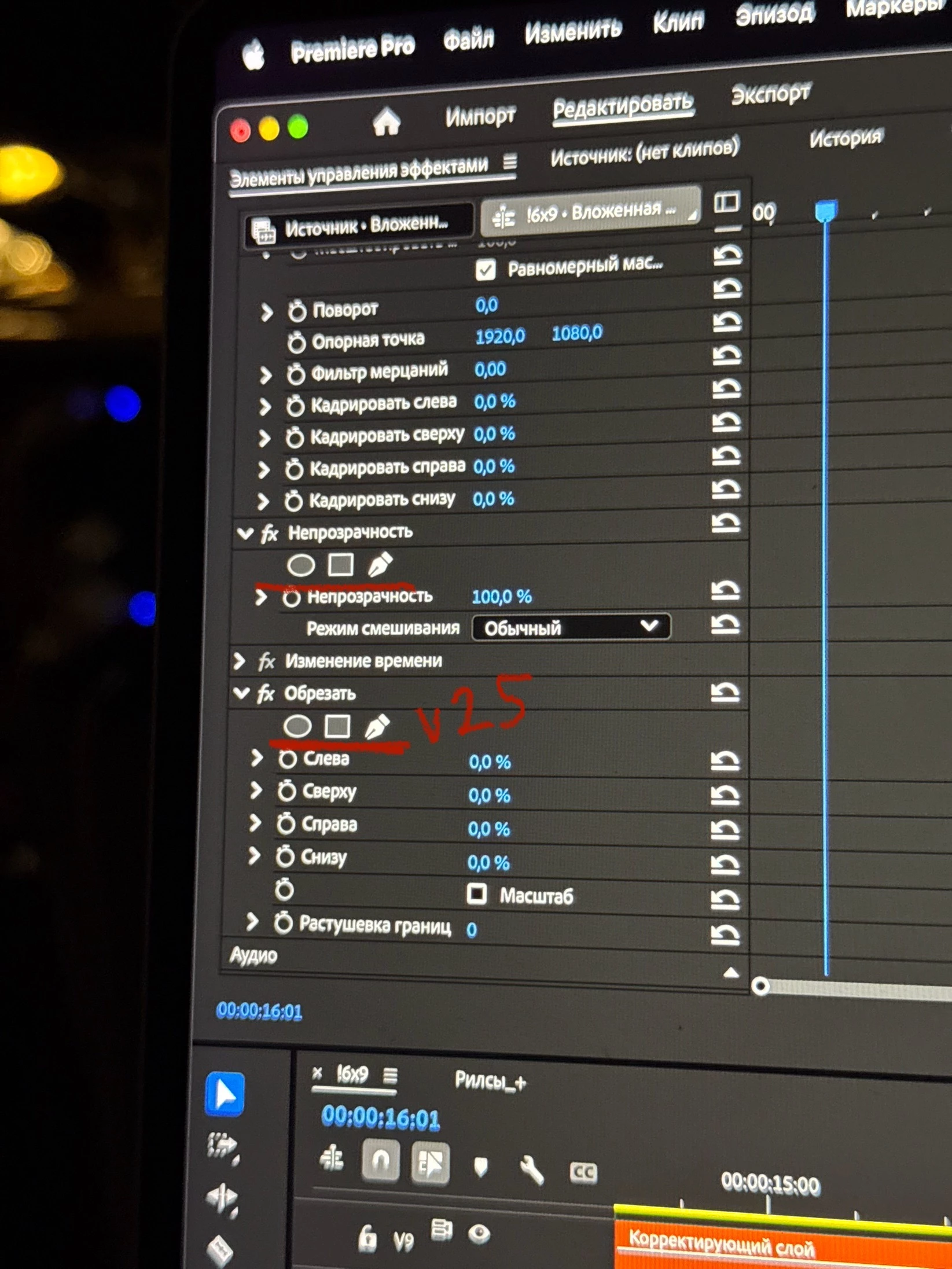
  • Problem: The Masking tools (Ellipse, Rectangle, Pen) have completely disappeared in Premiere Pro 2026 on iOS.

  • Location: Missing in both Opacity and Crop effects, across all tabs (Source and Clip settings).

  • Comparison: In the 2025 version, these tools worked perfectly. In the current 2026 version, the icons are gone.

  • Customer Feedback: I am a paid subscriber, and encountering such a major flaw in a paid product is a huge disappointment. I feel misled by this update.

  • Expectation: Restore the Mask selection (Pen/Shapes) icons in the Effect Controls immediately.
     

    Correct answer jamieclarke

    Hi ​@Андрей 3D - The mask tools have changed in Premiere version 26.0 Please see this article for additional information: New Masking Tools FAQs & Links

    2 replies

    jamieclarke
    Community Manager
    jamieclarkeCommunity ManagerCorrect answer
    Community Manager
    March 6, 2026

    Hi ​@Андрей 3D - The mask tools have changed in Premiere version 26.0 Please see this article for additional information: New Masking Tools FAQs & Links

    R Neil Haugen
    Legend
    March 6, 2026

    They rebuilt the entire masking system. It is far more powerful but very different to use. Masking is now one of the Timeline Toolbar options.

    So go to the Toolbar, and when hovering over the masking icon, a dialog pops up with a link to the information. Go read that, as without doing so you won't get this figured out.

    Everyone's mileage always varies ...