
Participant
January 15, 2020
Question

Outer Glow Issues in Premiere Pro

  • January 15, 2020
  • 2 replies
  • 2607 views

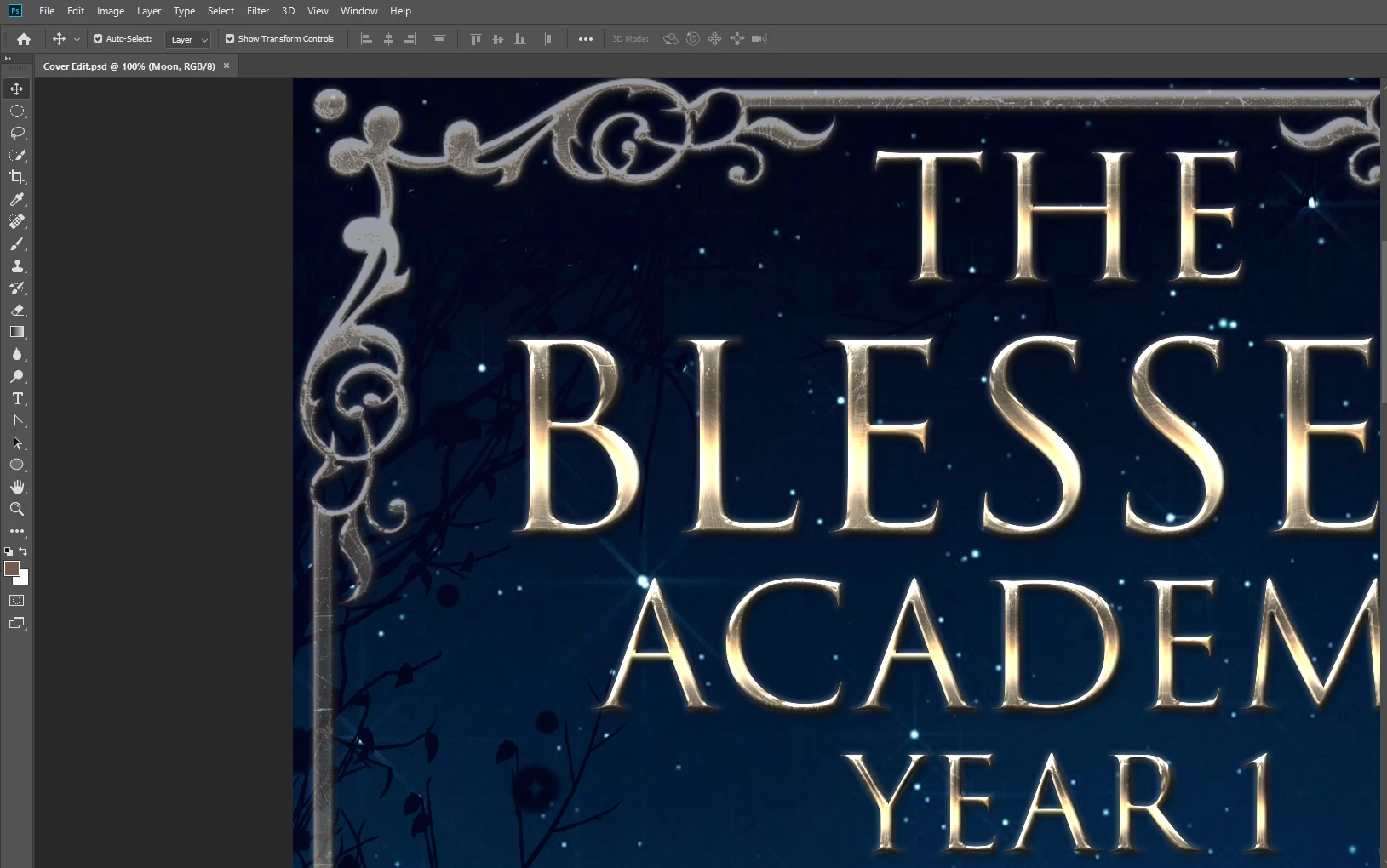
I'm creating an animated book cover. I designed the static elements in Photoshop and brought them over to Premiere Pro. In Premiere Pro any outer glow becomes very harsh. This is happening with any glow I try to add within Premiere Pro as well. Is there any way to keep the softness as it appears in Photoshop?

2 replies

Participating Frequently
October 27, 2025

What fixed this issue for me was to uncheck "composite in linear colour" at the bottom of the sequence settings

Inspiring
January 15, 2020

Are you using .psd files to get the elements to Premiere? Are the layers rasterized in Photoshop?

MtD

Participant
January 15, 2020

They are PNG files. Would .psd work better? I have tried both rasterized and not. I thought that might be it but it didn't seem to make any difference at all.

Richard TOULON
Legend
January 15, 2020

As Meg The Dog suggest, it would be far better to use the PSD file directly. It's the big advantage to use Adobe Products, It give you far better options and compatibility.