윤석심88455791
Participant
January 22, 2017
Question

over saturated colour at premiere pro
  • January 22, 2017
  • 2 replies
  • 777 views

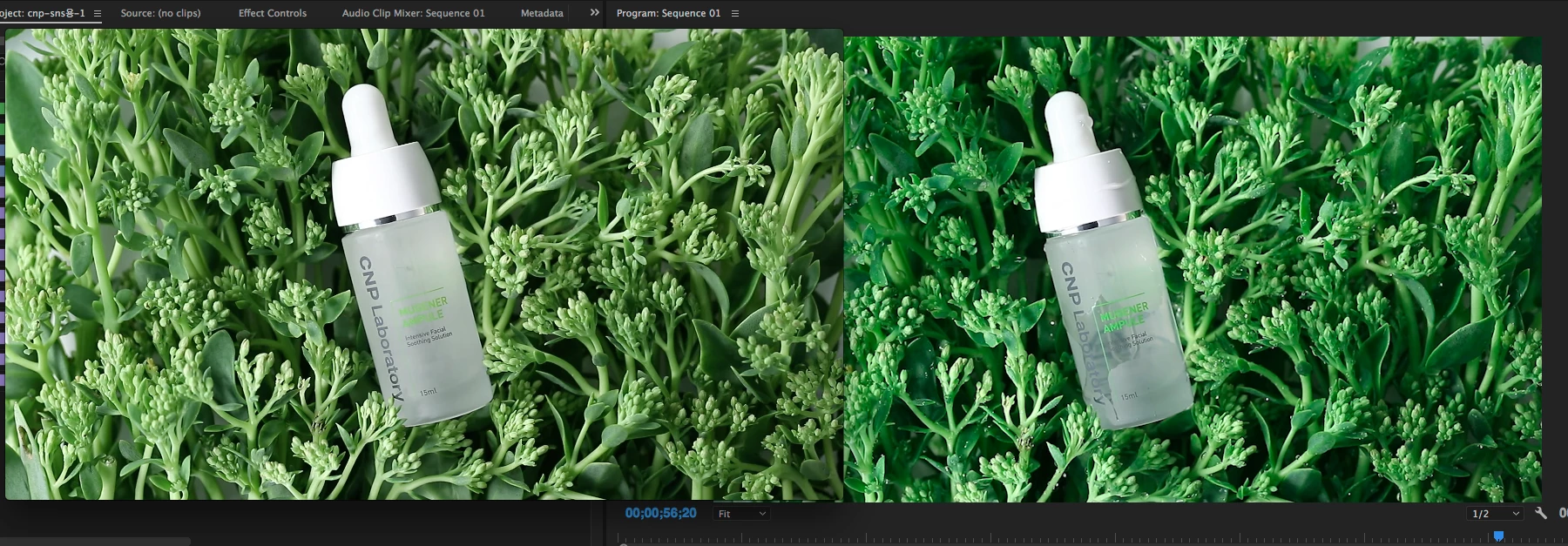
left one is original video played at quick time player and right one is exactly same video at primere pro 2017.

and when I export sequence, video came back to right colour again.

this make me crazy. I formet my computer because of this. but it doesn't help.

How cam i solve this? plz help me...

(After effects are fine)

This topic has been closed for replies.

2 replies

Legend
January 22, 2017

The problem with your methodology is one of variables.  Ideally you want to eliminate anything that could be affecting the video signal, so that you're certain you're seeing that signal as it is, and not altered in some way.

Towards that end, you really do NEED to get the video off of the computer and onto a calibrated television from a hardware player.  This is because firstly, the majority of computer monitors just don't calibrate accurately.  So right there you've muffed the viewing experience and you're not seeing what's actually there.

Secondly, the software, the video drivers and even the operating system all can and often do alter the video signal, so again you've muffed the viewing experience and you aren't seeing the video accurately.

Ann Bens
Community Expert
Community Expert
January 22, 2017

Quicktime has a gamma issue. Use VLC instead.