
Overlapping Marker in Adobe 2023 vs 2018
Hi,
Does anyone know how to insert overlapping markers in Adobe Premier Pro 2023? Currently I am using Adobe Premier Pro 2018 and I am able to insert overlapping markers within the same clip but in Adobe Premier Pro 2023 version 23.4.0 it does not work.
Is there any other way to do this in version 23.4.0. I need to upgrade my Premier this function is crucial from my workflow.
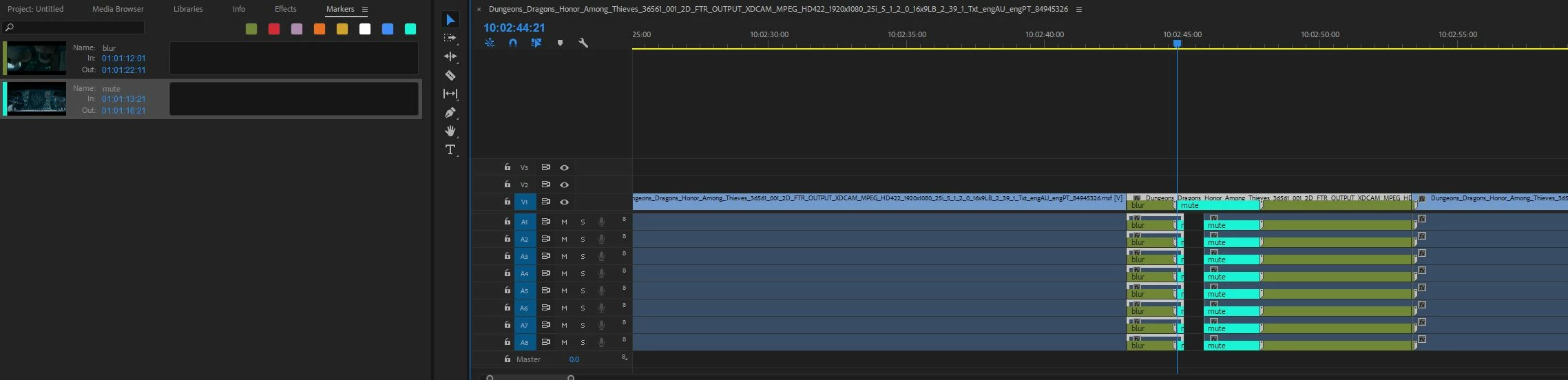
1) Overlapping markers in Adobe Premier Pro 2018
- able to insert two markers within the same clip.
- image below shows the 1st marker (green) extended and the 2nd marker (coral green) inserted on top of the 1st marker.
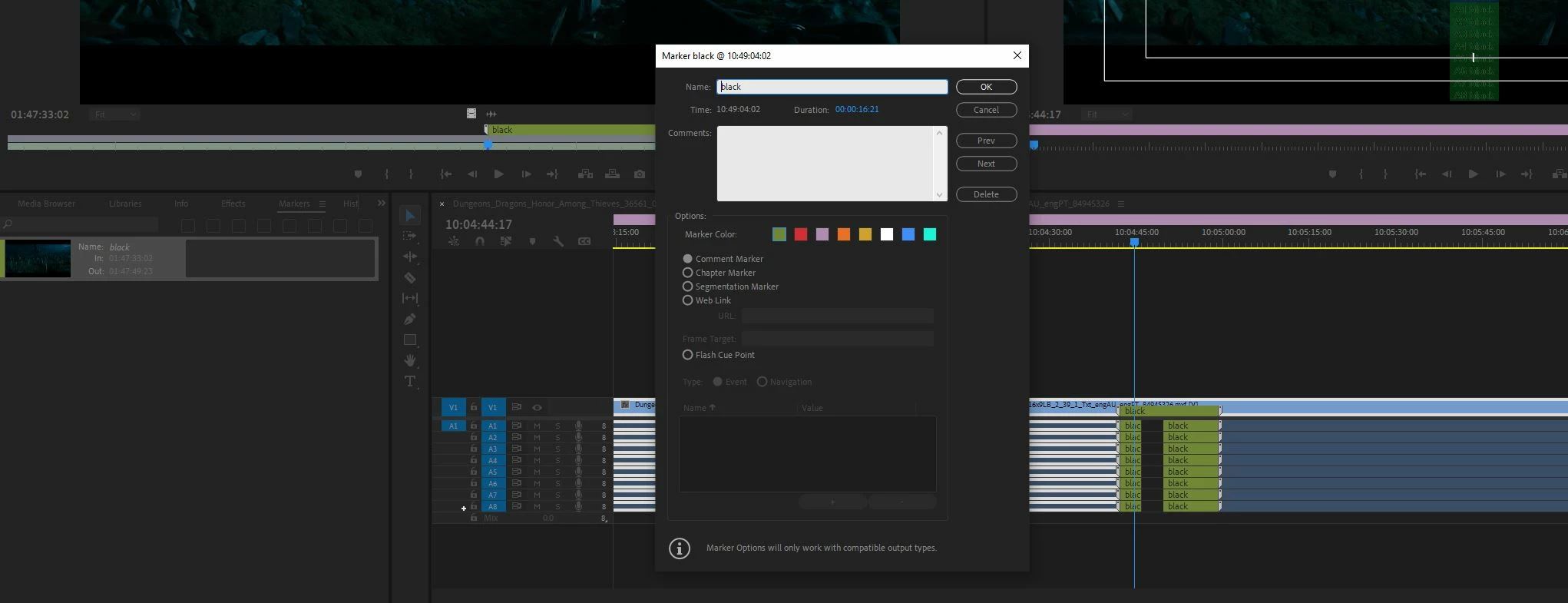
2) Overlapping marker in Adobe Premier Pro 2023 version 23.4.0
- not able to insert two markers within the same clip.
- image below shows after the 1st marker (green) inserted, I am unable to insert the 2nd marker. It is opening up the same dialog box of the 1st marker.

Kindly help on this.
Thanks!
 AdChoices