

Overlay or paste over audio segment
Howdy! I have a simple project: one video track and one audio track.
I'd like to remove a couple of loud noises from the audio track. The background is crowd noise so I can easily copy/paste a couple of seconds from one part of the audio track over the noises and nobody would notice. I've used this trick for years in Audition to remove mic pops without a problem. But Premiere behaves differently.
I cut a segment from the audio track to copy/paste it over the offending audio -- I later discovered that I could also copy between an in-and-out point, but it has the same problem.
Here's the before: the selected audio-only clip is the part I want to copy and I want to paste it at the playhead:
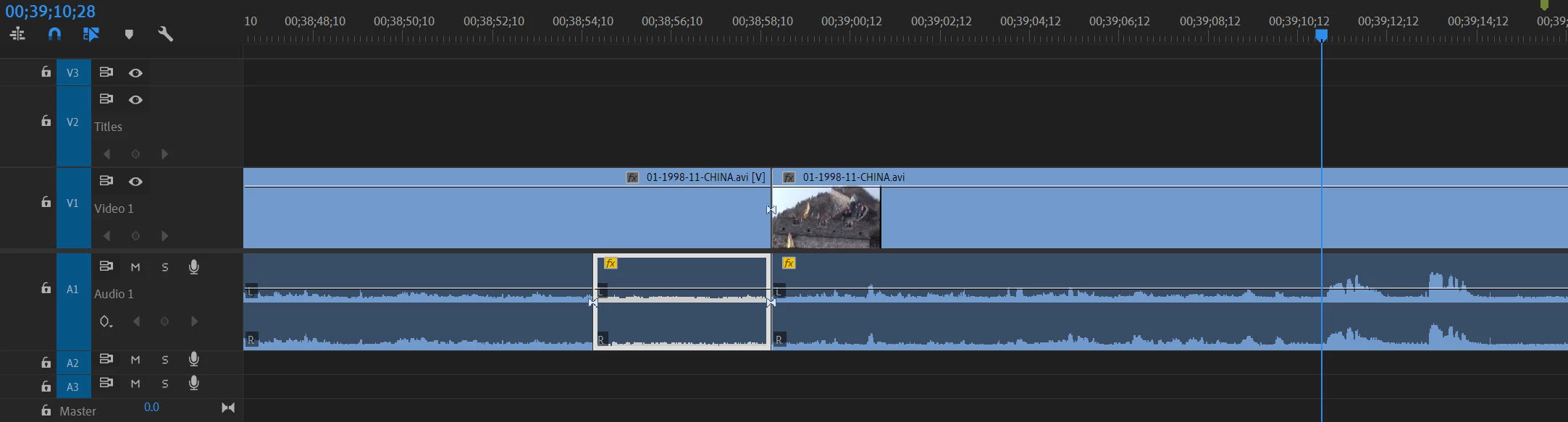
I can either Alt+Drag the before or Copy/Paste, but either operation causes the red tags to appear:
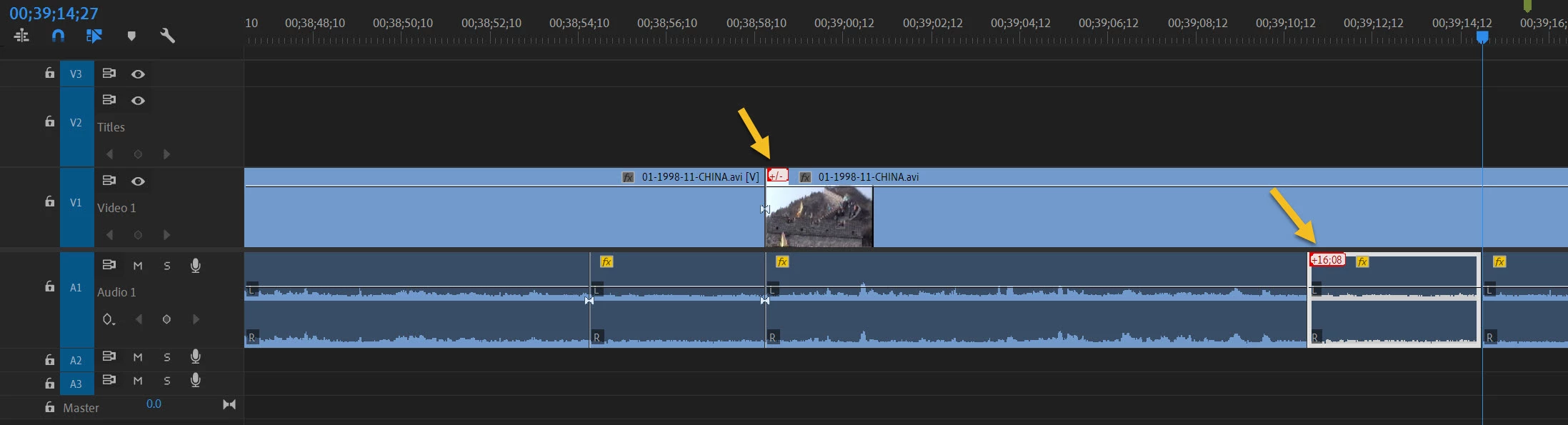
Note that the operation worked as I hoped it would and I can shorten the tail length of the pasted audio to cover only the sounds.
However, I don't understand why there are out-of-sync markers on the video track (which is not selected), as I didn't change the length of the audio track. The paste operation overlaid instead of inserting (nothing to the right of the paste moved), which is exactly what I want -- so nothing should be out of sync. I tried it again with sync lock turned off, and with the video track locked and it had no effect -- the video is still marked as out-of-sync.
Also, the pasted audio is marked with +16;08 which looks like the displacement from the original clip. Why is it telling me this -- is the paste somehow linked to the source?
Can I just ignore these warnings? If I click on the marker it says "Move into Sync" or "Slip into Sync". There is no "ignore" option. Clicking on the video track +/- tag and selecting either option has no effect. Clicking on the audio track and selecting either option undoes the paste.
I could choose to ignore these myself, but if I reopen the project in a year or two, I won't remember what these are for. It would be better if I could delete the out-of-sync markers since I don't believe anything is really out-of-sync -- is it?
Thanks!
 AdChoices