
Participant
June 3, 2024
Answered

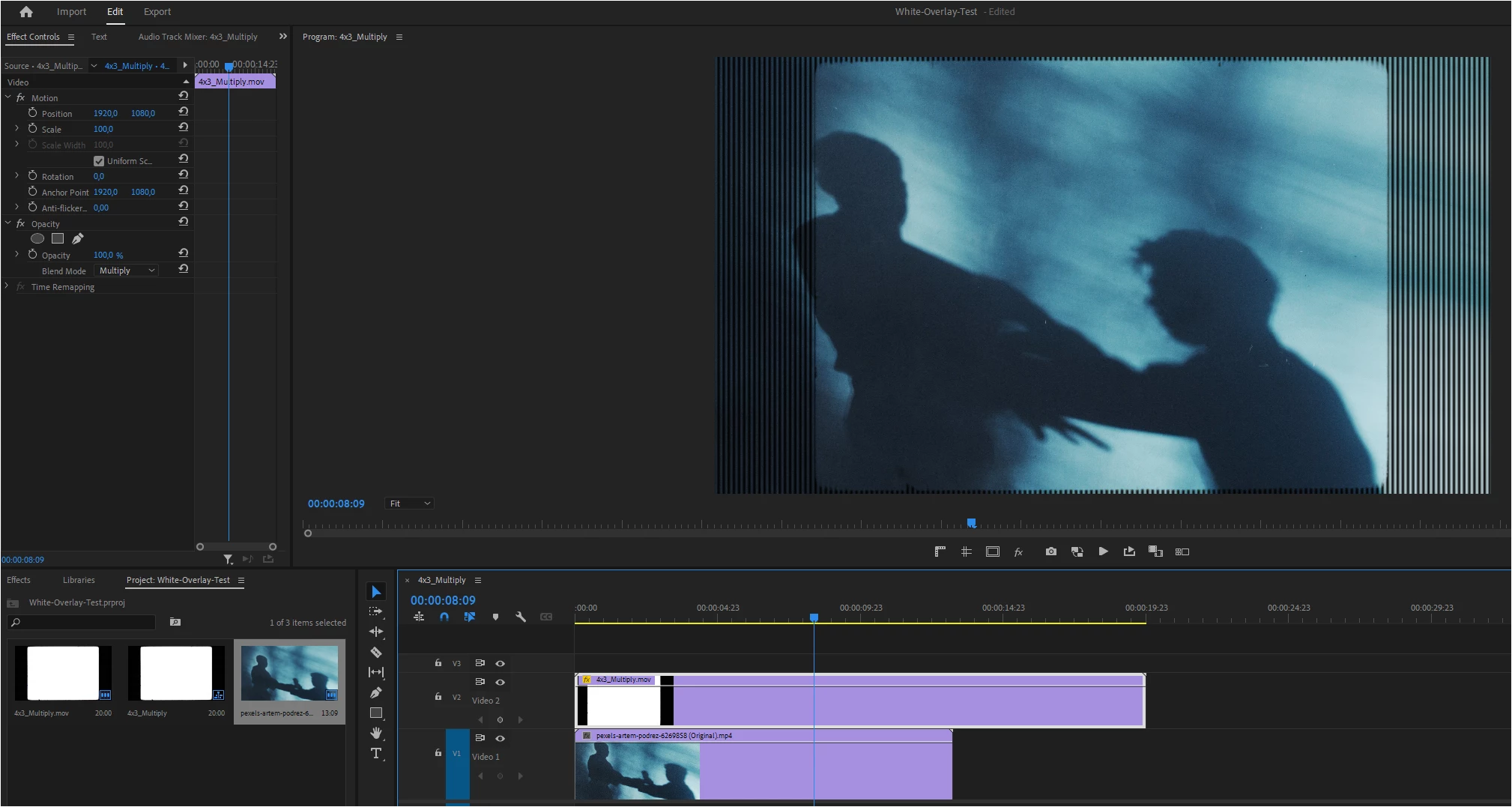
Overlays (Black & White) are greyed and striped

  • June 3, 2024
  • 3 replies
  • 954 views

Suddenly I get this weird problem with overlays I want to use with multiply blend-mode.
When importing, everything is fine and looks white. But when I try to use them in a sequence the white turns to gray and vertical lines appear on the preview. Multiply doesn't work either because black isn't black anymore then.


Color Space is Rec.709 in sequence and footage - nothing has changed in my system.
SPECS:

CPU: AMD Ryzen 9 3900X

GPU: NVIDIA RTX 3090 (24GB)

RAM: 64GB

Preview quality does not change anything other than the resolution of the vertical lines. 

All footage is stored on M.2 NVMe Drives. 

The problem does not exist in After Effects.

Anyone got a solution for another annoying trouble with this Adobe product?
 

This topic is closed to new replies. Start a new post to keep the conversation going.
Correct answer René 5FC9

EDIT: This happened in PPro Version 23.6.4

I updated to 24.3 and the problem seems not to appear in this version (for me).

Hopefully this will help anyone who has the same problems...

3 replies

Mike Dziennik
Community Expert
Community Expert
June 3, 2024

Check the color interpretation of your clip and your sequence colorspace. Select the clip and check the 'Settings' tab at the top of the 'Lumetri Color' panel. Your B&W clip should probably be Rec709.

Participant
June 3, 2024

Thanks for your quick response! I already checked that in the older version. And as I said, everything I used was Rec709 and fine...but Premiere wasn't 😄
The new version fixed it for me. It shows the same properties as in the older version of Premiere tho and works fine

René 5FC9AuthorCorrect answer
Participant
June 3, 2024

EDIT: This happened in PPro Version 23.6.4

I updated to 24.3 and the problem seems not to appear in this version (for me).

Hopefully this will help anyone who has the same problems...