
Overriding color space option not available - Overexposed clips
I've been on chat support and screenshare for 2 hours to no avail. So I hoped the people might be able to help.
I'm trying to create a project with media from multiple sources (phone, camera, drone, photos).
This has NEVER been an issue in the past but I'm assuming a new update has brought it in (WHICH IS SO ANNOYING)
When importing them to the project they are still fine. I can watch them and the exposure is correct. However, when I bring it into a sequence, that's where it all goes wrong.
From my understanding, if the color space of the sequence 'matches' the color space of the clip, they are fine. But clips with different color spaces they look wrong. So in my sequence, the clips from my drone, camera, go pro, are all fine with the sequence's working color space being at Rec. 709
But as you can see, not the clips from my phone who's properties for color space are Rec. 2100 HLG
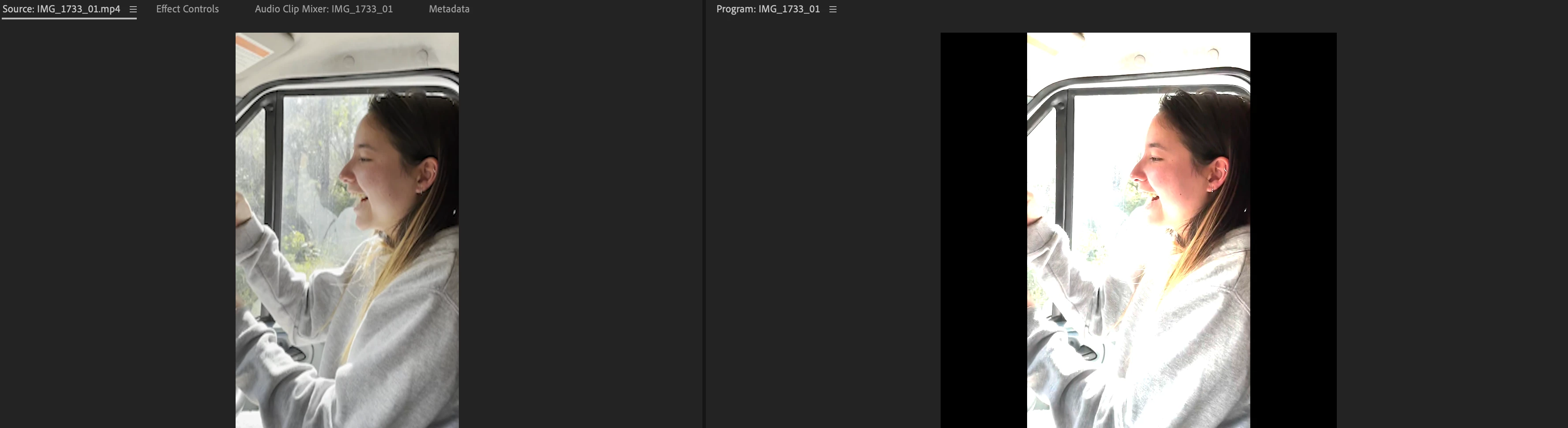
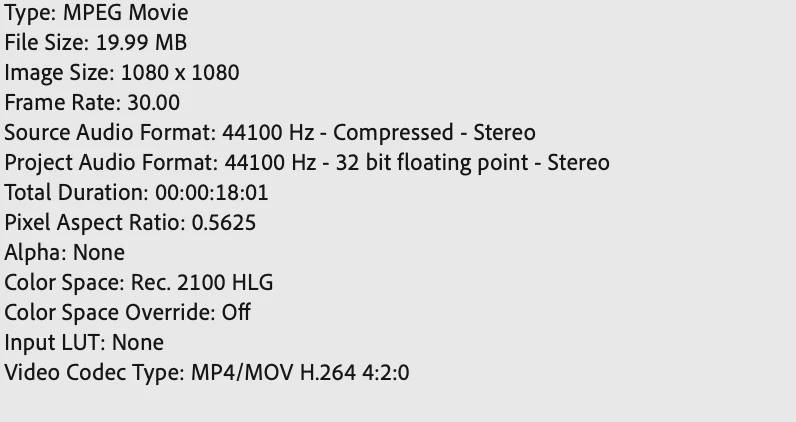
Okay, so I've read the workaround is to OVERRIDE the color space by going to the source clip. Modify > Interpret Footage > and under color management there should be some options there. Mine does not.
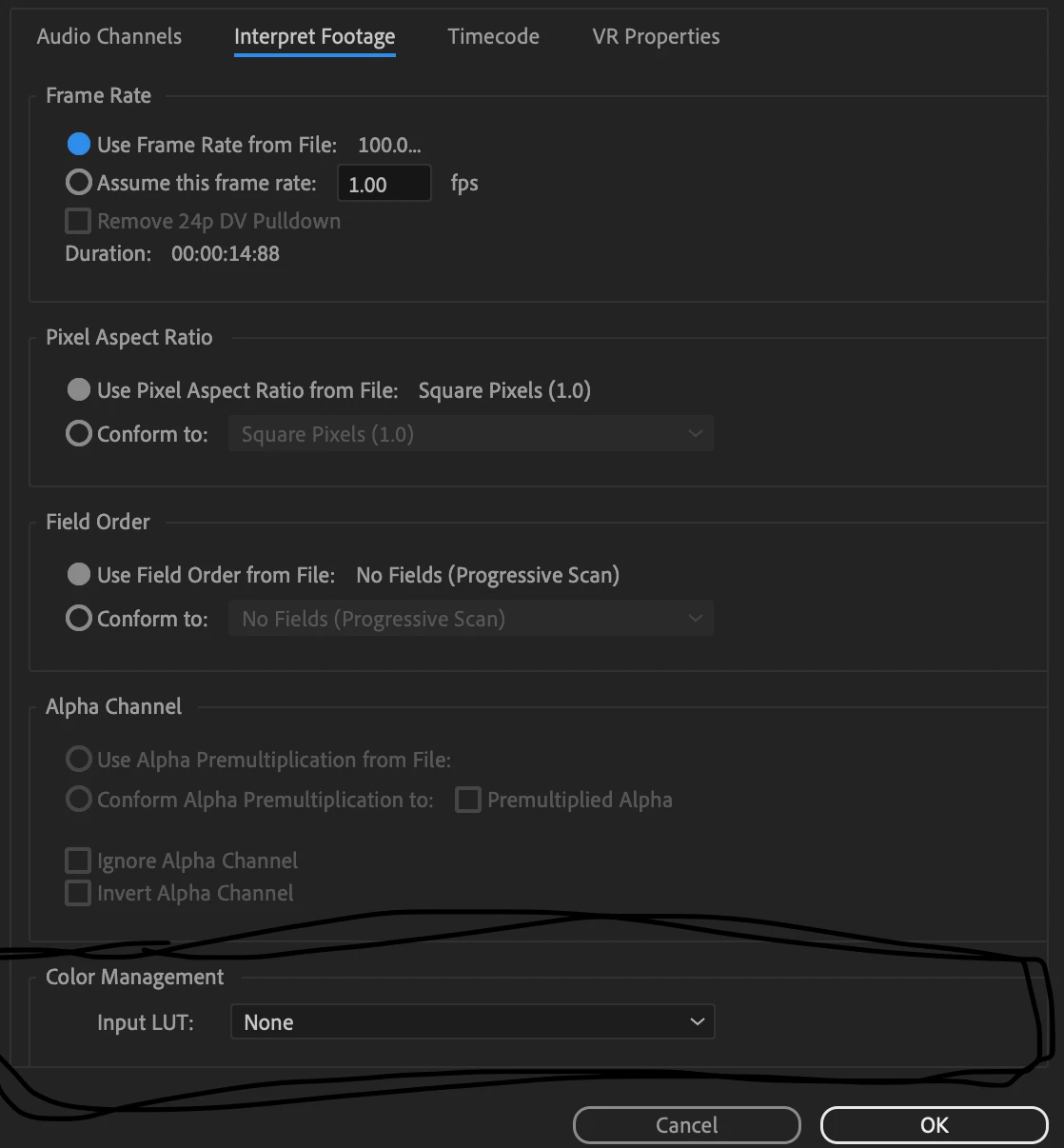
WHY did adobe do this in an update where it simply doesn't happen automatically. Where we have to override each 'different' clip. but also WHY dont I have this setting??
 AdChoices