
Inspiring
October 6, 2025
Question

Pan speed not constant in animated image

  • October 6, 2025
  • 1 reply
  • 159 views

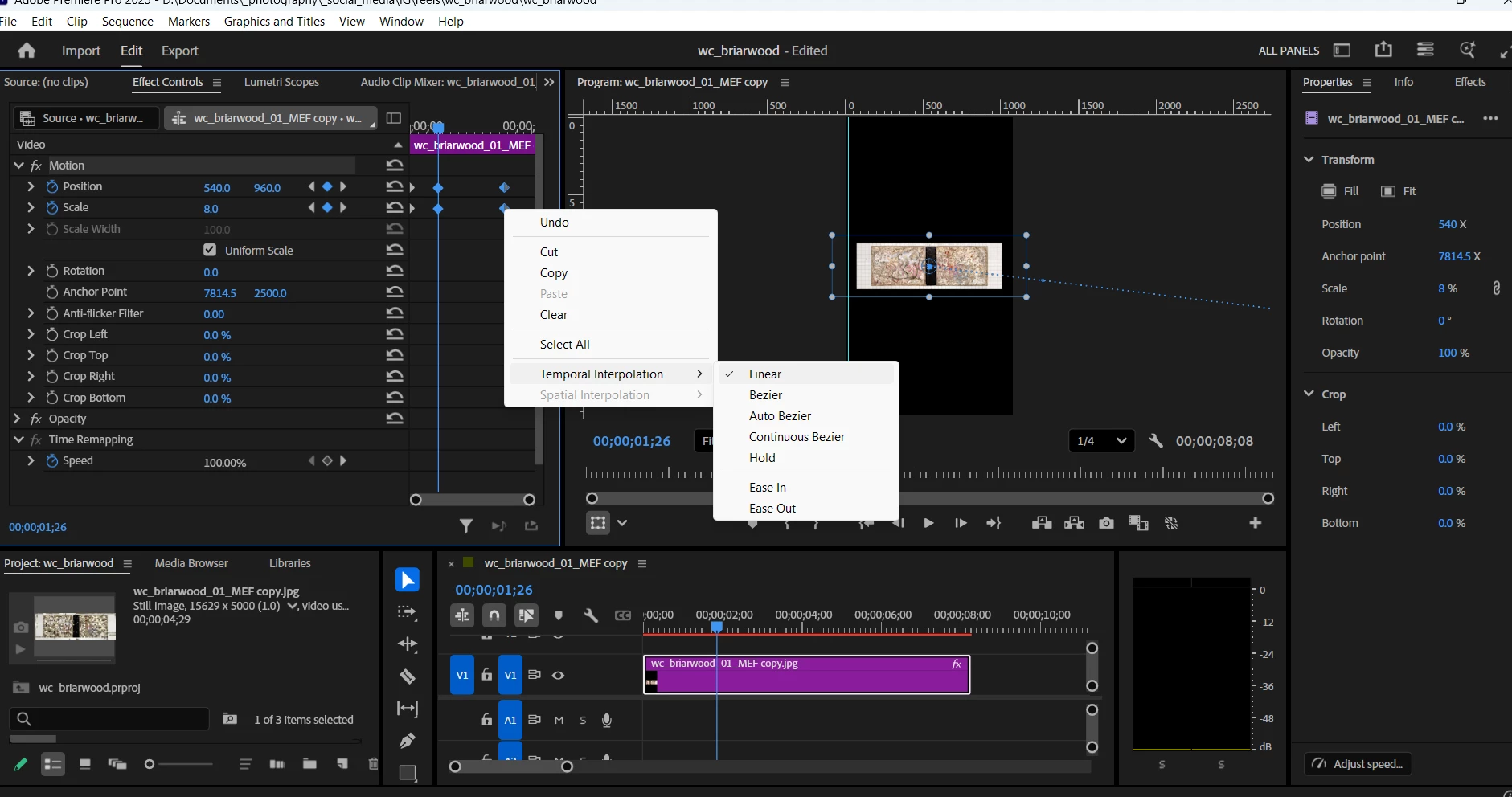
I want a pan to have a constant rate of speed between the 2 sets of keyframes in my animated image.  I Googled it and found instructions to select the 2 sets of keyframes by dragging a selection box around them, then right-click on one of the keyframes and select Linear in the Temporal Interpolation option.  Its still slowing down towards the end, much faster at the beginning.  I've attached a screen shot but I don't know if it shows anything helpful.  Any help would be appreciated.  Thank you. 


1 reply

Kevin J. Monahan Jr.
Community Manager
Community Manager
October 7, 2025

Hi Barton,

If you want the speed to be constant, choose Linear as the option for each keyframe. Looks like you've done that. Try redoing them individually. Be careful not to touch any of the handles in the Program Monitor or easing might occur. Let me know if that works for you.


Thanks,
Kevin


Kevin Monahan - Sr. Community and Engagement Strategist – Adobe Pro Video and Audio
Inspiring
October 7, 2025

Thanks.  All the Temporal Interpolations were set to Linear for the first few sets of keyframes including the ones at issue.  I didn't go through the entire video.  I didn't know for sure what you meant by "redoing them individually" so I deselected Linear, selected Bezier and then reselected Linear for those first sets.  The pan is still quite a bit faster for the pan at issue, slows down towards the end.