Participant
April 11, 2017
Question

panasonic with p2 card ,mxf files import question

  • April 11, 2017
  • 2 replies
  • 930 views

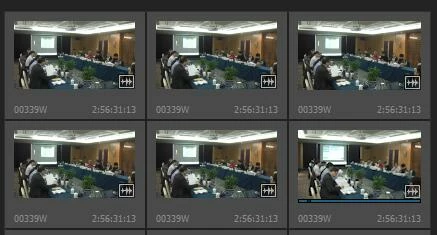
after i import mxf files into premiere,the order of the files are all wrong,some files even repeat several timesjust like this,i don't know how to do
This topic has been closed for replies.

2 replies

R Neil Haugen
Legend
April 11, 2017

First of course, make sure to import the contents of the card onto a 'local' drive on your computer. Then as Vidya, said, use the PrPro Media Browser panel to navigate to and select the media, then "import".

If you do that, the files should be importing properly.

Neil

Everyone's mileage always varies ...
Participant
January 3, 2020

Is there a bug in the latest version of ppro cc.  I have tryed all as above and it still didnt work. Kindest regards Michael Haughey.

Vidya Sagar
Adobe Employee
Adobe Employee
April 11, 2017

Hi 云宋2690548,

I think the MXF files are spanned clips. Try using Media Browser panel to import the files into Premiere Pro.

Please let us know the status.

Thanks,

Vidya

Participant
April 11, 2017

i tried to import files from media browser,The order of the files in media browser is correct,but when import into premiere,the files become  disorder。That's a whole file about 2 hours long,and storage from card 1 to card 2.Now i have to import the files one by one,and delete thouse repeat files, too complex

Legend
April 11, 2017

1. Copy the full P2 card over to the hard drive into it's own unique folder.  Don't delete, rename or move anything you just copied.

2. Use the Media Browser in Premiere Pro to drill down into that media folder until you see the clips.  Select and import from there.

Done in that way, there will be no repeats.
