


Participant
October 3, 2025
Question

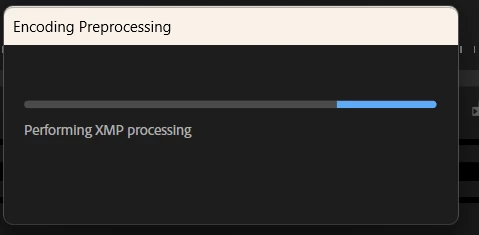
'Performing XMP Processing'
  • October 3, 2025
  • 9 replies
  • 826 views

This project of mine keeps getting plagued with this long and unavaoidable stage of encoding, where it tries to imbue the file with XMP even if I choose to include no metadata.
This happens across any version of the software I try, and seems to be attached to the sequence, even when imported into new projects.

The only instance I can find of someone experiencing this is someone on reddit who was never answered.
This has made a recent delivery *hell*.

Ryzen 5800x 
GTX 5070ti latest drivers

9 replies

lowdencraftww
Known Participant
May 15, 2026

6 hour xmp processing scan for a 80 min timeline. having sub comps in sub comps seems to make things much worse.

Edu Camps
Participant
April 24, 2026

I’VE FOUND THE SOLUTION!!!!

The reason why it started to ask for a PERFORMING XMP PROCESSING or REALIZACIÓN DEL PROCESAMIENTO XMP in spanish was because one or two of the VIDEO FILE TITLES included a non supported character. 

In my case was an EMOJI. Two of my TITLE videos included a emoji not supported. Not a # or $, a symbol like this. No. A emoji that showed in Adobe Premiere with a cross.

Look for any file with an EMOJI in your timeline, delete it and you should not get this annoying sign anymore.

Hope it helps,

lowdencraftww
Known Participant
May 15, 2026

I don't have any strange characters in any of my files. This issue is fat too opaque. Having a log window to be able to identify where issue are would really help. 

lowdencraftww
Known Participant
April 24, 2026

Premiere pro uses so much metadata that the constant scanning, particularly on server based or shared projects, grinds the  PP processes to a halt. I have closely examined the bandwidth and machine resources PP uses on windows and Mac Studio to scan timelines and it is amazingly small. The cpu / Gpus are asleep, the Ethernet connection barely used. The user has no real control over these processes. I change the project and pp settings to stop processes but they continue all the same. What maybe very useful for TikTok metadata is catastrophic for long form. Also, PP relies on the OS to perform media scans, unlike avid, so making it even slower and far less shareable . Also, this metadata does not seem to be shared, so you copy your project and you can count on having to rescan everything again. Open the timeline in media encode directly .., another rescan. I can create full def preview files and tell the exporter to use them … but no … the machines will still scan the timelines. For a 75min timeline export, I am at 2 hours of scan plus 50mins of encoding !!! I don’t care about metadata or AI or anything else. I just need the timelines rendered as fast as possible. Offer an option that renders preview files as a single file, not as separate files and I will save hours of my life !!’

lowdencraftww
Known Participant
April 24, 2026

Metadata management is complex and with all these ai tools that rely on metadata, things will not get easier. These are adobe strategic choices to make the general user experience more “impressive “. But they are at the cost of basic efficiency. I wish that adobe had better documentation on this and above all if the debugging console tools can be used to turn off services. I can’t find any serious documentation on the web about the debugging parameters. Not even Gemini ai can give me a coherent answer for the debug !!

Edu Camps
Participant
April 24, 2026

I DONT UNDERSTAND. I EXPORT HALF OF THE VIDEO IS OK, OTHER PART IS OK, BUT WHEN I EXPORT THE WHOLE VIDEO, IT GETS STUCK ON “PERFORMING XMP PROCESSING”. 

Edu Camps
Participant
April 24, 2026

I’m HAVING THE SAME ISSUE! NO ANSWER WHASTOEVER!
ITS A REALLY IMPORTANT VIDEO AND EVERY TIME THIS SOFTWARE IS SCREWING IN THE MOST CRITICAL MOMENT!!

lowdencraftww
Known Participant
April 24, 2026

Do you use lots of sub comps and sub comps inside sub comps inside more sub comp etc ?

lowdencraftww
Known Participant
April 18, 2026

I am running the latest version of PP 2026. I have very dense and complex timelines. I don’t need any XMP data. I just need a rapid export. I have turned off the PP 2026 export / metadata tab and even turned off the debug console XMP service but nothing stops XMP from scanning.

lowdencraftww
Known Participant
April 17, 2026

PP 2026 is even worse on this than 2025.

Community Expert
April 17, 2026

Can you tell us more about what settings you’re using to export? Is it one sequence or any sequence that is causing the issue? Are you using any special characters in your file names?

lowdencraftww
Known Participant
April 18, 2026

H246 on a 52min timeline with consistently 4 layers of subsequences, 6K rushes and 6 audio channels. Timeline in 6K. Very large amount of source material. Delivery spec in 6K. The media encoding is relatively fast on my mac studio for this timeline. The XMP PROCESSING can take 30 mins, if it does not crash, before the encoding even starts. The XMP PROCESSING has to drill down through a vast amount of media, when is a waste of time, for the result.

subha212
Participant
February 13, 2026

please help if your problem solved

Participant
October 30, 2025

I'm having this same issue too 

Adobe Employee
October 23, 2025

Hi JAKOB25951185o3vt,

We're sorry about the poor experience. Are you still experiencing this issue? If so, please let us know the version of Premiere Pro you are using & the export settings you have used. We will get it checked.


Thanks,

Sumeet

Participating Frequently
November 5, 2025

AYNI SORUNU YAŞIYORUM !