
Participant
July 31, 2020
Answered

Permissons for premiere pro on Mac

  • July 31, 2020
  • 2 replies
  • 2833 views

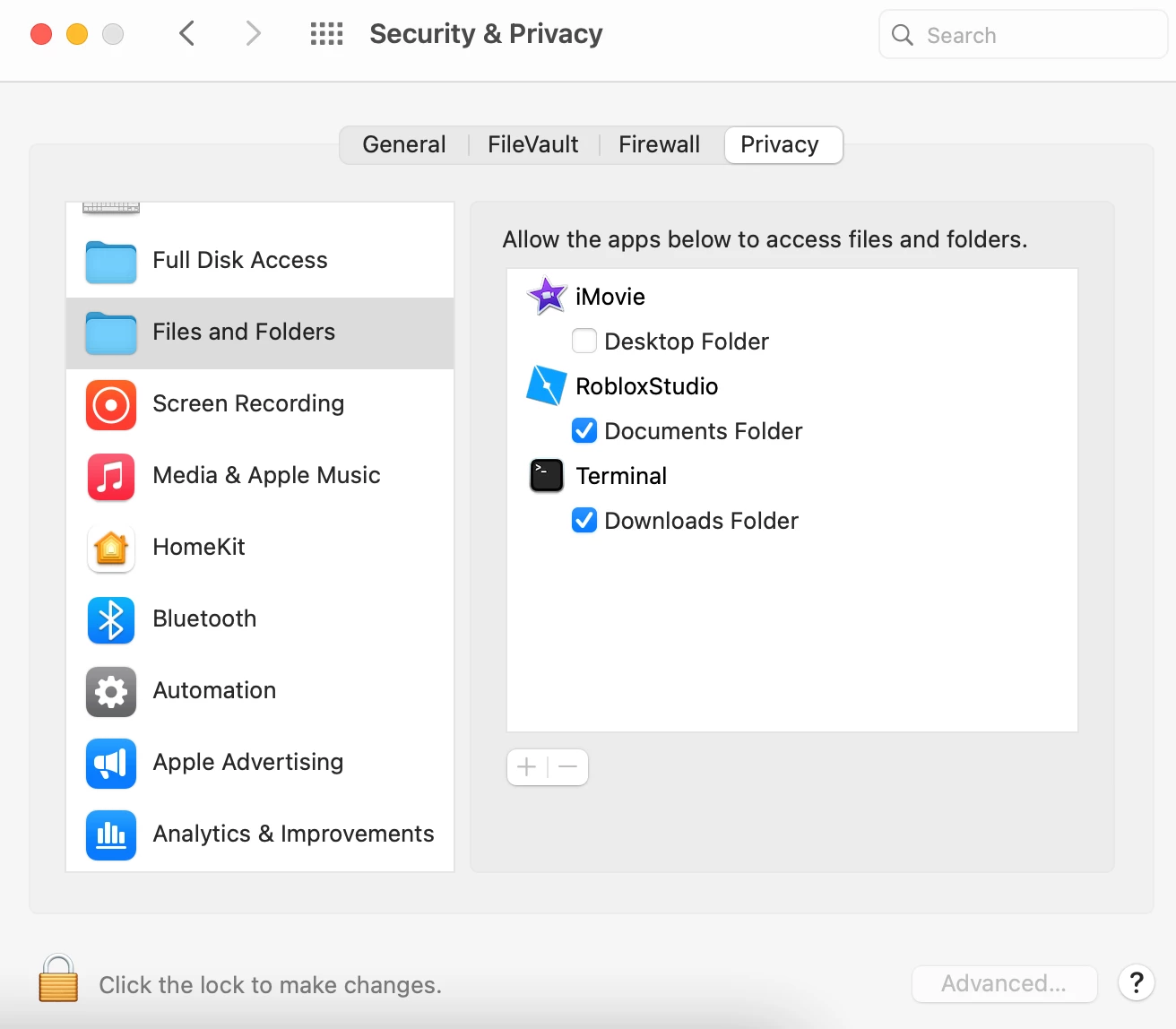
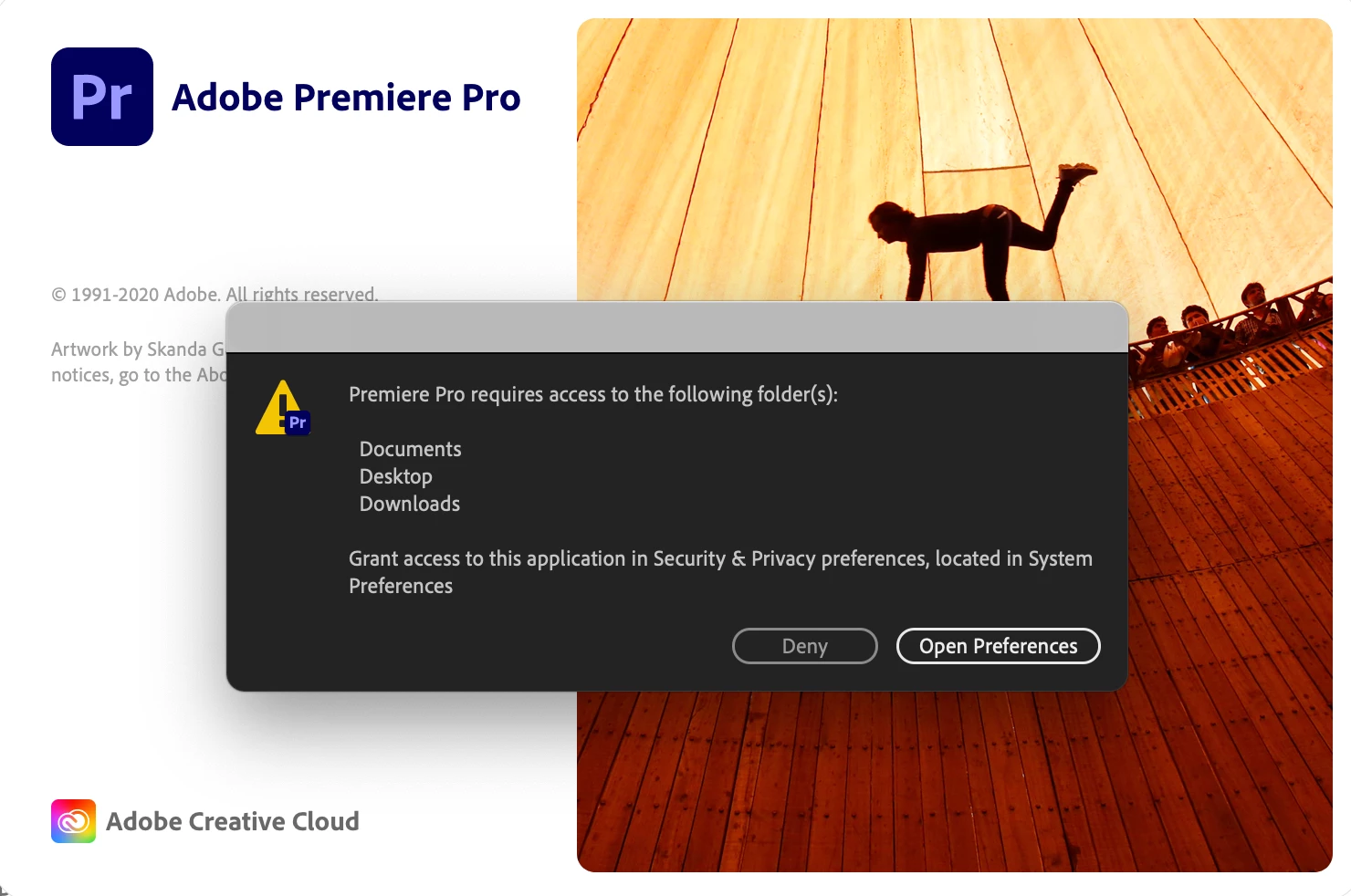
So when premiere pro installed on my mac, it told me this. I opened system preferences to add the permissons, but it didn't show in Secuirty and privacy prefercnes. I didn't know what to do, so I asked a friend of mine on discord if he knew how to fix it, seems like he didn't know how to. If any of you know how to fix this, please comment anything that will fix this. Thank you.
This topic has been closed for replies.
Correct answer Kevin J. Monahan Jr.

That is an usupported OS, my friend. See if it is working under Premiere Pro beta. If you absolutely need to run this unsupported OS in current versions of Premiere Pro, we might start looking for a workaround.

I like to help those on the bleeding edge, just know, that's where you are right now. Let's do this!

Kevin

2 replies

Kevin J. Monahan Jr.
Legend
July 31, 2020

Hi Jxstdexyt,

Hello there. Sorry for the confusion, but OMG, this is very interesting. Is this macOS Catalina? Try this:

  1. Click the lock and sign in.
  2. Click the plus sign at the bottom of the Security and Privacy dialog box.
  3. Add Premiere Pro by clicking on the application icon in the Applications folder.
  4. Click Open.
  5. Click the lock once more.


Let us know if that works for you. I'd be very happy for you and other macOS users if it did. 

Regards,
Kevin

Kevin Monahan - Sr. Community and Engagement Strategist – Adobe Pro Video and Audio
jxstdexytAuthor
Participant
July 31, 2020

No this is macOS big sur. In fact the plus and minus buttons are graystile.

Kevin J. Monahan Jr.
Kevin J. Monahan Jr.Correct answer
Legend
July 31, 2020

That is an usupported OS, my friend. See if it is working under Premiere Pro beta. If you absolutely need to run this unsupported OS in current versions of Premiere Pro, we might start looking for a workaround.

I like to help those on the bleeding edge, just know, that's where you are right now. Let's do this!

Kevin

Kevin Monahan - Sr. Community and Engagement Strategist – Adobe Pro Video and Audio
Inspiring
July 31, 2020

Click on the Lock icon at the bottom right of the Security and Privacy Pane and enter your password.

Click on the plus icon below the list of applications and add Premiere Pro.

If you want to record voice over in Premiere, you need to give Premiere permission for the Microphone:

Finally, re-lock the pane and then close it. Restart your computer.

MtD

jxstdexytAuthor
Participant
July 31, 2020

For some reason in files and folders the plus and minus buttons are graystile for me.