
Phantom Cine Timecode-Wrong Timecode in Premiere
As the subject reads, the timecode of my .cine files is completely wrong when imported into Premiere.
Running the latest version 24.1.0 on MacOS Ventura 13.6.3. Running on hardware M2 MAX MBP and 2019 Mac Pro.
Footage: Phantom 4K Flex
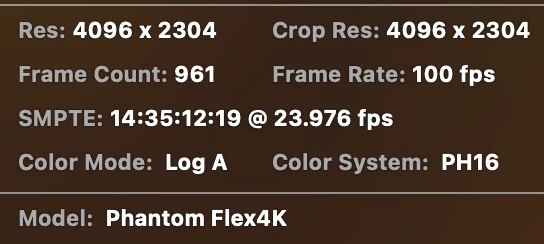
Cine clip, in Seance reads timecode start at: 14:45:03:23
Cine clip, in Ouija reads timecode start at 14:45:03:23
Transcoded QT from Seance has timecode start at: 14:45:03:23
Cine clip, in BlackMagic Resolve Studio 18.6.4 reads timecode start at 14:45:03:23
Transcoded QT from BlackMagic Resolve Studio 18.6.4 reads timecode start at 14:45:03:23
Cine clip, in Adobe Premiere Pro reads timecode start at: 20:45:47:20
So as you can see, one of these numbers does not belong. I have 3TB of cine footage and manually correcting the timecode is not an option. I worked on a project in August with the same timecode issue.
The cine files are being imported via MediaBrowser. I have also tried drag/drop, both methods have the same timecode issue.
Does Adobe Premiere Pro just not fully support the format? Would really love to keep this project in the Adobe family, but it seems impossible at the moment.
Any tips that help corrrect the timecode issue of .cine files in Premiere are welcome!
 AdChoices