Answered
Photo is dull when imported to premiere pro
When I import my photo into premiere pro it comes out looking like this:
The original photo looks like this, so I am not sure what is creating the change in color:

When I import my photo into premiere pro it comes out looking like this:
The original photo looks like this, so I am not sure what is creating the change in color:
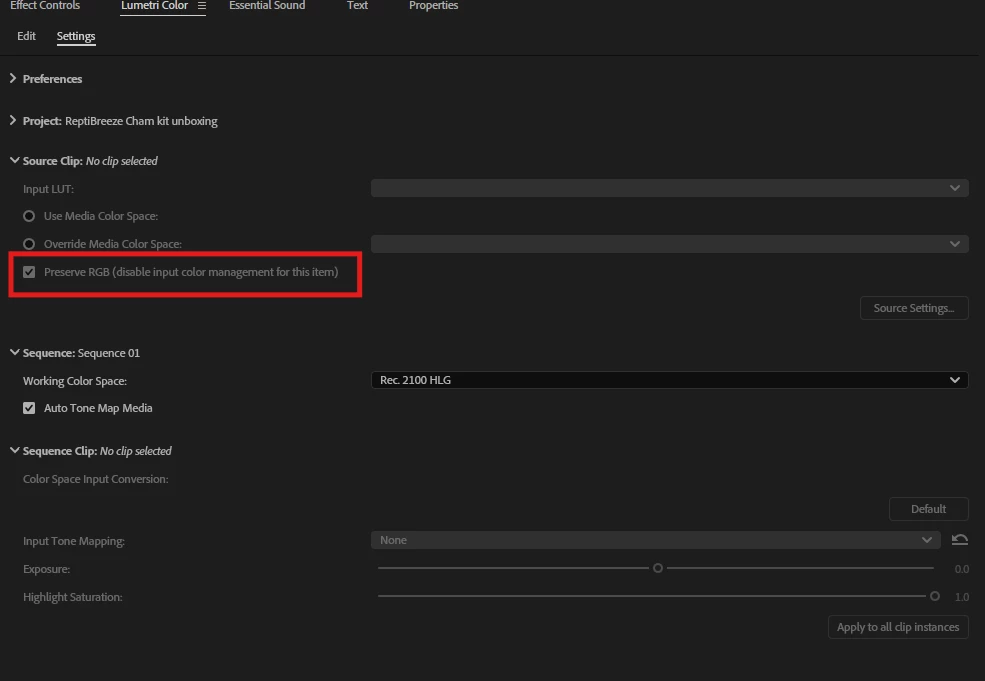
Go to Lumetri Colour > settings > source clip > tick preserve RGB (disable colour management for this item)
Already have an account? Login
No account yet? Create an account
Enter your E-mail address. We'll send you an e-mail with instructions to reset your password.


 AdChoices