Participant
September 19, 2022
Question

Picture Quality is not as assumed before encoding

  • September 19, 2022
  • 1 reply
  • 218 views

When I worked on a new video, I have  the issue to export it with the color settings assumed from preview.


See preview in Prime and Export Settings:
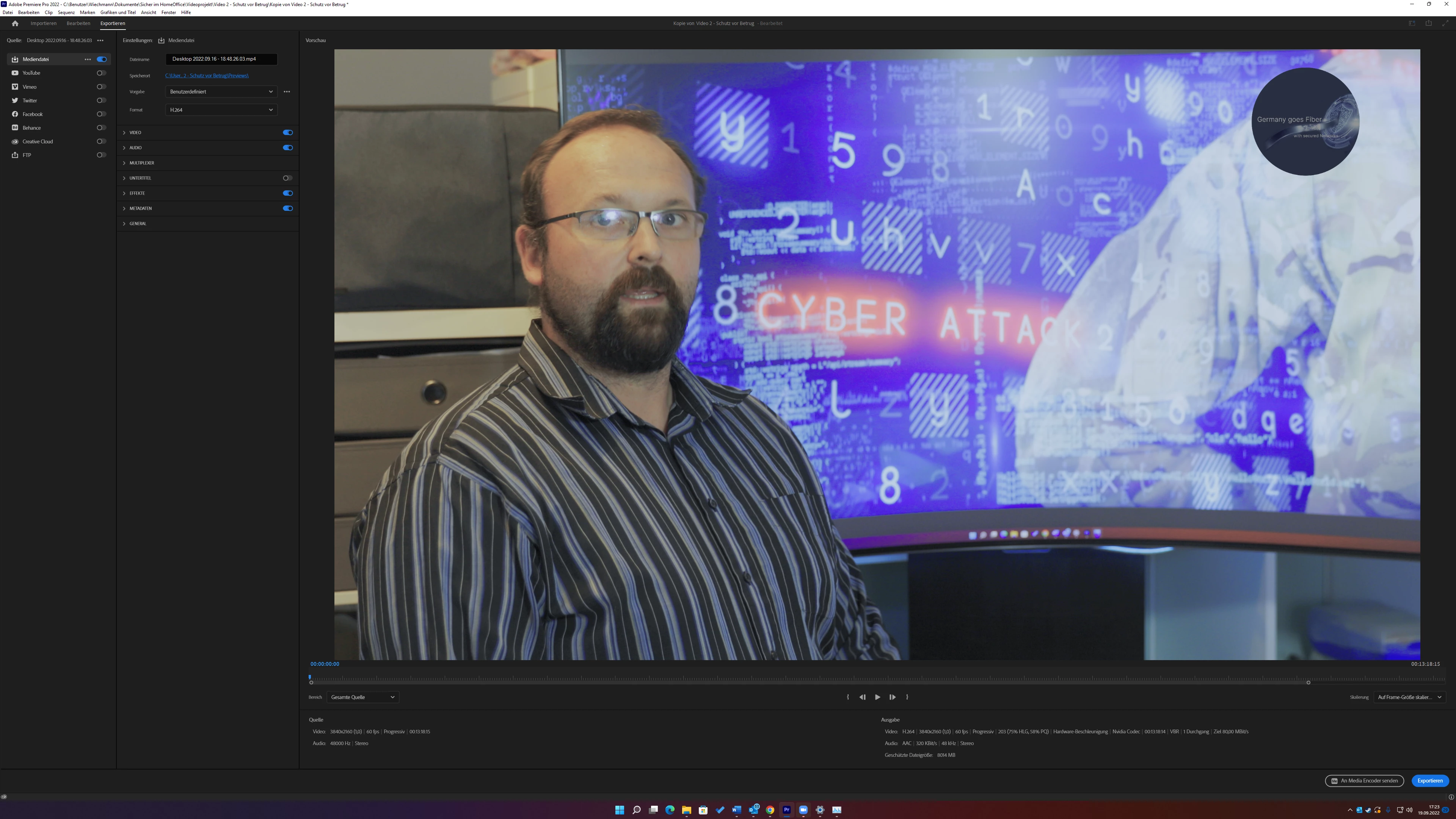
 

And the result:

 

I have no clue were to find the misstake.

Maybe anyone has a gret tipp?


Many thanks to all of you.

BR Ben


This topic has been closed for replies.

1 reply

R Neil Haugen
Legend
September 19, 2022

The 2022 version has a completely new underlying color system. In the past, Premiere was expecting and built around working with SDR Rec.709 media. No longer.


So what you have there is a clip that was either shot in HLG color space in the camera, or perhaps is a log-encoded clip that Premiere is assuming is meant to be in HLG due to it being shot in log. And even if you use Lumetri to make the clip look 'normal' on a Rec.709 sequence, Premiere will still export the clip using HLG data and dynamic range for that clip.


Hence, what you're seeing there.


Either way, whether it's an HLG or just log-encoded (and mis-intrepreted) clip, you need to select the clip or clips in the Project panel, right-click, Modify/Interpret Footage, and set the Override value to Rec.709.


What is the media, as in made by what camera or device, and what color space is it?


Neil

Everyone's mileage always varies ...
Participant
September 19, 2022

Hey,


thanks, that might be an idea. I use a Canon 5D M IV for my videos. I have also the same issue with the desptop records performed with NVIDIA GeForce expirience.

The Canon is set to PAL system.